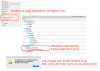
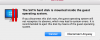
Windows drive is not showing in Finder. Unable to access Windows files from Mac without going into the VM.
I have uninstalled and reinstalled Parallels Tools. No change
By chance I just looked in Network Option after opening up the device option for my mac. I have now found the VM under network.
Why has this been removed from the list under "Device". Is there a way to get it back under the device section in the Finder sidebar?
I have uninstalled and reinstalled Parallels Tools. No change
By chance I just looked in Network Option after opening up the device option for my mac. I have now found the VM under network.
Why has this been removed from the list under "Device". Is there a way to get it back under the device section in the Finder sidebar?