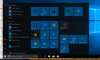
Windows Start Menu on High sierra / Parallels 13 / Windows 10

I've got (low) Sierra, 10.12.6, and Parallels 13 (13.1.1, 43120). Running in Coherence mode. Can't get Start menu to appear from Mac menu bar icon. Used to be able to have Windows task bar appear when hovering at the left side of the screen. All of a sudden not. Would love a fix!
 
My personal Mac (High Sierra / Parallels 13 / Windows 10) updated and the start menu is working again ... however on my work Mac (High Sierra / Parallels 11 / Win 7) still has the issue of no start menu when clicking on the icon. Any change older versions of Parallels will get an update?

Thanks
 
in my case menu open but not work

see attachment

I have a version 13.2 and my VM migrate to version 12
 

Attachments

  • Captura de Tela 2017-12-04 às 23.34.17.png
    Captura de Tela 2017-12-04 às 23.34.17.png
    230 KB · Views: 5
Hello Oraculum, kindly be informed that this is a known issue with Windows 10 and happens on real Windows PC's as well. As a workaround (results not guaranteed), navigate to C:\Windows\System32 and locate the application 'ctfmon'. Next, press CMD+R in Windows to launch the Run window, type 'shell:startup' (without the quotes) in the text field, hit 'Enter' (which opens a new window), drag and drop the 'ctfmon' application from the other window into the new window, launch it (no application window will open and nothing will seem to happen because, after being launched, the application will simply run hidden in the background) and restart Windows.Thanks!
 
Hello, I have the same issue with Parallels 12.2.1 and Windows 7 - Windows Start menu would not appear when clicking on the Windows 7 Start icon in Coherence mode. It would appear in non-coherence mode or if I select View Windows Start Menu in coherence mode. I tried different suggested solutions such as reinstalling Parallel tools, making sure "prl_cc" has admin permissions, the "ctfmon" solution, but nothing helped.
I see that that there is a solution for Parallels 13.
When are you going to release a a solution for Ver 12?
 
This still happens for me on 13.3. The ctfmon.exe workaround doesn't work, and neither does the Automatically hide and show the Dock setting. This is extremely annoying.
 
Back
Top