Windows ARM64 - seems to boot up

Hello,

I am using Parallels 17 with Windows 11 Dev on Apple M1.

Here are a couple of questions I was wondering about, in case anybody wants to comment, greatly appreciated.

1. In official parallels documents, it is mentioned that it is not recommended to move/clone a VM that uses vTPM. Why? Simply because it requires additional steps to handle, or is there another reason?
2. I often backup a full vTPM-VM file to an external harddrive. Let's assume my Mac SSD crashes and I want to use the copied VM from the external drive on a new MacBook. Is it correct that by following the steps described under https://kb.parallels.com/en/122702 , I will have all the means to be able to run the vTPM on the New Mac (assuming it's the same type of MacBook)?
3. I am currently on Dev Channel. At the moment, Dev and Beta Channel are identical builds and it is possible to move to Beta. However, Beta has additional requirements: https://blogs.windows.com/windows-i...ing-for-insider-preview-builds-of-windows-11/ (I recommend you read the table!! ) Has anybody switched to Beta Channel, and did it work? What about CPU type requirements for Beta? Is it correct that one can always switch back to Dev channel from the Beta channel?
4. Currently I am having issues (in WIndows full screen, game mode) switching to windows because I simply see the background of the sign in screen with no possibility to interact, I have to go to Parallels menu and to press ctrl alt del to get into windows.
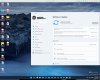
 
Does anyone know what happened or where I can download (legit links) Windows 10 ARM? All the links referenced only go to Windows 11 ARM now with no reference to Windows 10 ARM on the page. I am and have been Insider previously so it's got nothing to do with not having access. I was able to download Windows 11 ARM but I want Windows 10. Help appreciated. Just checking our Parallels 17 for specific reason to run Windows TEN on my M1. Thanks.
 
So do you need to buy a license to use the ARM Version of Windows? Also if I try to down load a game the Microsoft store it seems to just freeze and not allow the download. if this because the license isnt recognized?
 
So far so good. On a M1 MacBook Pro running Parallels 17 with Windows Insider program and Windows 10 build that just migrated to Windows 11 ARM via the Beta Channel. I was on the Dev Channel but did not see any updates. Once I switched to Beta I started seeing updates. Runs smooth for web browsing, YouTube, and MS Office products.
Device name MACBOOKPROM1
Processor Apple Silicon 3.20 GHz (4 processors)
Installed RAM 6.00 GB
Device ID DF8E5EB9-CF5A-xxxx-xxxx-33D0458C1087
Product ID 00330-80000-00000-AA274
System type 64-bit operating system, ARM-based processor
Pen and touch Pen support
----
Edition Windows 11 Pro
Version 21H2
Installed on ‎9/‎14/‎2021
OS build 22000.184
Experience Windows Feature Experience Pack 1000.22000.184.0
 

Attachments

  • Win11-1.jpg
    Win11-1.jpg
    246.9 KB · Views: 28
  • Win11-2.jpg
    Win11-2.jpg
    354.5 KB · Views: 28
Is anyone else having serious problems with this? Whenever I start using Windows 11 for a few minutes, then no buttons will work, and content is not appearing in Edge. Something is seriously wrong, and I have reinstalled Windows 11 twice now.
 
Is anyone else having serious problems with this? Whenever I start using Windows 11 for a few minutes, then no buttons will work, and content is not appearing in Edge. Something is seriously wrong, and I have reinstalled Windows 11 twice now.
I had this issue. This happens after you install the update. If you install the clean windows, and do not allow it to update, everything is fine. Hoping for a solution soon.
 
I had this issue. This happens after you install the update. If you install the clean windows, and do not allow it to update, everything is fine. Hoping for a solution soon.
Thanks! I'm glad it's not just me. I thought I was going crazy.

Apparently, we need to get out of the Dev channel and move to the Beta channel, but they seems impossible.
 
Is anyone else having serious problems with this? Whenever I start using Windows 11 for a few minutes, then no buttons will work, and content is not appearing in Edge. Something is seriously wrong, and I have reinstalled Windows 11 twice now.
I'm too, very sad =/
 
I have had a similar issue where buttons (like the ones to power off in settings) don't respond as quickly as I would expect. Have had it for a while - nothing in my case related to Windows updates, which I was getting from the Insider Program and since quiting the insider program and finally getting around to activating my Windows 11 PRO ARM installation. Only issue with Edge is that it occasionally seems slower than I remember running Windows 10 under Bootcamp, but that is expected running Windows under Bootcamp vs Parallels in my experience.
 
I have had a similar issue where buttons (like the ones to power off in settings) don't respond as quickly as I would expect. Have had it for a while - nothing in my case related to Windows updates, which I was getting from the Insider Program and since quiting the insider program and finally getting around to activating my Windows 11 PRO ARM installation. Only issue with Edge is that it occasionally seems slower than I remember running Windows 10 under Bootcamp, but that is expected running Windows under Bootcamp vs Parallels in my experience.
How were you able to quit the insider program and get into the release branch of the windows 11 ARM from the dev branch (which is what the insider program gives you)?
 
You can't because the Dev Channel builds are higher than the general release build. SWANDY, like many of us who used Parallels on M1 for a while, used the opportunity to switch to the Beta Channel while Dev and Beta Channels were on the same build for a short time and could then leave the Insider Program.
What you can do is create an iso for build 22000.160 on uupdump.net which should update to the current release build 22000.258. But you will need to make a clean install with that.
I tried to create an ISO from the uupdump.net sources, but got an error. Any help?
 

Attachments

  • Capture.PNG
    Capture.PNG
    18.2 KB · Views: 25
With the 22483 build I can't use the start menu or the settings app in the windows 11 arm vm. I feel so dumb. I was installing Parallels and the Windows Insider exactly as intended but the settings does not open, the Windows start menu does not open and I can't search anything. What the hell am I doing wrong? Can someone explain what settings I have to change.
 
You're probably not doing anything wrong. Recent Dev Channel builds seem to cause a lot of problems. There is a newer build (22489j available now that fixes some settings crashes. Since you can't even open settings at the moment, you have to run Windows Update another way. Here's a guide: https://www.thewindowsclub.com/how-to-run-windows-updates-from-command-line-in-windows-10

Or you can avoid the unstable Dev Channel builds by building an iso on uupdump.net. https://forum.parallels.com/threads...w-m1-with-monterey-win-11.355176/#post-893861

Thanks. I used an uupdump. Now everything works. :)
 
You're probably not doing anything wrong. Recent Dev Channel builds seem to cause a lot of problems. There is a newer build (22489j available now that fixes some settings crashes. Since you can't even open settings at the moment, you have to run Windows Update another way. Here's a guide: https://www.thewindowsclub.com/how-to-run-windows-updates-from-command-line-in-windows-10

Or you can avoid the unstable Dev Channel builds by building an iso on uupdump.net. https://forum.parallels.com/threads...w-m1-with-monterey-win-11.355176/#post-893861
Hello, thank you for sharing the knowledge. Parallels Team.
 
I'm having the same issue where many of the buttons don't work, and I am unable to click on settings. Does anyone have a tutorial on how to build an iso on uupdump? Does the iso have to be built on a PC and then brought over to the Mac?
 
I have had a similar issue where buttons (like the ones to power off in settings) don't respond as quickly as I would expect. Have had it for a while - nothing in my case related to Windows updates, which I was getting from the Insider Program and since quiting the insider program and finally getting around to activating my Windows 11 PRO ARM installation. Only issue with Edge is that it occasionally seems slower than I remember running Windows 10 under Bootcamp, but that is expected running Windows under Bootcamp vs Parallels in my experience.
Ok I had the same problem as you. Here is how I solved it:

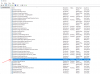
Disable searchindexer.exe from the services tab. Watch everything start working like magic!!!
 
Back
Top