Windows 11 VM on Parallels has broken virtual TPM.

Discussion in 'Windows Virtual Machine' started by SirioN, Jun 8, 2026.

  1. PaulWoodward

    PaulWoodward Member

    Messages:
    25
    Both Parallels and Microsoft are partly responsible. I now know Microsoft turned on a newer, more robust TPM attestation method in the July update. It's called AIKv2, and it is coming back at some point. On newer hardware, this generally works fine, but older TPM implementations, such as the older model laptops where I work, this broke. In the face of widespread issues it seems Microsoft have now used the Controlled Feature Rollout (CFR) mechanism to disable the AIKv2 enforcement, and I'm now seeing some success with the previously affected laptops. There is speculation that MS did not intend to enforce AIKv2 this month, just ship the code for later enablement, but who knows? If Parallels had proactively updated their vTPM to be compatible with the more robust AIKv2, this would have been a non-issue. Given the work Parallels just did recently to finally get the new Secure Boot certificates working properly, which included updating the virtual firmware, it's disappointing they didn't future proof the TPM at the same time. Although CFR is able to roll back the specific change, there is no official way for an Admin to control or even tell what CFR is doing, which new features are enabled or disabled. But there is a chance that affected Parallels VMs may get the CFR update from MS to disable AIKv2, and return to the non-broken statre. I'll be trying this out today, if time allows.
     
  2. JC10

    JC10

    Messages:
    1
    this issue is so debilitiating to so many of us that rely on this working :(

    tmp workaround -
    download https://github.com/thebookisclosed/ViVe/releases
    run as elevated admin
    vivetool /disable /id:62861611
    reboot

    disclaimer - try at your own risk. it may not work, have other side effects.... it may cause you to loose all your data... your mac catches fire.... etc... not my problem.
    it's reversible - you can probably guess how.
     
  3. RobertH88

    RobertH88 Bit poster

    Messages:
    4
    I mean i don't know if it has been determined to be a windows bug or the windows patch triggers a parallels bug.
     
  4. EirikG

    EirikG

    Messages:
    1
    I am also impacted by this.
     
  5. ChristianP27

    ChristianP27 Junior Member

    Messages:
    10
    Fair point, it could be a Windows bug exposing a Parallels bug, true. Regardless, it would be much appreciated if someone from Parallels would provide an update.
     
  6. DavidN50

    DavidN50 Bit poster

    Messages:
    1
    I opened a Parallels support ticket on this issue last week and still have not heard anything back, I am told the Developers are working on it. I had the exact same issue on my test device, when the BitLocker was suspended, I decrypted my hard drive. Then I uninstalled the Windows July Cumulative update and after it rebooted, I was able to clear the TPM.

    I rebooted again and everything was working as expected, because my company enforces the Windows Update I got the July Cumulative installed again yesterday and even after a reboot my device seems to be working fine (although I still can't manage the TPM without error in the MMC.exe)

    Maybe the issue will resurface in time, really hoping the Parallels folks get this resolved....our Parallels user base is growing rapidly.
     
  7. EvanR2

    EvanR2 Bit poster

    Messages:
    4
    Same issue here, W11 ARM VM since latest July MS updates broken TPM, cannot communicate with Company Portal/Intune and MS Office apps cannot login. Have not yet attempted rolling back the July KB update, as Intune ring policy would just push it again immediately. Any update from Parallels team on this issue? The silence is deafening around this issue right now...
     
    ChristopherT19 and PhilipO4 like this.
  8. PaulWoodward

    PaulWoodward Member

    Messages:
    25
    We know exactly the cause of the issue. Microsoft changed things. They at least enabled more stringent AIKv2 TPM attestation in the July update, and the vTPM that Parallels ship is not compatible. Uninstalling KB510650 returns Windows to using AIKv1, and the problem goes away. If Parallels made the virtual firmware/vTPM compatible with the newer standard, the problem would also go away.
    Microsoft have subsequently rolled back the AIKv2 enablement using the CFR mechanism, and I'm now able to install KB510650 on our older laptops and no longer see failures in Autopilot Pre-provisioning. I have not yet been able to determine if this also means Parallels VMs will work, but I'll be testing that this morning.
    Yes, the lack of comms from Parallels is frustrating, but exactly what I've come to expect. Despite the price tag for the Pro license, it's not a serious tool for professional use. The comms and QA are just not there.
     
  9. VicencP

    VicencP Bit poster

    Messages:
    8
    Same issue here :(
    - Mac Mini M4 Pro
    - Parallels Desktop 26.4.0
    - Windows 11 Pro 25H2
    Remove KB5101650 (beware, KB5121767 has the same problem), so uninstall those KB's and "pause" Windows Update for some weeks has been my only workaround.
    Current status: waiting for Parallels to come up with a new release or patch.
     
    DavidN50, ChristopherT19 and PhilipO4 like this.
  10. MikaelF1

    MikaelF1

    Messages:
    2
    Same issue here as well. I have been using my PIN code only for 6 months, and I can't remember what password I used when I installed Windows. Luckily, I'm on vacation now, so hopefully a patch comes before the end of it. If not, do I have to reinstall Windows?
     
  11. MikaelF1

    MikaelF1

    Messages:
    2
    I managed to revert the latest Windows update.

    At the login screen, click the power icon in the bottom-right corner, then hold Shift and click Restart. That boots the VM into WinRE instead of back to login.

    In WinRE, go to Troubleshoot → Advanced options → Uninstall Updates → Uninstall latest quality update.
     
  12. PaulWoodward

    PaulWoodward Member

    Messages:
    25
    Hmm, so it doesn't appear the CFR is enough for my Parallels VM. Uninstalling KB510650 fixes my problems, but installing it again breaks WHfB. That's disappointing. My VMware VM is also not working with WHfB, although get-tpm doesn't throw errors like it does in parallels. I'll report back if I make progress with either.
     
  13. BrianS48

    BrianS48 Bit poster

    Messages:
    1
    Seeing same here
    -Macbook Pro M4 Max
    -OS: macOS Tahoe 26.5.2
    -Parallels Desktop 26.4.0 (57513)
    -Windows 11 Pro 25H2
    Confirmed removing Windows July updates as workaround, but like many already reporting here, my VM has to be compliant to MDM rules for my company, which means bitlocker and TPM as well as latest updates to be operational for resource access.
    Opened support case 5781803
     
  14. TimH34

    TimH34

    Messages:
    1
    I have the same issue here too,
    - Mac Studio M1
    - Parallels Desktop 26.4.0
    - Windows 11 Enterprise 25H2
    Regardless of it being a new install with updates included in installation media or update from patch Tuesday.
    Current status: waiting for Parallels to come up with a new release or patch.
     
  15. PaulWoodward

    PaulWoodward Member

    Messages:
    25
    Best Answer
    OK, I have a fix. You need to use ViVeTool from "thisbookisclosed" on github. It looks like Microsoft are not disabling AIKv2 on Parallels VMs with CFR. The vivetool but it does allow you to create a local override to disable AIKv2.
    Download vivetool from github-dot-com/thisbookisclosed/ViVe/releases (the ARM/Snapdragon version), and run the following in elevated (Admin) Powershell window:
    (change directory to the downloaded files, unblock them (remove MarkOfTheWeb), and use vivetool to force disable AIKv2. Then reboot.)
    cd ~\Downloads\vivetool
    Unblock-File *.*
    .\vivetool /disable /id:62861611
    Restart-Computer​
     
    HenriH and EvanR2 like this.
  16. PaulWoodward

    PaulWoodward Member

    Messages:
    25
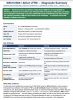
    The data end-to-end validates the root-cause chain. KB5101650 turned on AIKv2 attestation, which requires an
    Endorsement Key certificate. This Parallels vTPM has no EK certificate (Ready For Attestation: False, empty
    manufacturer certs, MeasuredBoot EkCertIsAvailable: false), so under AIKv2 attestation failed and WHfB / BitLocker
    collapsed. Forcing the feature off with vivetool /disable /id:62861611 returns Windows to AIKv1, which
    tolerates the missing EK cert -- the same effect as uninstalling the update, but with the July security fixes retained.
    The device is Entra-joined and does not rely on TPM device attestation for sign-in, so the residual Get-rpm
    0x80284005 error and the per-boot pre-attestation health-check events are cosmetic in this configuration.


    Device
    W11-PVM9ADMARM2 (Entra-joined)
    OS Windows 11 Enterprise 25H2 -- build 26200.8875 (ARM64)
    Update under test KB5101650 installed 24 Jul 2026 (still present)
    Host / VM Parallels ARM Virtual Machine (Apple Silicon)
    Parallels Tools 26.4.0.57513 (upgraded from 26.3.3.57507)
    Join / identity AzureAdJoined: YES | Domain/Hybrid: NO
     

    Attached Files:

    SystemsGuy likes this.
  17. RobH6

    RobH6 Bit poster

    Messages:
    3
    Just chiming in with my experience of this. As the updates have now been integrated into the base Windows images, new VMs are equally affected (with the inability to rollback, of course). For us, in a corporate environment, this means anything relying upon the vTPM fails: no Windows Hello availability is inconvenient, but the primary issue is the VM's inability to perform any attestation, which means Intune non-compliance and effectively an unusable VM in a ZNTA environment such as ours.

    So, if your Autopilot deployments are suddenly hanging at (for example) certificate profiles being sent down to the VM, the unusable vTPM is likely why.

    Ticket created #5782922 and technical report ID 525887562.
     
    PhilipO4 likes this.
  18. MohammedD1

    MohammedD1 Bit poster

    Messages:
    3
    Has anyone received any updates regarding this?
     
  19. ChristianM27

    ChristianM27 Bit poster

    Messages:
    1
    same problem here. New VM's cant be enrolled with Windows Autopilot. Old VMs can't use Windows Hello and sing-in to Microsoft resources are not working.
     
  20. RobH6

    RobH6 Bit poster

    Messages:
    3
    I am assured that Parallels engineering is working on the problem. However, I'm going to test PaulWoodward's suggested workaround to see if that can expedite things.
     

Share This Page