Hi all,
Since the cumulative update on this months patch Tuesday (9 April 2024), I have noticed that there are some odd visual artifacts displayed around edges of certain menus in Windows 11. The update was KB5036893.
Tried the obvious. Reboot. Re-install Parallels Tools. Hasn't gone away.
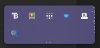
I have attached some screenshots. Two are of the Start menu. Up the side, and along the top of the menu. And one is of the system tray.
Any ideas?
Thanks,
D
Since the cumulative update on this months patch Tuesday (9 April 2024), I have noticed that there are some odd visual artifacts displayed around edges of certain menus in Windows 11. The update was KB5036893.
Tried the obvious. Reboot. Re-install Parallels Tools. Hasn't gone away.
I have attached some screenshots. Two are of the Start menu. Up the side, and along the top of the menu. And one is of the system tray.
Any ideas?
Thanks,
D