Hi
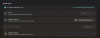
I an running Parallels Desktop Pro v20.2.2 on my M4 Macbook Pro with Sequoia 15.4 I have a ARM64 windows 11 version as my guest OS. Everytime I reboot/resume my VM or resize the window, it defaults to 150% display scaling. Even if I change it to 100% in Displayu Settings it reverts to 150%.
Tried to research this online and on the forum, but I vas not able to find an option/setting in my VM options for that.
Could someone please help
Thank you
I an running Parallels Desktop Pro v20.2.2 on my M4 Macbook Pro with Sequoia 15.4 I have a ARM64 windows 11 version as my guest OS. Everytime I reboot/resume my VM or resize the window, it defaults to 150% display scaling. Even if I change it to 100% in Displayu Settings it reverts to 150%.
Tried to research this online and on the forum, but I vas not able to find an option/setting in my VM options for that.
Could someone please help
Thank you