I'm having the same issue did it work? My first experience with Parallels - sooooo very frustrated.
Dear
@AmyW2
Have you followed the instructions from this
article?
If yes, please follow the below steps & keep us posted
1. Create a new virtual machine(start Parallels Desktop & the Mac menu bar choose File > New
2. Click Install Windows or another OS from DVD or image file, then click Continue:
3. Configure the virtual machine to boot from USB drive:
Click Locate manually:
Check Continue without a source, then click Continue:
Choose Windows 10 operating system and click OK:
Choose virtual machine profile and click Continue:
4. Check Customize settings before installation and click Continue:
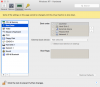
Switch to Hardware tab > Boot Order > check External device > set External boot device to appropriate Windows 10 USB installation drive:
5. Close configuration window and click Continue in Parallels Wizard dialog:
The first boot may fail: In this case in the menu bar choose Actions > Reset:
6. Proceed with Windows installation:
Once the installation is completed, please follow this article to
install Parallels Tools