I have the same problem. It started happening after the windows 10 April update. It was so bad that I could not do anything because it would freeze 10 second after the startup. After *a lot* of attempts stopping it and starting it I managed to install the parallel tools and it was a bit more manageable. I tried to reinstall completely windows but still I have the same problem. I already disabled the fast startup and it doesn't help. Also in my case it happens when I'm using Visual Studio 2017, but it's pretty much the only thing that I do in parallels. The last time that it happened I had the audio open and I noticed that the speakers started doing an awful "ding-ding-ding-ding" noise while it was frozen. In the event viewer there is pretty much nothing strange. I think that in my case it happens more frequently after I resume a suspended VM. Let me know if you need anything that can help from me.

Install the app
How to install the app on iOS
Follow along with the video below to see how to install our site as a web app on your home screen.
Note: This feature may not be available in some browsers.
You are using an out of date browser. It may not display this or other websites correctly.
You should upgrade or use an alternative browser.
You should upgrade or use an alternative browser.
Windows 10 VM Freezes in Parallels 13 - Windows 7 VMs are OK
- Thread starter BenB11
- Start date
Add me to the list of people that have Windows 10 VM that freezes. For me the freeze event seems correlated with sound. The first thing that causes a chime, or system sound, causes the desktop to freeze.
On the Parallels system bar at the top of the VM screen you can see system activity for network, disk, and sound. It looks like processes continue to run - there is continued activity for network and disk (such as when system updates are being performed at startup) but as soon as something tries to use sound the speaker icon flashes constantly - non-stop - with the blue dot under it.
The speaker makes a chatter/stutter noise like its stuck in a loop at the front side of making a sound. Super frustrating because there's no graceful way to shutdown windows at this point and forced system stops break my Windows 10 VM (send it back to system recovery which does not work).
Hope there is a fix for this soon. Just upgrded to Parallels 14 - same problem, so that's not the fix.
On the Parallels system bar at the top of the VM screen you can see system activity for network, disk, and sound. It looks like processes continue to run - there is continued activity for network and disk (such as when system updates are being performed at startup) but as soon as something tries to use sound the speaker icon flashes constantly - non-stop - with the blue dot under it.
The speaker makes a chatter/stutter noise like its stuck in a loop at the front side of making a sound. Super frustrating because there's no graceful way to shutdown windows at this point and forced system stops break my Windows 10 VM (send it back to system recovery which does not work).
Hope there is a fix for this soon. Just upgrded to Parallels 14 - same problem, so that's not the fix.
Time for famous last words, but so far it appears the the upgrade to Parallels 14 has resolved this issue for me. I did see a little lag starting up for the first time, but after a reboot of the Mac, installation of the tools and restart of the VM it seems to be working well. I'll let folks know if this changes.
Thanks,
Steve
Thanks,
Steve
Update: I restarted my Mac after upgrading to Parallels 14, moved back to a vm snapshot that I thought would boot up ok, and then rolled that vm forward with system updates. It's working ok so far. Been running for an hr or so and was able to complete system updates and restarts. -- Windows 10 1803.
I'm also having the 'frozen windows' issue. Sometimes can't even get past the logon screen. Freezes seem to be related to when something happens in the Windows message area. With a bit of luck I can work for a while in Windows, but this is not a workable situation.
Already upgraded to Parallels 14, rebooted host & guest - issue is still there.
Already upgraded to Parallels 14, rebooted host & guest - issue is still there.
I have the same problem. Parallels 13 & Win 10. I first had it a few month ago - my Win 10 VM first kept freezing for 30s-1minute at random times. When it is frozen, I also cannot gracefully suspend it or quit Parallels. Force quitting and restarting Parallels would sometimes work. Eventually, it got to a point, where I could no longer start my VM at all - trying to do so would immediately freeze Parallels. I then deleted the VM and started from scratch with a new Windows install. That has worked fine for the past few month, but now the problem seems to be coming back with regular freezes happening. The only thing I did which I can think of as possibly related is that last week I extended the size of my Parallels virtual Hard disk. Also, as others mentioned in this thread, while frozen, Parallels seems to be very busy reading from disk.
This is unworkable. But before I end up starting over with a fresh windows install again this time, I'm probably going to give VMWare a try. I need to get work done.
This is unworkable. But before I end up starting over with a fresh windows install again this time, I'm probably going to give VMWare a try. I need to get work done.
Last edited:
Well - knock on wood - but it seems the upgrade to P14 did work. After updating Parallels Tools in the VM I haven't seen these crashes anymore and my system is now usable again.I'm also having the 'frozen windows' issue. Sometimes can't even get past the logon screen. Freezes seem to be related to when something happens in the Windows message area. With a bit of luck I can work for a while in Windows, but this is not a workable situation.
Already upgraded to Parallels 14, rebooted host & guest - issue is still there.
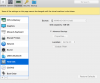
After months of banging my head against a wall I have resolved this issue for me - I disabled the TRIM functionality in advanced hard disk settings and no more freezes!
Works also for me!!!!
Wow, I was already able to work seemless since 6h!!
No more freezes ! wohooooo

Thanks
Yeah i know what you talking about cause last month i had the same problem as you. But i cant do anything while making transfers with bitcoin mixer cause i am cryptominer. So how you fixed that problem?I just want to report that I have the hanging/frozen Windows 10 VM under Parallels 13 on MacOS 10.13.6 since several weeks as well and it is more than annoying. I haven't found yet when it happens or which event leads to the hanging. First I thought I had the "bitcoin" virus because the CPU was 100% on Windows although it was frozen but your descriptions describes the same. I also checked for the virus but haven't found anything. So my system should be clean.
I haven't seen any confirmation or help from Parallels support people here. Can anybody from Parallels please help us....?
Gerd
I'm having this problem also. I'm running windows 10, predominately for Visual Studio 2017 usage. I get regular freezes, sometime just when starting parallels, sometimes when starting the actual vm, and often when using the VM. I can't pinpoint any reproducible scenario. I've tried most of the ideas this thread seem to make a difference.
Has any one effectively solved this? It's unclear from people comments that Parallels 14 fixes the issue, if that's the case, and this issue is not resolved with P13, we really should be provided with an upgrade key for free.
Has any one effectively solved this? It's unclear from people comments that Parallels 14 fixes the issue, if that's the case, and this issue is not resolved with P13, we really should be provided with an upgrade key for free.
Thanks @PhilS6.
* I briefly tried upgrading to Parallels 14 trial, and immediately had the same problem, so as you said this doesn't fix it.
* I tried disabling TRIM, and the issue still remains.
I was able to get it to work after a very frustrating afternoon. What I did, was to boot laptop, leave it for about 30 minutes without running anything, and then run parallels. If run it anytime in the first 10 minutes after osx starts up, it doesn't seem to work.
This is not a sustainable solution, so I'm not sure what to do next.
Cheers,
* I briefly tried upgrading to Parallels 14 trial, and immediately had the same problem, so as you said this doesn't fix it.
* I tried disabling TRIM, and the issue still remains.
I was able to get it to work after a very frustrating afternoon. What I did, was to boot laptop, leave it for about 30 minutes without running anything, and then run parallels. If run it anytime in the first 10 minutes after osx starts up, it doesn't seem to work.
This is not a sustainable solution, so I'm not sure what to do next.
Cheers,
I can't believe what I read here, since mid last year such a catastrophic situation and no fix. I can't tell of course how many users are affected by this, but in my case it is the same for both Win10 VMs, and it is not an occasional/rare freeze, it is a continuous threat pending above your work. So desastorous that I thought this cannot be a Parallels problem, it mus be a flaw in my local system. But then I read descriptions of symptoms here that are soo similar to mine: mainly use VS 2017 - get a crash with a horribly sound dhing-dhing-dhing (See DaniloD2) - this is exactly my case, and these are pretty specific symptoms. I can add from my side, that I store the images on a external drive connected via usb3 - and that drive is a raid0 drive... Frankly, I think this is a scandal. (but I'll try the TRIM suggestion now)
PS: just looked and found that trim was *not* enabled on both of my Win 10 VMs
PPS: I should mention the situation did not change at all through the 13->14 update, nor through the minor version update of 14 since then... I repeat: a scandal!
PS: just looked and found that trim was *not* enabled on both of my Win 10 VMs
PPS: I should mention the situation did not change at all through the 13->14 update, nor through the minor version update of 14 since then... I repeat: a scandal!
Last edited:
Well, I've had a couple of instances of freezing in the last few days - just prior to the latest update for Parallels, actually. At the moment things are ok, but I hadn't seen (nor tried) turning off the "TRIM" option for the HD. I'm going to do that and see if that prevents this from happening to me again. I can get a functional VM if I just wait it out - it usually takes about 15-20 minutes and then things are OK. I'll post back here if it seems to have worked for me. For the record, i'm running an up to date Windows 10 VM with Parallels version 14.1.2-45479.
Cheers.
Cheers.
Well, I've had a couple of instances of freezing in the last few days - just prior to the latest update for Parallels, actually. At the moment things are ok, but I hadn't seen (nor tried) turning off the "TRIM" option for the HD. I'm going to do that and see if that prevents this from happening to me again. I can get a functional VM if I just wait it out - it usually takes about 15-20 minutes and then things are OK. I'll post back here if it seems to have worked for me. For the record, i'm running an up to date Windows 10 VM with Parallels version 14.1.2-45479.
Cheers.
Okay, I hadn't been aware of that update, the second minor/patch-update on 14. Since I know it's not my local system, I am pretty furious. Parallels is pretty aggressive in pressing for money, in flooding you with worthless "tools" and other cruft, but doesn't fix serious bugs and doesn't keep up with Linux updates. You are just protected by the fact that you competition isn't much better, and because it's hard to apply legal pressure. Seriously, since I know this is a Parallels bug, I am furious - how can you dare to push such a buggy product into the market. These crashes have ruined me two VMs already. And I am in a constant state of terror from the next crash while using these systems.
As to the 14.1.2 update: no joy. My test is installing Ubuntu into the Windows Linux Subsystem. That has never succeeded so far in one go (and before you say don't use a "subsystem" in a virtual machine: this is just an example, there are many cases of crashes - unfortunately not reproducible - but VERY frequently). SO - after the 14.1.2 update, tools install and reboot - it started installing WSL Ubuntu, and the system crashed the first time exactly at the end of the install, and the terrible audio pulsation (that would destroy your ears if you wore headphones!!! Man, man this *is* really terrible what you are doing here!!!) started. It used to sound like ding-dang-ding-dang, and now it's a bit lower and the tones stays the same: dang-dang-dang... REALLY loud, it's crazy. Another observation: that the crash very frequently happens at *the end* of an installation, or some larger process. So I rebooted and continued in the Linux Subsystem Ubuntu install by running an update/upgrade cycle for the whole of Ubuntu. That's around 150 packeges and 500 MB download plus extraction/install. In the past it has *never* succeeded, and it did *not* do so after the update either.... So maybe something changed in the update, but my problem (and I now think the problem of many others) was not solved!
I will be experimenting with two other options: using the Apple Hypervisor and increasing the assigned cores to 4 (as recommended). This later setting is very demanding, I really it's not mandatory, after all all of my computer "only" has 8 cores (really: 8 threads/logical processors).