Windows 10 VM freezes for 5 to 15 seconds regularly since High Sierra - Parallels 13.0.1 (42947)

This worked for me: Go to Apple logo > System Preferences > Energy Saver, then turn OFF the 'Automatic graphics switching' checkbox.
I have all the frozen/hanging problems of my Windows 10 VM described here (annoying), but I don't have this setting 'Automatic graphics switching' (iMac)
Gerd
 
I have all the frozen/hanging problems of my Windows 10 VM described here (annoying), but I don't have this setting 'Automatic graphics switching' (iMac)
Gerd
Hi @GerdP, the feature is available only on iMac. Is Windows 10 virtual machine freezes while starting up or when you are trying to open any applications?
Can you please send us a Technical Data collected right after you open Task Manager in Windows 10 and Activity monitor (Help menu > Send Technical Data...)? This will help us significantly, please reply me back with the report ID number.
 
Hi @GerdP, the feature is available only on iMac. Is Windows 10 virtual machine freezes while starting up or when you are trying to open any applications?
Can you please send us a Technical Data collected right after you open Task Manager in Windows 10 and Activity monitor (Help menu > Send Technical Data...)? This will help us significantly, please reply me back with the report ID number.

Hi PaulChris@Parallels, the freezes didn't happen while starting up or when I tried to open any applications. Those happened in the middle of the work in applications but I cannot say if something like starting background updates happened at that time. Interesting enough, since I wrote my freeze problems into this forum, it hasn't happened anymore. Not sure if an Windows 10 update solved it (they are installed automatically in the background) or I was lucky in the last several days.
Thanks Gerd
 
Unfortunately, the Windows 10 system froze again now. I tried to de-install an application and then the system froze.... I was simply lucky that the system hasn't frozen for several days....
Gerd
 
Unfortunately, the Windows 10 system froze again now. I tried to de-install an application and then the system froze.... I was simply lucky that the system hasn't frozen for several days....
Gerd
Hi @GerdP, we would recommend you to check your system.log for errors in the Console (Applications/Utilities/Console). Type "i/o" (without quotes) at Console's search bar and check if you can see "I/O error"
 
After banging my head against a wall for months I have solved this happening for me.


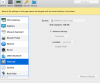
I disabled TRIM in the advanced disk settings and no more freezes!
 

Attachments

  • upload_2018-9-11_11-55-44.png
    upload_2018-9-11_11-55-44.png
    203 KB · Views: 56
+1.

  • MacOs High Sierra + Parallels 13 + Windows 10 Pro + Visual Studio 2017 + Google Chrome (openning in MacOs).
  • Macbook Pro Touchbar (16Gb RAM, i7 2.7Ghz).
  • All updated (MacOs, Windows, Parallels, ...)

The vm suddenly stops responding to all requests each 5-10 minutes. Sometimes, all system is blocked (macos) and the only solution is turn off the computer with the power button. After that, I try to open again the vm and parallels stays locked in the "Parallels..." spinner. Then, the only solution is to kill from Activity Monitor all processes that start by "prl_xxx" and restart the macos system (it does not always work, sometimes I have to repeat it 2-3 times).

Please, we need a solution! it's not productive to work like this.

I am having this very issue, just as BorjaG describes, though as follows:
  • macOS Mojave (currently 0.14.3 Beta (18D32a), but it happen on current non-beta Mojave version also) + Parallels 14
  • MacBook Pro (13-inch, 2017, Four Thunderbolt 3 Ports), 3.5GHz i7
I'm observing the same failure behavior and recovery process as described above. I've noticed the problem happens frequently when working with Office 365, but I spend a lot of timwworking in Office, so that may simply be a coincidence.

Hoping for a fix, here... this is appears to be a long-standing issue across multiple OS and Parallels versions.
 
I have started getting same freezing issue since few days. I have tried all options mentioned in previous comments, e.g disabling Automatic Graphics Switching and Disk Trim option. Nothing worked for me. I have macOS Mojave and Parallels Desktop 15. My Windows 10 VM freezes after every few minutes in the middle of work and does not come back without "Reset". I am stuck and cannot do anything. Please help.
 
I have started getting same freezing issue since few days. I have tried all options mentioned in previous comments, e.g disabling Automatic Graphics Switching and Disk Trim option. Nothing worked for me. I have macOS Mojave and Parallels Desktop 15. My Windows 10 VM freezes after every few minutes in the middle of work and does not come back without "Reset". I am stuck and cannot do anything. Please help.
Hi,
I have the same problem with freezing - 5-10 sec during work randomly. (MacBook Pro Early 2013 / High Sierra 10.13.6 / Paralell 13 / Windows 7)
According to recomendation of forum I changed:
- TRIM - disabled
- Automatic switch of graphic - OFF (Mac and Paralell settings)
- Applications MAC from Win - Off
And problem was solved. I will not to try to understand exact option helps me but it works.
 
I have started getting same freezing issue since few days. I have tried all options mentioned in previous comments, e.g disabling Automatic Graphics Switching and Disk Trim option. Nothing worked for me. I have macOS Mojave and Parallels Desktop 15. My Windows 10 VM freezes after every few minutes in the middle of work and does not come back without "Reset". I am stuck and cannot do anything. Please help.
Could you collect the tech.report please and share the report's id here?
 
Hi,
I have the same problem with freezing - 5-10 sec during work randomly. (MacBook Pro Early 2013 / High Sierra 10.13.6 / Paralell 13 / Windows 7)
According to recomendation of forum I changed:
- TRIM - disabled
- Automatic switch of graphic - OFF (Mac and Paralell settings)
- Applications MAC from Win - Off
And problem was solved. I will not to try to understand exact option helps me but it works.
Did you test the same behavior with the latest version of Parallels Desktop?
 
you can test the same issue with trial version.
Did you make any updates before the issue appeared?
As for testing on trial version - the times when I mastered the advantages of Windows 3.1 over 3.0. and it was interesting for me already behind. Let's leave it to enthusiasts :) I just wanted to share information that in a particular case there is a solution as I described.
As for updates - some updates for MAC was applied but I can't fix moment exactly. Tech report of my system 322701698. Maybe it will be useful.
 
As for testing on trial version - the times when I mastered the advantages of Windows 3.1 over 3.0. and it was interesting for me already behind. Let's leave it to enthusiasts :) I just wanted to share information that in a particular case there is a solution as I described.
As for updates - some updates for MAC was applied but I can't fix moment exactly. Tech report of my system 322701698. Maybe it will be useful.
Thanks a lot for sharing this.
 
Back
Top