Windows 10 v. 2004 - severe graphics instability

MartinH29

Bit poster
Multiple (time-consuming) attempts to upgrade Windows 10 1909 VM to Windows 10 2004 result in severe graphics instability (e.g. Start menu transparent and unstable, Settings windows flashing sections on and off).
Problem first encountered with Parallels Desktop 15, now continues with Parallels Desktop 16.
Problem replicated under PD 16 by creating new VM with latest Windows installer. Resulting VM is unusable because of this instability.

Hardware: 2010 MacBook Pro with 8MB RAM (4MB assigned to VM)
OS 10.13.6
Parallels Desktop 16
Windows installer: Win10_2004_English_x64.iso
 
Hello, please reproduce the issue and collect the tech report data right after that.
Then please post the report's ID here.
Looking forward to your reply

Technical report ID 347286322.

Screenshots of attempt to display Windows updates window don't do justice to the way elements of the window constantly flicker in and out of view.

These shots are from a new VM created with PD 16 and latest Windows 10 .iso (v. 2004).
 

Attachments

  • Screen Shot 2020-08-16 at 1.43.06 PM.png
    Screen Shot 2020-08-16 at 1.43.06 PM.png
    596.2 KB · Views: 20
Technical report ID 347286322.
Screenshots of attempt to display Windows updates window don't do justice to the way elements of the window constantly flicker in and out of view.
These shots are from a new VM created with PD 16 and latest Windows 10 .iso (v. 2004).
Thanks a lot for the provided information. We've involved Parallels Engineering team in this case. Once we het any updates we will let you know.
Thank you for your cooperation with us.
 
Thanks a lot for the provided information. We've involved Parallels Engineering team in this case. Once we het any updates we will let you know.
Thank you for your cooperation with us.
I have same thing on identical s/w and h/w environment (clean Win20 2004 64-bit install). As a workaround, in Win10 go to Devices->Display and deactivate the Parallels VDDM display driver - so as to use windows default driver (which seems slower but at least makes Window useable again). NB if you reinstall Parallels tools then repeat the video driver deactivation. FWIW I have 32-bit Win10 2004 working fine separately. So it must be a 64-bit Parallels VDDM driver issue.
 
Addendum to my above post - I see this issue on my PD 15.1.4 (original poster sees it on both PD15 and PD16). I don't have PD16.
 
That looks (kinda) like my problem with remote desktop access under v16. I'm not sure if the fix is the same, but if you want to give it a try:

Powered off VM -> Hardware -> Boot Order -> Advanced
and set a boot flag for video.metal=0
 
That looks (kinda) like my problem with remote desktop access under v16. I'm not sure if the fix is the same, but if you want to give it a try:

Powered off VM -> Hardware -> Boot Order -> Advanced
and set a boot flag for video.metal=0
Hi, please check the same issue with the Parallels Desktop latest build 16.0.1.
 
I read (first msg in this thread) that MartinH29 tried with "Parallels Desktop 16" (but doesn't say which release. I only have 15, so cannot test 16. But from what ChrisM16 says, it's still an issue. 'Engineering' presumably has full access to all builds on all pysical device models, so hopefully, since this ticket is already 'with' Engineering, they can reproduce the problem.
 
FYI - I have exactly the same issue with the same hardware/software, and it still occurs with 16.0.1

Hardware: 2010 MacBook Pro with 8MB RAM (4MB assigned to VM)
OS 10.13.6
Parallels Desktop 16.0.1 (48919)
Windows installer: Win10_2004_English_x64.iso
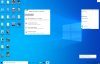
 
FYI - I have exactly the same issue with the same hardware/software, and it still occurs with 16.0.1
Hardware: 2010 MacBook Pro with 8MB RAM (4MB assigned to VM)
OS 10.13.6
Parallels Desktop 16.0.1 (48919)
Windows installer: Win10_2004_English_x64.iso
Hello, did you try the bootflag above?
 
FIXED (LATES PARALLELS UPDATE). I installed Parallels Desktop 15 for Mac Home Edition v 15.1.5 (47309), and my 64-bit Win 10 2004 version now runs the Palallels WDDM display driver, stable. The toolbar is no longer transparent/individual windows flickering/unuseable, plus hardware acceleration appears fine on YouTube videos. So, good times. All I had to do, post re-activation of the Parallels WDDM Display Driver (which didn't seem to need re-installing/updating since its April 2020 release) was to adjust the scaling of my Win 10 display (100% instead of the 'recommended' 150% - my personal preference) and to adjust the size of desktop icons to 'medium' (rightclick anywhere on empty desktop->View->MediaumIcons, and then I was back to normal. Props to Parallels Engineering for fixing this.
 
FIXED (LATES PARALLELS UPDATE). I installed Parallels Desktop 15 for Mac Home Edition v 15.1.5 (47309), and my 64-bit Win 10 2004 version now runs the Palallels WDDM display driver, stable. The toolbar is no longer transparent/individual windows flickering/unuseable, plus hardware acceleration appears fine on YouTube videos. So, good times. All I had to do, post re-activation of the Parallels WDDM Display Driver (which didn't seem to need re-installing/updating since its April 2020 release) was to adjust the scaling of my Win 10 display (100% instead of the 'recommended' 150% - my personal preference) and to adjust the size of desktop icons to 'medium' (rightclick anywhere on empty desktop->View->MediaumIcons, and then I was back to normal. Props to Parallels Engineering for fixing this.

>>> was to adjust the scaling of my Win 10 display (100% instead of the 'recommended' 150%
I too have my scaling non-100% but at 125%, which works fine with the windows 1909 version. But scaling at 100% is not acceptable for me. I have the high resolution screen, and 100% is not really an option. I did not try the bootflag as it seems to not have helped, and I am sticking with windows 10 1909 build. Any other ideas?
 
@MarkB48 - the only thing I did to fix my Win10 video instability on my v15.1.4 Parallels was to apply the new v15.1.5 (47309) Parallels update. All the other stuff I mentioned about scaling was pure personal preference and it is not part of the 'fix'. So, if you have applied v15.1.5 and have Win 10 2004 64-bit installed and fully patched, and it still doesn't fix your video (with no external monitors, initially), then I'm not sure where you can go from there.
 
@MarkB48 - the only thing I did to fix my Win10 video instability on my v15.1.4 Parallels was to apply the new v15.1.5 (47309) Parallels update. All the other stuff I mentioned about scaling was pure personal preference and it is not part of the 'fix'. So, if you have applied v15.1.5 and have Win 10 2004 64-bit installed and fully patched, and it still doesn't fix your video (with no external monitors, initially), then I'm not sure where you can go from there.
Thank you for that clarification. As I understand the fix to v15.1.4->v15.1.5 has not yet been applied to v16.0.1? So I am waiting for a fix to v16 before I try it again.
 
Back
Top