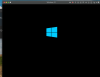
Windows 10 usually hangs on boot after Parallels 16 upgrade

MatthewS24

Bit poster
I'm using Windows 10 and had been using the Apple hypervisor due to severe problems with my MacBook 16in. behavior using the Parallels hypervisor. (Mac not waking unless power button pressed, very high CPU/unusable VM for first several minutes after wake-up.)

Since upgrading to Parallels 16, my Windows won't boot almost all of the time...hangs on the Windows logo and the circle of dots stops rotating. To recover, I have to force quit the VM and Parallels, and completely restart the Mac or else I'll get in-use/permissions related errors.

Switching back to the Parallels hypervisor allows my VM to boot again, but then I've also returned to the issues I've had with my Mac while running the VM with the Parallels hypervisor. My entire staff depends very heavily on our dual environments, and so this needs to be fixed immediately.
 
Same issue here exactly even before the upgrade.. It's a shame they can't commit any patches or KB on this specific issue...(or even listen to their clients) Try to enter recovery mode and commit the following commands: CHDSK /R /F and SFC/scannow.

Also try to fix the MBR by the command:
  • bootrec /fixmbr
  • bootrec /fixboot
  • bootrec /rebuildbcd
It didn't help for me but it may be successful in some cases.

Kind Regards.
 
I have something similar though my steps to broken are different. I upgraded to Parallels 16. Ever since then my new Mac Book Pro feels like it is overheating when running windows 10 with nothing running in the windows session. I noticed OneDrive was running and that does seem to cause CPU usage, so stupidly to I turned it off. I then upgraded Visual Studio, about 1 hour ago, and now my Windows 10 VM won't start - bad system config info. Looks pretty terminal, and all of my data that would have uploaded if I had OneDrive turned on, would have been safe. Alas, it looks like I lost a weeks worth of data.

Pretty poor.
 
Ok I had same problem. Windows 10.pvm wouldn't start after going form parallels 15 to parallels 16. here is what I did.
Right Click Power Symbol. Click Stop. Then I right clicked on the Power Symbol and Selected Configure. hardware I changed to 1 CPU. I turned off Shared Printers. I turned network to Disconnected. Then I clicked General and clicked Reclaim and Yes. Then I closed the window. Then I click the power symbol and the windows icon started up. I have now gone back and turned all the option back on I turned off. And it still boots. The first boot parallels tools started to update. I have a feeling it may have just been the need to reclaim the space that made it work, or perhaps changing the processor from 2 to 1. Hope this helps
 
I have a VM running an Education Insider Preview that is about to expire. When I try to update, the VM (correctly) reboots to the 'logo screen', spins the little dots a few times, and locks up. That's all she wrote. No disk/net/cpu activity. Resetting the computer allows it to boot but into the pre-update state, not allowing me to go any further. Tried all the repair strategies from all the people, nothing works, so - Upgrade to v16, but you can't upgrade windows any more :/
 
I have a VM running an Education Insider Preview that is about to expire. When I try to update, the VM (correctly) reboots to the 'logo screen', spins the little dots a few times, and locks up. That's all she wrote. No disk/net/cpu activity. Resetting the computer allows it to boot but into the pre-update state, not allowing me to go any further. Tried all the repair strategies from all the people, nothing works, so - Upgrade to v16, but you can't upgrade windows any more :/
 
Hello guys, did you get the issue right after VM start? Or at the Windows login screens?
Did you try to change HV (from Parallels to Apple) at the VM configurations?
 
Hello guys, did you get the issue right after VM start? Or at the Windows login screens?
Did you try to change HV (from Parallels to Apple) at the VM configurations?
For me the issue started for the first time right when upgrading the Parallel tools for the first time. The machine would hang, and I wasn't even able to properly close the VM or the Parallel App itself.
After reboot, I was able to again start the VM, but really after a short amount of time after login, it would hang again.

I'm using the Apple HV exclusively here as it gives me much more consistent performance for my needs.

The problem was resolved only after downgrading to PD15. And now I get bothered with the upgrade message each time I start Parallels with no method of disabling it (Will not upgrade until this issue is resolved)
 
I am experiencing the exact same issues. It would be great to see some input and help from Parallels. I am using the Apple HV as well. Going to switch and see if it helps, otherwise I will downgrade.
 
On a side note, when it does lockup and I quit parallels, I am asked to restart my computer. See screenshot.
 

Attachments

  • Screen Shot 2020-09-08 at 9.13.12 AM.png
    Screen Shot 2020-09-08 at 9.13.12 AM.png
    53 KB · Views: 19
I'm getting this same problem, Windows 10 host, Apple Hypervisor, Parallels 16. I have to restart my entire MBP just to get Parallels to open correctly again to the Control Center.

Boot the Windows 10 VM, it works for a bit, but as soon as I put it in Sleep mode or Suspend it it wakes up to a black screen and Parallels refuses to close the VM.
After another MBP reboot, if I start the Windows 10 VM again it's fine, Shutdown this time it shuts down, but start the VM again and I get the Window boot screen and the circle of dots stops moving.

Having to reboot my MBP every time I want to launch this VM is not ideal. I see this thread is nearly a month old too.

Can anyone suggest to me how to downgrade to PD15?
 
Also if it helps, the Windows 10 VM shows 100% CPU usage in the toolbar along the top of the VM window:
 

Attachments

  • Screen Shot 2020-09-08 at 7.04.13 PM.png
    Screen Shot 2020-09-08 at 7.04.13 PM.png
    294.5 KB · Views: 13
I'm getting this same problem, Windows 10 host, Apple Hypervisor, Parallels 16. I have to restart my entire MBP just to get Parallels to open correctly again to the Control Center.

Boot the Windows 10 VM, it works for a bit, but as soon as I put it in Sleep mode or Suspend it it wakes up to a black screen and Parallels refuses to close the VM.
After another MBP reboot, if I start the Windows 10 VM again it's fine, Shutdown this time it shuts down, but start the VM again and I get the Window boot screen and the circle of dots stops moving.

Having to reboot my MBP every time I want to launch this VM is not ideal. I see this thread is nearly a month old too.

Can anyone suggest to me how to downgrade to PD15?
Simply download the PD15 installer from here: https://www.parallels.com/directdownload/pd15/?experience=enter_key
And install over the existing PD16 installation.
 
Thanks for being more proactive and helpful... and supportive than parallels, however this doesn't work on Big Sur beta, see screenshot
The company that we all paid to (and continue paying our subscriptions) should handle that I'm afraid.

The only alternative I can offer you is to consider other software offerings. As for me, I'll continue to delay installing BigSur as long as the issue isn't resolved in PD16.
 
also facing the same issue with me as I'm a developer and have to work but this issue making trouble in it.have to done work for some sites .let's see if this issue can be solved
 
Last edited by a moderator:
Same here.

Apple HV - Windows often hanga on boot (does load eventually - after 30-60 minutes if you leave it running).

Parallels HV - Prevents mac from going to sleep, drains battery when lid closed.
 
Back
Top