I have been using Parallel's for a couple of years now with Windows 10.
Initially everything was great and I was quite impressed. However 6 months or so in, it started suffering from UI lock-ups more and more frequently as time went by when trying to do simple things like drag a window, access files, click menus - pretty much a whole stack of random things would cause 10-30 second lock-ups before the UI would start responding again (often with Not Responding displayed in the title bar of which ever window I was in).
I contacted support with no joy, even after a support person called me and connected to my machine, it seemed like they had no tools to debug anything or really offer any suggestions other than reinstalling Parallels and Tools which I'd already tried many times. I have not had any luck searching for a solution either.
Other Parallels VM's on my machine still seemed to perform fine. The Windows 10 install would be what I'd also consider a fairly clean install, basically a software development IDE I installed at the start which I use to write and compile code along with a GIT client. I hadn't really installed anything else much. The only real difference I can see from the initial install is there's a lot more data stored on the disk, such as large log files my software has generated etc.
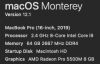
I suspect it might be some kind of disk IO issue. If I bring task manager up, whenever it locks up, the "Active Time" goes to 100%, the disk transfer rate however stays low. It's all running on a late 2018 MacBook Pro with 32GB RAM, 4TB SSD (of which more than half is empty). It had all the highest specs available at the time. Running macOS Catalina 10.15.7. This too is what I'd call clean, barely any apps installed other than what it came with. Parallels 16.0.1 (48919) currently. The issues happen even after a reboot of both macOS and Windows 10 with no apps running (other than things like explorer).
I basically gave up trying to fix this, copied a backup of the Windows 10 VM I made after I had installed it and applied updates, reinstalled the code IDE, copied over my source code and everything was great again.
Months later this VM started showing signs of the original one and is now at a point where it is almost unusable, the same frequent lock ups, the same 100% disk active time while the transfer rate stays low. I've also just done a disk scan in Windows and reported no errors (Ironically it locked up for 10 seconds clicking on the Close button though..). I also ran a scan over the mac drive with no issues found.
I boot up other VM's and they run fast with no noticeable issues. I'm about to yet again take a clean backup of the original VM and reinstall everything and copy across my code and start again but this is a pain to have to do every few months, I would like to try and track down what is causing this and it's making the whole Parallels experience frustrating.
Any constructive suggestions very welcome.
Thanks
Initially everything was great and I was quite impressed. However 6 months or so in, it started suffering from UI lock-ups more and more frequently as time went by when trying to do simple things like drag a window, access files, click menus - pretty much a whole stack of random things would cause 10-30 second lock-ups before the UI would start responding again (often with Not Responding displayed in the title bar of which ever window I was in).
I contacted support with no joy, even after a support person called me and connected to my machine, it seemed like they had no tools to debug anything or really offer any suggestions other than reinstalling Parallels and Tools which I'd already tried many times. I have not had any luck searching for a solution either.
Other Parallels VM's on my machine still seemed to perform fine. The Windows 10 install would be what I'd also consider a fairly clean install, basically a software development IDE I installed at the start which I use to write and compile code along with a GIT client. I hadn't really installed anything else much. The only real difference I can see from the initial install is there's a lot more data stored on the disk, such as large log files my software has generated etc.
I suspect it might be some kind of disk IO issue. If I bring task manager up, whenever it locks up, the "Active Time" goes to 100%, the disk transfer rate however stays low. It's all running on a late 2018 MacBook Pro with 32GB RAM, 4TB SSD (of which more than half is empty). It had all the highest specs available at the time. Running macOS Catalina 10.15.7. This too is what I'd call clean, barely any apps installed other than what it came with. Parallels 16.0.1 (48919) currently. The issues happen even after a reboot of both macOS and Windows 10 with no apps running (other than things like explorer).
I basically gave up trying to fix this, copied a backup of the Windows 10 VM I made after I had installed it and applied updates, reinstalled the code IDE, copied over my source code and everything was great again.
Months later this VM started showing signs of the original one and is now at a point where it is almost unusable, the same frequent lock ups, the same 100% disk active time while the transfer rate stays low. I've also just done a disk scan in Windows and reported no errors (Ironically it locked up for 10 seconds clicking on the Close button though..). I also ran a scan over the mac drive with no issues found.
I boot up other VM's and they run fast with no noticeable issues. I'm about to yet again take a clean backup of the original VM and reinstall everything and copy across my code and start again but this is a pain to have to do every few months, I would like to try and track down what is causing this and it's making the whole Parallels experience frustrating.
Any constructive suggestions very welcome.
Thanks
 in task manager would always be at 100% but with a small value on the "Disk transfer rate" shown below. I've only really had this particular issue, I haven't noticed high CPU or errors as such.