Parallels 16 Tech Preview? How do you get access to that?Jut to chime in and say that I have exactly the same issue in parallels 16 tech preview both in a MBP with Catalina and a MBA with Big Sur Beta 3. Today Microsoft released build 20180 but no dice. The issue remains. If this holds up, it should be a change in the bootloader (or similar) that Parallels will have to fix, because it could be that the change in Windows is here to stay. Will try the "reverting back to 14" so I can upgrade the old build.

Install the app
How to install the app on iOS
Follow along with the video below to see how to install our site as a web app on your home screen.
Note: This feature may not be available in some browsers.
You are using an out of date browser. It may not display this or other websites correctly.
You should upgrade or use an alternative browser.
You should upgrade or use an alternative browser.
Windows 10 Insider Preview 20175.1000
- Thread starter Pentad
- Start date
Thanks for this. Although by the time i reverted version 20180.1000 downloaded but this worked with your method.I am helping a client install this insider preview. He runs Catalina 10.15.6 with Parallels 15.1.3 and had the same problem as everyone else reported here. He had a back up of Parallels that was version 14.1.0. Based on what I read here, we restored that backup version and were able to install WIP 20175. We then reverted back to version 15.1.3 and were able to run WIP 20175. Maybe a messy workaround but it got his version of Win10 updated before the July 31st expiration date.
Just tried 20180 and had the exact same problem. Going to try to roll back to PD 14 to see if that works.I'm having the exact same issue, with the exact same symptoms as RalphV and DanielT. Using Parallels Pro 15.1.4 (47270) on a 2018 MBP running MacOS 10.15.6
I've been a beta tester for a while. If I remember correctly, they invited me one year that I particularly pestered them with cases and comments....Parallels 16 Tech Preview? How do you get access to that?
Guys, I see a light at the end of the tunnel. Too tired to test now, but one of the symptoms of the problem is that a new VM, booting from the 20175 ISO, experiences the same failure, so I started poking around with a new VM.
I found out that the VM boots correctly from the 20175 ISO if I select the "Enable nested virtualization" option in CPU & Memory. With that option off, it freezes, but wit that option selected, 20175 boots. Tomorrow I'll test by checking that option in my VM that doesn't update and going through the update hell again. Will post the results.
I found out that the VM boots correctly from the 20175 ISO if I select the "Enable nested virtualization" option in CPU & Memory. With that option off, it freezes, but wit that option selected, 20175 boots. Tomorrow I'll test by checking that option in my VM that doesn't update and going through the update hell again. Will post the results.
OK guys, workaround confirmed. In Parallels 15 or 16 (Tech Preview), just check the "Enable Nested virtualization" option under advanced in "CPU & Memory" section and the VMs will correctly boot and upgrade to 20175 and 20180. Tested on a MacBook Pro (mid-2012) running macOS Catalina and a MacBook Air (2019) running macOS Big Sur beta 3.
As far as I have tested, the option has to remain checked (e.g. ON), because as soon as it's unchecked, the VM won't boot.
Have reported the issue to parallels.
If you try it, please post if it worked for you.
As far as I have tested, the option has to remain checked (e.g. ON), because as soon as it's unchecked, the VM won't boot.
Have reported the issue to parallels.
If you try it, please post if it worked for you.
Attachments
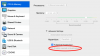
Unfortunately, that check box is not available on the standard version of Parallels. I had to upgrade to Pro just so I could install this build of Windows. After upgrading, checking the box, and installing it worked. A solution will still need to be found for those not on the Pro version.
Thank You Mr. AngeloR,OK guys, workaround confirmed. In Parallels 15 or 16 (Tech Preview), just check the "Enable Nested virtualization" option under advanced in "CPU & Memory" section and the VMs will correctly boot and upgrade to 20175 and 20180. Tested on a MacBook Pro (mid-2012) running macOS Catalina and a MacBook Air (2019) running macOS Big Sur beta 3.
As far as I have tested, the option has to remain checked (e.g. ON), because as soon as it's unchecked, the VM won't boot.
Have reported the issue to parallels.
If you try it, please post if it worked for you.
You are my hero for the next days

Great hint, it worked like a charme. Hopefully we can uncheck the option, when the final release is out.
Regards from Germany
Thank's a lot!OK guys, workaround confirmed. In Parallels 15 or 16 (Tech Preview), just check the "Enable Nested virtualization" option under advanced in "CPU & Memory" section and the VMs will correctly boot and upgrade to 20175 and 20180. Tested on a MacBook Pro (mid-2012) running macOS Catalina and a MacBook Air (2019) running macOS Big Sur beta 3.
As far as I have tested, the option has to remain checked (e.g. ON), because as soon as it's unchecked, the VM won't boot.
Have reported the issue to parallels.
If you try it, please post if it worked for you.
It works as you described.
After installation of 20180 and uncheck the "Enable Nested virtualization" the VM also boot.
Regards from Cologne, Germany
OK guys, workaround confirmed. In Parallels 15 or 16 (Tech Preview), just check the "Enable Nested virtualization" option under advanced in "CPU & Memory" section and the VMs will correctly boot and upgrade to 20175 and 20180. Tested on a MacBook Pro (mid-2012) running macOS Catalina and a MacBook Air (2019) running macOS Big Sur beta 3.
As far as I have tested, the option has to remain checked (e.g. ON), because as soon as it's unchecked, the VM won't boot.
Have reported the issue to parallels.
If you try it, please post if it worked for you.
Sorry. Didn't test in standard versionUnfortunately, that check box is not available on the standard version of Parallels. I had to upgrade to Pro just so I could install this build of Windows. After upgrading, checking the box, and installing it worked. A solution will still need to be found for those not on the Pro version.

Should have. My bad.
Will try unchecking it again. I tried it in 20175 and failed, but maybe in 20180 works (didn't try again).Thank's a lot!
It works as you described.
After installation of 20180 and uncheck the "Enable Nested virtualization" the VM also boot.
Regards from Cologne, Germany
Thanks!
So, after listening to the deafening silence of Parallels on this issue, I installed PD 14 and the insider builds install perfectly. Does anyone know if we can have both installed at the same time? I was going to rename PD14 and then reinstall PD15 to see if I could keep both. After everything, it looks like PD 13 and 14 work great with the latest builds but not 15.
Going to give this a go :
https://support.apple.com/kb/DL2049?locale=en_GB
https://support.apple.com/kb/DL2049?locale=en_GB