Windows 10 freezes for 30+ minutes in Parallels 15 on macOS Catalina

JamesS39

Junior Member
I'm running Windows 10 (1903) in Parallels 15 (15.1.3) on macOS Catalina (10.15.3).

Every so often, Windows 10 and the Parallels app will completely freeze, and macOS will simultaneously grind to a halt. When this happens, there's nothing I can do to try to unfreeze things - Windows won't respond to any input at all, and anything I try to do on the macOS side (like launch Activity Monitor to see what's going on) will just give me a spinning beachball or crash. I just have to sit there and wait, and eventually it'll clear up and start working again (until the next time it freezes, whenever that is).

When it freezes, the freeze can last for anywhere from 1-2 minutes to upwards of a half hour! And it doesn't seem to matter which apps or resources are being used in either macOS or Windows; I've had it freeze while sitting at the Windows desktop with no apps open, and I've had it freeze even if Parallels is the only Mac app running. The VM is stored on my Mac's internal SSD (with ~100 GB of free space), and I have 16 GB of RAM, so I'm not short on resources.

I've tried doing "restore defaults" in the Windows VM's settings to make sure I'm running it with the optimal CPU/RAM settings, and I've tried both the Parallels hypervisor and the Apple one, but nothing's made any difference.

I'm tempted to say this is an issue specific to Catalina, as I didn't notice it on Mojave, but I upgraded to Catalina months ago and the freezing only started more recently (within the last few weeks).

I pay for the Parallels subscription, but I'm going to cancel it and switch to Fusion if I can't get this resolved. I'm running the latest versions of Windows, Parallels, and macOS, so I expect this to be a supported configuration that should work without issue. Having my VM freeze for 30+ minutes with no warning is unacceptable!
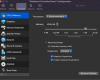
 
I disabled TRIM like many others here did. Indeed I have no more freezings.

BUT: Does it mean that with TRIM disabled my SSD will get slower over time? That would be no good.
 
Dear all,
This might help: do you use Microsoft Teams (which runs all the time in the background)?
My experiences: Windows 10 VM stops responding for several seconds, CPU % goes through the roof, sometimes VM crashes and sometimes OS X gets a kernel panic. All when starting to work with Windows 10 VM with Microsoft Teams running and especially when having an online meeting!
Please let us know if you have the same experience.
BTW the Trim solution did not make any difference for me.
(Latest OSX, Parallels and Windows 10)
Regards, Theo

I have this exact same problem, with all latest OS updates.
 
I disabled TRIM like many others here did. Indeed I have no more freezings.

BUT: Does it mean that with TRIM disabled my SSD will get slower over time? That would be no good.

Hi Mike,

Parallels TRIM has nothing to do with SSD trim. In Parallels, it just means that it will recover disk space the VM does not need any longer. From Parallels' help:

"In most cases, the space that the virtual machine takes up on your hard disk expands as you add files and other data, but isn't reduced when you delete data. To set Parallels Desktop to automatically reduce disk space, select Enable TRIM. This option may affect performance on HDD (not SSD) disks."
 
I'm facing a similar issue with my Macbook Pro 16" i7 (16Go / 512Go).
It seems to be related (for me), with opening files on Mac from a shared folder.
For example, I use Microsoft Visual Studio to edit my PHP files.
They are stored on a remote shared folder. If I double-click on one file, it opens in Visual Studio on the Mac side.
If I double-click on a second one, it opens but much slowly.
If I open a third one... Parallels shows the colored wheel, and suddenly hangs. CPU usage is OK. Parallels is simply sleeping, and cannot be awaked.
After waiting several minutes (5 to 30), it suddenly becomes alive.

So I think, in my case, that this problem is related to the way Parallels manage network files.
It's waiting for something and stops doing anything else.
 
Add one case of sudden Windows 10 VM freeze since today (had been running mostly issue free so far). Killing the parallels process and restarting the VM doesn't seem to work for me (Parallels 15.1.4 on macOS 10.14.6). I basically have to reboot my MBP. Very very very annoying.
 
I am having similar issues. However mine started with macOS 10.13 or so. I had it on my previous iMac Pro, and now on my new Mac Pro. I reinstalled macOS twice - clean. I reinstalled my Parallels VM twice - clean install. Still, once a day to once a week the system (both VM and host) will hang intermittently. In Windows the Task Manager will show 100% SSD usage (but 0MB/s read and 0MB/s write). Host will show spinning beach ball and every minute I might get a click in and the system responds for a second then locks again. Most times this results in a kernel panic and my mac turns off (crashes).

Since I tried this on two different macs and different installs of Windows and macOS, as well as across 3 different major releases of Parallels, it seems to be some deep rooted issue. I know it is parallels as I ran my system for a month without parallels and it never showed this behaviour. Once I fired up parallels the problems started.

I will be trying the TRIM option as it definitely seem to be disk related. It feels like a disk I/O timeout happening as apps that are fully in RAM are responsive, the moment I access any disk I/O the system hangs.
 
Dear all,
I just updated OSX to 10.15.6 (wed. 12 august 2020). One of two changes fixes a memory leak that causes kernel panics when using virtualisation software. Could this be the culprit? Hope this update solves the reported freezing and crashing VM's.
Regards,
Theo
 
I am on Parallels 16 (16.0.0 - 48916), with Windows 2004 update running on a 2018 MBP i9 and have this issue too - its just this minute occurring on the Windows 10 VM and all I can do i sit here and wait for it all to unfreeze. Its strange as I click on various menus or right click on the taskbar in Windows and NOTHING happens - however if I am in Windows when it unfreezes then it has a weird few minutes where it performs every action I have tried whilst it was frozen - so its like it all goes in a buffer somewhere and then plays out in the order I tried things once its back up and running again. Unfortunately most of the time I have no choice but to force shut the Mac down to recover from this and start everything back up again - its SO SO SO annoying and Parallels really need to try and fix this bug.
 
I am on Parallels 16 (16.0.0 - 48916), with Windows 2004 update running on a 2018 MBP i9 and have this issue too - its just this minute occurring on the Windows 10 VM and all I can do i sit here and wait for it all to unfreeze. Its strange as I click on various menus or right click on the taskbar in Windows and NOTHING happens - however if I am in Windows when it unfreezes then it has a weird few minutes where it performs every action I have tried whilst it was frozen - so its like it all goes in a buffer somewhere and then plays out in the order I tried things once its back up and running again. Unfortunately most of the time I have no choice but to force shut the Mac down to recover from this and start everything back up again - its SO SO SO annoying and Parallels really need to try and fix this bug.

I'm having the same issue

Parallels 16 (16.0.0 - 48916)
Windows 10 (2004)
MacBook Pro 16 (2019, i9)
MacOS Catalina 10.15.6
 
Back
Top
