RichardB45
Bit poster
So if I'm not wrong, there is no legitimate way to get the W10 ARM file anymore as of September 16, 2021?
If I am, how do I find it?
If I am, how do I find it?

Follow along with the video below to see how to install our site as a web app on your home screen.
Note: This feature may not be available in some browsers.
Damn, I needed it for an assignmentTrue - but Windows 11 is where you'll need to go if you want an ARM OS. MS isn't offering Windows 10 on ARM any more.

Trying to get an ISO ARMYou can still find build 21390 (the last Windows 10 build) on uupdump.net. I think you need a previous Windows 10 version to create an iso, though. What I don't know is if that previous version must be able to actually run on an M1. If that is not the case, you could download the Windows 10 iso that is still available to Insiders (I think it is build 19044) and create an 21390 iso with the download from uupdump.

Yes, that's right...W10 is dead.I wouldn't bother downloading Windows 10 files from uupdump.net. While you can still download files for the last Dev Channel build (21390), that build will expire at the end of the month. Since there are no Beta Channel, Release Preview Channel or Retail/OEM builds available that can run on an M1 Mac, Windows 10 on M1 is effectively dead.
I'm making an ISO in German language....waitThanks for your answer - i have no problem with downloading files from other sources than Microsoft Insider Pages - my problem is that i tried a lot of Win10 ARM files from uupdump.net in my x64 Maschine to download and build an ISO file but the script never succeded and no ISO was built.
So are there any Images that can be used for a longer period than the end of the month?
How do you handle Windows10 on Apple M1?
Has anyone a working ISO or even vhdx file and can share it?
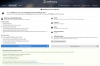
Here you are.21390.2025.210603-0312.CO_RELEASE_SVC_IM_CLIENTMULTI_A64FRE_DE-DE.ISO
Uploading to Onedrive...
Yes, it is the same build.Thank you so much!!!!!
I will try later to install! Will this Windows 10 also die in a few weeks?
Thank you so much, this helped me while attempting install win10 arm but kept getting error message. Cheers.uupdump.net search "21390"
Windows 10 Insider Preview 10.0.21390.2025(co_release)arm64
create download package
another windows machine "uup_download_windows.cmd" double click
iso image file move to m1 mac
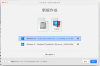
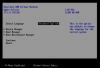
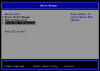
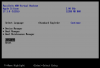
parallels desktop install assistant last click and F2 key (Press F2 key as soon as you click)
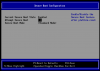
BIOS secure boot configuration setting "attempt secure boot" check to remove
and continue
i'm sorry for my poor english, i'm japanese.
i just found it at:So if I'm not wrong, there is no legitimate way to get the W10 ARM file anymore as of September 16, 2021?
If I am, how do I find it?
ho installato ma anche questa versione è Windows 11