macOS: Big Sur 11.6
Parallels Desktop: 17.0.1
Installation image: Win11_English_x64.iso
Hi,
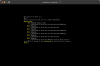
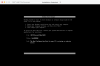
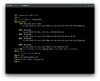
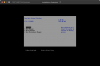
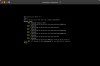
I was trying to create a new Win11 VM, and I followed the instructions from this post https://kb.parallels.com/en/128449, after adding the TPM Chip and the installation began, a Parallels Virtual Platform screen presented to me, I selected continue and hit enter, a while later, then the UEFI Interactive Shell showed, awaiting input. If I type exit in the shell, I get back to Parallels Virtual Platform.
Does anyone know how to get around these steps, I really appreciate it.
Thanks.
Parallels Desktop: 17.0.1
Installation image: Win11_English_x64.iso
Hi,
I was trying to create a new Win11 VM, and I followed the instructions from this post https://kb.parallels.com/en/128449, after adding the TPM Chip and the installation began, a Parallels Virtual Platform screen presented to me, I selected continue and hit enter, a while later, then the UEFI Interactive Shell showed, awaiting input. If I type exit in the shell, I get back to Parallels Virtual Platform.
Does anyone know how to get around these steps, I really appreciate it.
Thanks.