MarkHunnibell
Bit poster
It seems that after installing the last two or three Parallels 7 updates, every time my Windows XP VM boots, it goes through a whole annoying series of error messages because it says it needs the Windows CD-ROM to install a printer driver set for a printer (HP Color Laser Jet 8500 PS) that has not now, and not ever been connected, installed, or used on my Windows XP or Mac.
Even if I show it where to find the requested library (HPCJRUI.DLL), it keeps popping up again and again.
Worse, it seems to be installing this HP Color Laser Jet 8500 PS driver as the driver for all kinds of printers that I **have** had connected and keep installed so I can use them again if I have to.
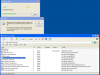
I am going to try to attach or link to a screen shot I just took to illustrate the problem.

Even if I show it where to find the requested library (HPCJRUI.DLL), it keeps popping up again and again.
Worse, it seems to be installing this HP Color Laser Jet 8500 PS driver as the driver for all kinds of printers that I **have** had connected and keep installed so I can use them again if I have to.
I am going to try to attach or link to a screen shot I just took to illustrate the problem.