When importing a windows 10.pvm file into Parallels 12, message: file is 17,234,527,345,852 GB

Where am I going wrong with importing the 98 DB windows 10.pvm, created by the latest version

  • This is fixable let me link to an accurate explanation and a fix

    Votes: 0 0.0%

  • Total voters
    1

RickS4

Bit poster
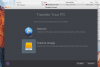
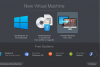
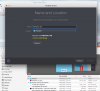
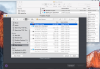
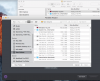
When importing a windows 10.pvm file into Parallels 12, message: file is 17,234,527,345,852 GB in size! As you can see from the photos the file size is a little less that 100GB. Does anyone else have this problem? Or more importantly, have anyone solved this problem? I followed the instructions explicitly selecting and clicking in the correct sequence

Thanks, Rick Screen Shot 2016-10-04 at 6.58.04 PM.png Screen Shot 2016-10-04 at 6.57.35 PM.png Screen Shot 2016-10-04 at 6.56.59 PM.png
 

Attachments

  • Screen Shot 2016-10-04 at 6.56.43 PM.png
    Screen Shot 2016-10-04 at 6.56.43 PM.png
    106.2 KB · Views: 2
Hi Rick54,
I am not seeing a .pvm file of less than 100gb. From your screen shot it appears that you have created a vm of 105.32 gb. If this is not the .pvm file you are asking about please disregard this post. If you double click the .pvm it should load. To open it from parallels desktop icon select parallels from your dock >open>this will open a finder window that you can navigate to your .pvm file> click on your .pvm. Or in the case of the above screen shots select the .pvm then select open from the bottom of the finder window. The next time you click on the parallels icon your .pvm should appear. (Point of information you can use the vm from a external storage device, or you can copy and paste the .pvm file to your mac.)
Another way to select the vm can also be done by selecting Parallels then going to the top menu next to the apple >file> open> then search for the .pvm, but again it will run from the external storage device (if that is where it is located).
 
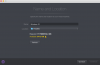
Thank you for your reply. I forgot to show the screen grab showing the wizard page with the input file selected is the transport agent pvm file that was creatScreen Shot 2016-10-05 at 10.30.59 AM.png ed. I am unable to continue because, as you will see in the screen grab, the file is several orders of magnitude too large, although the finder shows the file as 105 GB.
 
Hi. I thought that I'd post the question on your Twitter site. There are screenshots of the 105GB (excuse the typo). I made this file twice on to different drive using Transporter Agent. Same size and name not surprisingly.

The main problem is that when I try load it using the process you describe, it says error message: file is 17,234,527,345,852 GB

I am unable to import a windows 10.pvm file into Parallels 12. I'm about to just give up on trying to use Parallels.
You can keep the money, but I won't be recommending Parallels to anyone who asked on Quora, Linkedin and other social media. Sorry it didn't work out. I will be fair in my review and criticism of the slow and inattentive support
 
hi rickS4
you have created a vm of 105.32 gb you can run the vm from the external drive. (follow my instructions above) you will not be able to put the vm on your hard drive because it appears you don't have enough free space on your internal drive. (the 105.32 is greater than the 35.5 available). sorry for not getting back to you sooner but I broke my wrist and have been at er and drs for the past several days.
 
Hi,
I'm facing the same problem. The PVM file is only 25GB, but when importing the file to mac the size needed in the computer is non sense: 17.179.869.184 GB
see image below.. I tried several times and got the same result. Is there a way to fix that !?
Screen Shot 2016-12-16 at 07.48.19.png
 
Back
Top