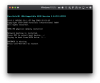
I have a current Windows 10 Pro installation. (Parallels 14' Pro edition). Due to some reason i marked C partition as "active" in Windows Disc Manager and reboot. After i start VM again i got: "BOOTMGR is missing" Press Ctr+Alt+Del (screenshot);
I was trying to push F8 during start in order to repair but nothing happens.
As always backup is so old... and there is a lot of important info inside VM...
What can i do to boot normally or try to repair VM somehow?
Any ideas are highly appreciated.
I was trying to push F8 during start in order to repair but nothing happens.
As always
backup is so old... and there is a lot of important info inside VM...What can i do to boot normally or try to repair VM somehow?
Any ideas are highly appreciated.