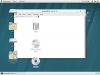
I have Redhat Server 7.4 installed as a VM with Parallels 14. As you can see from the attached screenshot, I fire it up, logon, and get desktop objects on the screen in the workspace, and they never go away, including being in the way of other apps that I open, and it's not just interfering but they seem to be untouchable. And this happens in either Coherence or non-coherence mode, as well as if I switch back and forth between workspaces, they disappear for a second, but do anything and they are back. Very odd. Anyone else have this problem, and found a fix? Thanks

Install the app
How to install the app on iOS
Follow along with the video below to see how to install our site as a web app on your home screen.
Note: This feature may not be available in some browsers.
You are using an out of date browser. It may not display this or other websites correctly.
You should upgrade or use an alternative browser.
You should upgrade or use an alternative browser.
Weird screen objects wont clear, when opening other apps
- Thread starter JohnP13
- Start date
Arun@Parallels
Parallels Support
Hi @JohnP13 , please try to install Parallels tools and check if that helps.
Hello, I did that, ather, right before I did all that, I took on the update, then opened Redhat and it immediately performed an update to the Tools, so that was done. Also, I registered the RH version, and was able to then update all the software, so I have everything square there too. Yet I have this weird problem, so annoying that its rendered unusable until i can find a fix. I really need a Linux Server to begin some courseware, and this Developer version was free, as well as the only Linux I have installed that ruely does Coherence mode.Hi @JohnP13 , please try to install Parallels tools and check if that helps.

KebhaK@Parallels
Hunter
Hi @JohnP13 , Please go to virtual machine's configuration then choose "Options" tab > Sharing > Share folders: "None" then delete the unwanted desktop objects, restart your Mac and check the issue.Hello, I did that, ather, right before I did all that, I took on the update, then opened Redhat and it immediately performed an update to the Tools, so that was done. Also, I registered the RH version, and was able to then update all the software, so I have everything square there too. Yet I have this weird problem, so annoying that its rendered unusable until i can find a fix. I really need a Linux Server to begin some courseware, and this Developer version was free, as well as the only Linux I have installed that ruely does Coherence mode.
Thanks for this, i applied your suggestion, and I still have the same issue, see screenshot. Also, another same issues exists, nothing to do with the weird objects not clearing or being allowed to be touched, but if you try to drag, touch or move the terminal window that I'm using as an example, it dies, though you can kill it through the GUI menu at top, just strange.Hi @JohnP13 , Please go to virtual machine's configuration then choose "Options" tab > Sharing > Share folders: "None" then delete the unwanted desktop objects, restart your Mac and check the issue.
Attachments

KebhaK@Parallels
Hunter
Hi @JohnP13 , Please follow steps in this link , isolate the virtual machine from Mac and check the issue.Thanks for this, i applied your suggestion, and I still have the same issue, see screenshot. Also, another same issues exists, nothing to do with the weird objects not clearing or being allowed to be touched, but if you try to drag, touch or move the terminal window that I'm using as an example, it dies, though you can kill it through the GUI menu at top, just strange.
Hi, i just tried this, and tested it out, and I still have the same exact set of issues, the desktop objects of RH show through the Term window, and if I touch the term widow to move it as an attempt to get the objects out of the window frame, the term dies/locks
KebhaK@Parallels
Hunter
Hi @JohnP13 @ParallelsU198 Please reproduce the issue and post us the technical report ID by following the steps in this article for investigating the issue further.