Warning - Parallels 8 Unusable on Retina with External Display

Visio issue, mbp retina, windows 7, visio 2010

Screenshot attached. Having the same Visio issue as per the following as Jer087,

can you reproduce Visio issue and submit a problem report via Parallels Help menu, post you report ID here.
 

Attachments
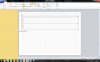
  • Screen Shot 2012-09-11 at 5.36.11 PM.jpg
    Screen Shot 2012-09-11 at 5.36.11 PM.jpg
    132.8 KB · Views: 33
Last edited:
temporary fix if u urgently need visio...
Configure>hardware>video> untick "enable full resolution"
Reboot VM, startup visio, shapes pane Visio magically reappears.

please fix permanently parallels!
 
temporary visio fix,

temporary fix if u urgently need visio (based on my own config of course)...

Configure>hardware>video> untick "enable full resolution"
Reboot VM, startup visio, shapes pane Visio magically reappears.

if it helps i am using mbp retina, windows 7 and visio 2010

please fix permanently parallels guys! would be great to have everything in retina goodness =)
 
Not just you

@Gawie
Having the same issue. If I use the out of the box settings, Outlook looks great on the Retina Display, but completely blurry on my External monitor. Only solution I've found is to turn off the retina support in PD8, which kind of defeats the purpose of having the Retina Support to begin with.

Thanks Parallels Guys, last week's update fixed quite a few issues I had with PD8 running on my rMBP with an external display. But, I still can't use it with my external display - text and graphics are displayed all blurry to such an extend that I cannot work like that. Unchecking VM Configuration->Hardware->Video->Enable full resolution is still the only way I can use PD8 with my external display.

Am I the only that is experiencing this?

Cheers,
Gawie
 
Thanks for confirming @RyanBlanks!

Now the BIG question - is Parallels doing something about this? Can we expect an update soon? They went awfully quiet lately!

Please Parallels team please don't leave your loyal customers in the dark too long.

Cheers,
Gawie
 
@Gawie
Having the same issue. If I use the out of the box settings, Outlook looks great on the Retina Display, but completely blurry on my External monitor. Only solution I've found is to turn off the retina support in PD8, which kind of defeats the purpose of having the Retina Support to begin with.

I also have the same issue. Looks great on the retina display, looks "better" than before (no huge icons and text, lol) on the secondary display, but everything is blurry. Almost too blurry to work with. It is better than re-starting every time you want to switch monitors though.
 
Blurry display

The problem is that Windows does not support different DPI on different monitors, so Parallels have to set the same DPI for the retina display and the external monitor.

To make all elements and text look correct Parallels then uses double the resolution on external displays and scales it back down. This is generally the only good way to do this.

The problem with this is that when the pixels are scaled down again if window elements are not aligned on 2 pixel boundaries you will get blurry text and lines. If you right click on a window heading you can select Move and use Ctrl+the arrow keys to move the window one pixel at at time to see the difference for correctly aligned text.

Parallels might be able to fix the scaling to dynamically detect edges and align them on 2 pixel boundaries, but I'm not sure how feasible it would be to implement such an algorithm on the GPU.
 
Hello everyone! can you please go to the Help menu in PD and send the Problem Report. Please keep the report ID and post it here
 
Just want to put in my experience, what I have found to work has manual steps but works. This assumes macbook and external are set to best for retina/display and using full screen mode(for parallels). When using on retina set enable full resolution and don't use parallels optimize for full resolution but set dpi in windows to 150% in control panel. When using external set dpi to 100% and disable the full resolution. This was part mentioned already but this should be automatic since the windows environment is in 1 resolution or the other.

An extra thing I noticed is that when using parallels full screen on external monitor you can still use mac desktop on macbook screen, meaning running a full screen windows and mac environment(not another full screen app but windowed apps on the desktop). Maybe this is known already but I just found it out now.
 
Back
Top