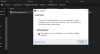
I am demoing Parallels looking to switch from VMware Fusion. One of the big things that sparked my interest was the visual studio plugin. When I follow instructions and double click on the VMDebugHelper.vsix it errors on install. I am using Visual Studio 2019 Community Edition. I am not sure if Visual Studio 2019 is not supported. If that is case when will support be established? I am attaching images and text of error.
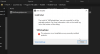
Here is the view Install Log.
6/5/2019 6:39:30 PM - Microsoft VSIX Installer
6/5/2019 6:39:30 PM - -------------------------------------------
6/5/2019 6:39:30 PM - vsixinstaller.exe version:
6/5/2019 6:39:30 PM - 16.1.3121
6/5/2019 6:39:30 PM - -------------------------------------------
6/5/2019 6:39:30 PM - Command line parameters:
6/5/2019 6:39:30 PM - C:\program files (x86)\microsoft visual studio\installer\resources\app\ServiceHub\Services\Microsoft.VisualStudio.Setup.Service\VSIXInstaller.exe,C:\Program Files (x86)\Parallels\Parallels Tools\DevTools\VMDebugHelper.vsix
6/5/2019 6:39:30 PM - -------------------------------------------
6/5/2019 6:39:30 PM - Microsoft VSIX Installer
6/5/2019 6:39:30 PM - -------------------------------------------
6/5/2019 6:39:30 PM - Initializing Install...
6/5/2019 6:39:30 PM - Extension Details...
6/5/2019 6:39:30 PM - Identifier : ef7e8203-e960-490d-9195-62101eb00b32
6/5/2019 6:39:30 PM - Name : VMDebugHelper
6/5/2019 6:39:30 PM - Author : Parallels
6/5/2019 6:39:30 PM - Version : 1.0
6/5/2019 6:39:30 PM - Description : Parallels Virtual Machine Debug Helper
6/5/2019 6:39:30 PM - Locale : en-US
6/5/2019 6:39:30 PM - MoreInfoURL :
6/5/2019 6:39:30 PM - InstalledByMSI : False
6/5/2019 6:39:30 PM - SupportedFrameworkVersionRange : [0.0,2147483647.2147483647]
6/5/2019 6:39:30 PM -
6/5/2019 6:39:30 PM - SignatureState : Unsigned
6/5/2019 6:39:30 PM - Supported Products :
6/5/2019 6:39:30 PM - Microsoft.VisualStudio.Pro
6/5/2019 6:39:30 PM - Version : [10.0,16.0]
6/5/2019 6:39:30 PM - Microsoft.VisualStudio.Premium
6/5/2019 6:39:30 PM - Version : [10.0,16.0]
6/5/2019 6:39:30 PM - Microsoft.VisualStudio.Ultimate
6/5/2019 6:39:30 PM - Version : [10.0,16.0]
6/5/2019 6:39:30 PM -
6/5/2019 6:39:30 PM - References :
6/5/2019 6:39:30 PM - Signature Details...
6/5/2019 6:39:30 PM - Extension is not signed.
6/5/2019 6:39:30 PM -
6/5/2019 6:39:30 PM - Searching for applicable products...
6/5/2019 6:39:30 PM - Found installed product - Global Location
6/5/2019 6:39:30 PM - Found installed product - Visual Studio Community 2019
6/5/2019 6:39:30 PM - VSIXInstaller.NoApplicableSKUsException: This extension is not installable on any currently installed products.
at VSIXInstaller.ExtensionService.GetInstallableData(String vsixPath, String extensionPackParentName, Boolean isRepairSupported, IStateData stateData, IEnumerable`1& skuData)
at VSIXInstaller.ExtensionPackService.IsExtensionPack(IStateData stateData, Boolean isRepairSupported)
at VSIXInstaller.ExtensionPackService.ExpandExtensionPackToInstall(IStateData stateData, Boolean isRepairSupported)
at VSIXInstaller.App.Initialize(Boolean isRepairSupported)
at VSIXInstaller.App.Initialize()
at System.Threading.Tasks.Task`1.InnerInvoke()
at System.Threading.Tasks.Task.Execute()
--- End of stack trace from previous location where exception was thrown ---
at Microsoft.VisualStudio.Telemetry.WindowsErrorReporting.WatsonReport.GetClrWatsonExceptionInfo(Exception exceptionObject)
Here is the view Install Log.
6/5/2019 6:39:30 PM - Microsoft VSIX Installer
6/5/2019 6:39:30 PM - -------------------------------------------
6/5/2019 6:39:30 PM - vsixinstaller.exe version:
6/5/2019 6:39:30 PM - 16.1.3121
6/5/2019 6:39:30 PM - -------------------------------------------
6/5/2019 6:39:30 PM - Command line parameters:
6/5/2019 6:39:30 PM - C:\program files (x86)\microsoft visual studio\installer\resources\app\ServiceHub\Services\Microsoft.VisualStudio.Setup.Service\VSIXInstaller.exe,C:\Program Files (x86)\Parallels\Parallels Tools\DevTools\VMDebugHelper.vsix
6/5/2019 6:39:30 PM - -------------------------------------------
6/5/2019 6:39:30 PM - Microsoft VSIX Installer
6/5/2019 6:39:30 PM - -------------------------------------------
6/5/2019 6:39:30 PM - Initializing Install...
6/5/2019 6:39:30 PM - Extension Details...
6/5/2019 6:39:30 PM - Identifier : ef7e8203-e960-490d-9195-62101eb00b32
6/5/2019 6:39:30 PM - Name : VMDebugHelper
6/5/2019 6:39:30 PM - Author : Parallels
6/5/2019 6:39:30 PM - Version : 1.0
6/5/2019 6:39:30 PM - Description : Parallels Virtual Machine Debug Helper
6/5/2019 6:39:30 PM - Locale : en-US
6/5/2019 6:39:30 PM - MoreInfoURL :
6/5/2019 6:39:30 PM - InstalledByMSI : False
6/5/2019 6:39:30 PM - SupportedFrameworkVersionRange : [0.0,2147483647.2147483647]
6/5/2019 6:39:30 PM -
6/5/2019 6:39:30 PM - SignatureState : Unsigned
6/5/2019 6:39:30 PM - Supported Products :
6/5/2019 6:39:30 PM - Microsoft.VisualStudio.Pro
6/5/2019 6:39:30 PM - Version : [10.0,16.0]
6/5/2019 6:39:30 PM - Microsoft.VisualStudio.Premium
6/5/2019 6:39:30 PM - Version : [10.0,16.0]
6/5/2019 6:39:30 PM - Microsoft.VisualStudio.Ultimate
6/5/2019 6:39:30 PM - Version : [10.0,16.0]
6/5/2019 6:39:30 PM -
6/5/2019 6:39:30 PM - References :
6/5/2019 6:39:30 PM - Signature Details...
6/5/2019 6:39:30 PM - Extension is not signed.
6/5/2019 6:39:30 PM -
6/5/2019 6:39:30 PM - Searching for applicable products...
6/5/2019 6:39:30 PM - Found installed product - Global Location
6/5/2019 6:39:30 PM - Found installed product - Visual Studio Community 2019
6/5/2019 6:39:30 PM - VSIXInstaller.NoApplicableSKUsException: This extension is not installable on any currently installed products.
at VSIXInstaller.ExtensionService.GetInstallableData(String vsixPath, String extensionPackParentName, Boolean isRepairSupported, IStateData stateData, IEnumerable`1& skuData)
at VSIXInstaller.ExtensionPackService.IsExtensionPack(IStateData stateData, Boolean isRepairSupported)
at VSIXInstaller.ExtensionPackService.ExpandExtensionPackToInstall(IStateData stateData, Boolean isRepairSupported)
at VSIXInstaller.App.Initialize(Boolean isRepairSupported)
at VSIXInstaller.App.Initialize()
at System.Threading.Tasks.Task`1.InnerInvoke()
at System.Threading.Tasks.Task.Execute()
--- End of stack trace from previous location where exception was thrown ---
at Microsoft.VisualStudio.Telemetry.WindowsErrorReporting.WatsonReport.GetClrWatsonExceptionInfo(Exception exceptionObject)