Like many others I have problems with the upgrade to v4.
I'm using a Bootcamp partition for my Virtual machine. Win XP Pro SP2 updated and updated and updated. Not sure where it's at, but it doesn't have any further updates to do. OS X 10.5.5 is the Guest OS. 2Gb Ram, and plenty of disk space. Auto login is enabled in Windows.
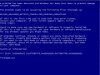
I get through the update right up to the prompt to do a manual update, the virtual machine then starts the boot process and gets to loading the user settings, then I get a BSOD with a intelppm.sys error which is a CE error. (see attached)
Now I assume this is all getting looked at, and I am prepared for a certain amount of product testing - particularly when you update at the bleeding edge, but this is terrible! This should not have been released in the state it's in at the moment.
That said I do appreciate the amount of work it must be to get windows working like this, and hopefully we'll get a solution soon.
I'm using a Bootcamp partition for my Virtual machine. Win XP Pro SP2 updated and updated and updated. Not sure where it's at, but it doesn't have any further updates to do. OS X 10.5.5 is the Guest OS. 2Gb Ram, and plenty of disk space. Auto login is enabled in Windows.
I get through the update right up to the prompt to do a manual update, the virtual machine then starts the boot process and gets to loading the user settings, then I get a BSOD with a intelppm.sys error which is a CE error. (see attached)
Now I assume this is all getting looked at, and I am prepared for a certain amount of product testing - particularly when you update at the bleeding edge, but this is terrible! This should not have been released in the state it's in at the moment.
That said I do appreciate the amount of work it must be to get windows working like this, and hopefully we'll get a solution soon.