
Install the app
How to install the app on iOS
Follow along with the video below to see how to install our site as a web app on your home screen.
Note: This feature may not be available in some browsers.
You are using an out of date browser. It may not display this or other websites correctly.
You should upgrade or use an alternative browser.
You should upgrade or use an alternative browser.
USB issues after OS X 10.11.2 update
- Thread starter Wise87
- Start date
It's the Apple Internal Memory Card Reader on a iMac. Were do you suppose I get the Windows drivers for it? It works fine on the OS X side, just not in Parallels.Hello Dear
Download driver for your OS & Device requirement....!!!
Also FYI, users of VM Fusion are reporting the same issue since the 10.11.2 update.

ManojK@Parallels
Parallels Support
Please refer to this article which addresses the workaround for now.

Hey, I would like to let you know that we have already involved our Development in this case and they are currently working on the resolution.
i am with Wise87 on this, pointing us to a workaround which merely makes the drive work in MacOs again does not help, my drive has always worked on the Mac side, it is the virtual machine which is now useless to me, I either need to see a solution in the next few days or I need to find another package to use for my minimal windows purposes.
Exact same problem, exact same result as others have reported.
And the workaround article does not work at all for me. I can replug the device either into the same port or a different one, but it does not appear again on the External Devices list until a reboot of the host OS regardless and the devices never become useable in the VM.
Need a fix for this urgently.
And the workaround article does not work at all for me. I can replug the device either into the same port or a different one, but it does not appear again on the External Devices list until a reboot of the host OS regardless and the devices never become useable in the VM.
Need a fix for this urgently.
Hello, It seems that you're on outdated build of Parallels Desktop 11, please update Parallels Desktop to the latest build 11.1.1 (32408). You can update to the latest build as suggested in this article. Latest version always available here: http://www.parallels.com/directdownload/pd11/ Please note that Parallels Tools also needs to be updated (Actions > Update Parallels Tools). Please see this article to know more about Parallels Desktop 11 for Mac updates summary.
Hello, It seems that you're on outdated build of Parallels Desktop 11, please update Parallels Desktop to the latest build 11.1.1 (32408). You can update to the latest build as suggested in this article. Latest version always available here: http://www.parallels.com/directdownload/pd11/ Please note that Parallels Tools also needs to be updated (Actions > Update Parallels Tools). Please see this article to know more about Parallels Desktop 11 for Mac updates summary.If you guys keep sending me to a work around that doesn't work I'm going to drop this company so fast. How about just fixing the problem. How hard is it to contact apple and see what changed?
Hello, It seems that you're on outdated build of Parallels Desktop 11, please update Parallels Desktop to the latest build 11.1.1 (32408). You can update to the latest build as suggested in this article. Latest version always available here: http://www.parallels.com/directdownload/pd11/ Please note that Parallels Tools also needs to be updated (Actions > Update Parallels Tools). Please see this article to know more about Parallels Desktop 11 for Mac updates summary.
Uh. Just took this screenshot right now:
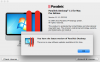
Thanks for the link, but you may wish to fix the availability of the newer build to current installations.
Checking for an update was one of the first things i did (as well as uninstalling and installing the previous release). I'll give the newer one a try. Thanks.

Ram@Parallels
Parallels Support
Please update Parallels Desktop to the latest build 11.1.1 (32408) & check if the issue still persisting. You can update to the latest build as suggested in this article. Latest version always available here: http://www.parallels.com/directdownload/pd11/ Please note that Parallels Tools also needs to be updated (Actions > Update Parallels Tools).Checking for an update was one of the first things i did (as well as uninstalling and installing the previous release). I'll give the newer one a try. Thanks.
Please update Parallels Desktop to the latest build 11.1.1 (32408) & check if the issue still persisting. You can update to the latest build as suggested in this article. Latest version always available here: http://www.parallels.com/directdownload/pd11/ Please note that Parallels Tools also needs to be updated (Actions > Update Parallels Tools).
I can report that PD seems to be working now as it was previous to the OSX update.
I *did* have to reboot after the Parallels update to get the devices back onto the External Devices list, but once I did they were working again and able to be assigned to the VM.
Ram@Parallels
Parallels Support
Please keep observing the behavior of the virtual machine with the USB devices and let us know if the issue re occurred.I can report that PD seems to be working now as it was previous to the OSX update.
I *did* have to reboot after the Parallels update to get the devices back onto the External Devices list, but once I did they were working again and able to be assigned to the VM.
Ram@Parallels
Parallels Support
You are welcome, feel free to reach us any time, we are here to help. Thx.Ram.Thanks Parallels Tech Team, with the latest build(11.1.2) all is back ok now
ManojK@Parallels
Parallels Support
As we have mentioned here, Parallels Desktop 10 is not completely compatible with El Capitan and we do suggest you to rub it under supported environments for best performance.What about us users on version 10. Are we hosed unless we upgrade? I do not have a requirement for version 11 and would sure hate to to think we are being forced.
Add me to the list. None of my USB works after updating to OS X 10.11.2. I see others have reported the same problem. Are we close to a fix? I tried all the suggestions mentioned so far with no results. For now I now have to use my Windows laptop until this is fixed.
My company Fabingo, is registered with you. Please help me out.
My company Fabingo, is registered with you. Please help me out.
Version 10 was running perfect under El Capitan for many of us. As a loyal users since version 8 I just could not justify upgrading EVERY SINGLE YEAR when I only use Windows to program my scanner radios. Thanks for supporting loyal customers. I will also make sure I pass the word to my employer who is waiting for word on this fix. We currently have several dozen PD licenses that will not be renewed.
Last edited:

Sylvester@Parallels
Parallels Support
Hi, we have released a latest build which addresses this issue, follow this article and update you Parallels Desktop.