JakeMathew
Bit poster
Hi,
I was trying to install a software and I got an error regarding the Msvcrt.dll file. I tried replacing it with a different Msvcrt.dll file, but now when I restart XP, Windows does not start and keeps crashing (goes to blue screen and again restarts).
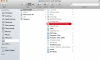
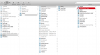
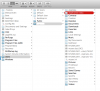
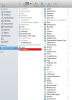
I can view the System 32 folder through my Mac OS Mavericks finder but I can't replace it with the old Msvcrt.dll file as I am only allowed to view the files (Read only access) in Windows folder through Mac.
My first urgent requirement: I have some very important files under in the AppData folder in Windows that I need to urgently recover. Can I take the files out via Mac? I can't locate "C:\Documents and Settings\<username>\Application Data\" folder through Mac OS. Can someone please help?
Second, if you can also let me know how I can resolve the Msvcrt.dll issue and allow Windows to start.
Note: safe mode does not work.
I was trying to install a software and I got an error regarding the Msvcrt.dll file. I tried replacing it with a different Msvcrt.dll file, but now when I restart XP, Windows does not start and keeps crashing (goes to blue screen and again restarts).
I can view the System 32 folder through my Mac OS Mavericks finder but I can't replace it with the old Msvcrt.dll file as I am only allowed to view the files (Read only access) in Windows folder through Mac.
My first urgent requirement: I have some very important files under in the AppData folder in Windows that I need to urgently recover. Can I take the files out via Mac? I can't locate "C:\Documents and Settings\<username>\Application Data\" folder through Mac OS. Can someone please help?
Second, if you can also let me know how I can resolve the Msvcrt.dll issue and allow Windows to start.
Note: safe mode does not work.
Last edited: