Upgrade of newly migrated XP stuck in loop

jorn

Member
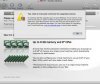
I am attempting to migrate a Windows XP install from VMWare Fusion to Parallels 4. All appears to go well until I start up the new machine. Parallels begins the upgrade until getting to the "You must manually continue the upgrade process." screen. I think it dies at the end of step 1 or into step 2.

At this point, the guest OS unceremoniously is shut off. So, I obviously cannot continue, as the error suggests. Starting it again only starts this process over again. Lather, rinse, repeat.

(Note that I have attempted to migrate the VMWare image and also use transporter agent on the running VMWare machine with identical results.)

Somebody, please, toss me some suggestions for getting out of this sisyphian nightmare!


Thanks

Paralerror.png
 

Attachments

  • Picture 2.jpg
    Picture 2.jpg
    17 KB · Views: 5
Update:

I get the following BSOD:

A problem has been detected and Windows has been shut down to prevent damage to your
computer. The problem seems to be caused by the following file: strmdisp.sys

DRIVER_UNLOADED_WITHOUT_CANCELLING_PENDING_OPERATIONS

If this is the first time you have seen this Stop error screen, restart your computer.
If this screen appears again, follow these steps:
Check to make sure any new hardware or software is properly installed. If this is
a new installation, ask your hardware or software manufacturer for any windows updates
you might need.

If problems continue, disable or remove any newly installed hardware or software.
Disable BIOS memory options such as caching or shadowing. If you need to use Safe
Mode to remove or disable components, restart your computer, press F8 to select Advanced
Startup Options, and then select Safe Mode.

Technical information:
*** Stop: 0X000000CE (0XF83688F8, 0X00000000, 0XF83688F8, 0X00000000)

intelppm.sys
Beginning dump of physical memory
Physical memory dump complete.


This seems to happen either late into step 1 or at the start of step 2. Sometimes, I get the "Windows is starting up screen." Twice I even got the login dialog. Then, the machine crashes and the BSOD above is flashed for a second before the VM Guest is once again turned off.


Host: Mac OS X 10.5.5
Guest: Windows XP
Parallels: Build 4.0.3522 (Latest as of this post.)
 
Sadly, I have never been able to use my migrated guest. Mouse and keyboard do not work, nor do any of the posted solutions to this problem.
 
Hello,
does creating a new virtual machine based on your old virtual disk via File -> New Virtual Machine let you run the machine?
 
Back
Top