"Unable to connect hard disk 0" after migration to new Mac

Polarbreeze

Bit poster
After migrating my whole system from MacBook Air 2011 to MacBook 2016 I run into this problem with my Windows 8.1 VM. When I try to start Windows I get this error message, and:
"A file or device required for the operation of Hard Disk 0 does not exist or is used by another process, or you have no permission to access it. The virtual machine will continue running, but the device will be disconnected."
I also have a Windows XP virtual machine installed and that one runs absolutely normally, just as it did on my other machine. Can anyone tell me what might be wrong and how to fix it? Thanks for any help!

Update:

I have found this error message in the Parallels log:

01-19 10:43:43.073 F /LocalDevices:4410:39427/ [hdd::sata:0] Connecting device "/Users/Shared/Parallels/Windows 8.1.pvm/Windows 8.1-0.hdd"

01-19 10:43:43.077 F /dimg:4410:39427/ Image /Users/Shared/Parallels/Windows 8.1.pvm/Windows 8.1-0.hdd/Windows 8.1-0.hdd.0.{cbeaf400-9875-4107-99d4-596f395aec24}.hds has invalid format
 
Last edited:
Hello, thanks for the reply. The size of the hdd file is 39.94 GB. Actually after poking around a bit here on the forums for ideas I have found a solution. I manually copied over the .hdd file from the old machine to the new one. I don't know why that worked because as far as I can see the manually copied file is identical in all respects to the migration-copied one - exactly the same size, timestamp, same permissions and everything.

I saw on these forums that some people had solved it by making a new copy of the hdd within the pvm package. I tried that several times - it didn't work for me, but bringing in a brand new copy of the file did work. I had already tried repeating the whole migration, twice in fact, and that also did not fix it - it seems to have been the act of manually bringing in the new file that succeeded. I'd be interested to know any theories about what had been wrong and why this fixed it...? Note also that my second VM, running Windows XP, did not have this issue, it worked perfectly first time. Its hdd file is smaller, 29.13 GB, in case that makes a difference.
 
I am having the same problem, I am moving parallels 11 from old MacBook Pro to new MacBook Pro, I copied and moved PVM file and when I open it gives the same error messages and a black screen with code... please help ! should I just buy a new copy of windows and start fresh. this makes me want to just give up on parallels
 
I am having the same problem, I am moving parallels 11 from old MacBook Pro to new MacBook Pro, I copied and moved PVM file and when I open it gives the same error messages and a black screen with code... please help ! should I just buy a new copy of windows and start fresh. this makes me want to just give up on parallels
Hi Ivan, how did you copy over the pvm? Maybe that makes a difference. I did not re-copy the pvm over, only the hdd file. Here's exactly what I did:
1. Complete the whole migration process, which brings over the complete pvm package, including its hdd file. But Windows refuses to open (black screen, same as you describe)
2. Make sure Parallels is not running on either machine
3. On the old machine, go to the pvm package and open it (right-click, "show package contents")
4. Locate the .hdd file. Note that it appears to be identical on the old machine and new machine (same name, same size, same timestamp etc).
5. Copy the hdd file from the old machine onto a USB drive
6. Delete the apparently-identical hdd file from the new machine and empty the trash
7. Copy the hdd file from the USB drive into the .pvm package on the new machine
8. Reboot, start Parallels, cross fingers, start Windows
I don't know why this worked for me but it did work, after multiple failed attempts with other methods.
If in the end you do need to make a new pvm, you don't need to buy a new copy of Windows - you can use your existing licence.
 
Very interesting.
I've been having a problem, with 'backup' PVM files. Use Carbon copy, and the version that is stored as the 'latest', always works. However the ones in the 'safety net' (versions that were copied some time ago, and then 'moved' when a new version is generated), won't work, and generate the same problem you were seeing. I noticed that while the actual permissions are the same, a couple of the 'advanced attributes' are different. Simply copying the whole PVM did not fix the issue. So I'll have a play and try your technique.
My 'guess' would be that copying it back changes some detail of the ownership.
Interesting. :)
 
Hi Ivan, how did you copy over the pvm? Maybe that makes a difference. I did not re-copy the pvm over, only the hdd file. Here's exactly what I did:
1. Complete the whole migration process, which brings over the complete pvm package, including its hdd file. But Windows refuses to open (black screen, same as you describe)
2. Make sure Parallels is not running on either machine
3. On the old machine, go to the pvm package and open it (right-click, "show package contents")
4. Locate the .hdd file. Note that it appears to be identical on the old machine and new machine (same name, same size, same timestamp etc).
5. Copy the hdd file from the old machine onto a USB drive
6. Delete the apparently-identical hdd file from the new machine and empty the trash
7. Copy the hdd file from the USB drive into the .pvm package on the new machine
8. Reboot, start Parallels, cross fingers, start Windows
I don't know why this worked for me but it did work, after multiple failed attempts with other methods.
If in the end you do need to make a new pvm, you don't need to buy a new copy of Windows - you can use your existing licence.

You are AWESOME! Your solution worked for me! Thank you so much
 
Good questions and very good answers. I took notice about the 'HDD file' issue. I'm having the awful surprise that after migrating to Parallel Desktop 12 and Windows 10, in Windows I don't see anymore any of my Mac hard disk or attached removable media. In Windows XP those drives were named X, Y, Z.
 
Hi @JoseR3 , please make sure that Parallels Tools are installed correctly. Please click here to know how to install Parallels Tools. And make sure that "All Disks" are selected in the sharing option. Please check to know more about Sharing options available in Parallels Desktop for Mac.
 
Hi Ivan, how did you copy over the pvm? Maybe that makes a difference. I did not re-copy the pvm over, only the hdd file. Here's exactly what I did:
1. Complete the whole migration process, which brings over the complete pvm package, including its hdd file. But Windows refuses to open (black screen, same as you describe)
2. Make sure Parallels is not running on either machine
3. On the old machine, go to the pvm package and open it (right-click, "show package contents")
4. Locate the .hdd file. Note that it appears to be identical on the old machine and new machine (same name, same size, same timestamp etc).
5. Copy the hdd file from the old machine onto a USB drive
6. Delete the apparently-identical hdd file from the new machine and empty the trash
7. Copy the hdd file from the USB drive into the .pvm package on the new machine
8. Reboot, start Parallels, cross fingers, start Windows
I don't know why this worked for me but it did work, after multiple failed attempts with other methods.
If in the end you do need to make a new pvm, you don't need to buy a new copy of Windows - you can use your existing licence.
Hi,
I realise this is an old post, but it is still a relevant solution. You saved my life. All I did was copy the .hdd file to another folder and copied it back into the same pvm, and it worked.
Thank you!
 
Hello / Здравейте Момчета,
I have a same problem but the problem is coming from here,
If from VM you have to change configuration about 'share folder with mac or reverse' and after that you copy some folder from Win to Mac,
1]After remove and trash VM from Parallel Desktop,
2]Need also delete folder from Mac and then,
3]After HDD / SSD - size or value will change down.

Ok !!!

Regard's
 
Hello / Здравейте Момчета,
I have a same problem but the problem is coming from here,
If from VM you have to change configuration about 'share folder with mac or reverse' and after that you copy some folder from Win to Mac,
1]After remove and trash VM from Parallel Desktop,
2]Need also delete folder from Mac and then,
3]After HDD / SSD - size or value will change down.

Ok !!!

Regard's
Thanks a lot for providing info, and could you please provide us and other forum users with version of your Parallels Desktop and VM OS which you're using.
 
Hello again,
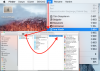
This is image about solution for probşem about,
After remove some VM software *.pvm* from parallel Desktop,
need to do or follow the steps when i show on picture.
Ok !!!

Regard's,

Ayhan
 

Attachments

  • Virtual Makinada Kalan Programı silerek, PC'nin SSD_HDD'de yer açmak.png
    Virtual Makinada Kalan Programı silerek, PC'nin SSD_HDD'de yer açmak.png
    322.9 KB · Views: 18
Back
Top