
I'm having a problem with Age of Mythology: Extended Edition on Steam running in a Windows 11 virtual machine in Parallels Desktop 20 on an M5 MB Pro running Tahoe 26.1. Yesterday, the game would launch and run with good performance for about 20-30 minutes at a time before crashing. I did some research which indicated it could be due to a resolution mismatch. I fixed this and the game then ran for an hour uninterrupted before I chose to close it.
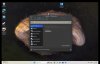
Today, I can't start a new game. It launches normally, starts loading a game, then crashes just as it finishes loading. The error given is "Unable to allocate memory, size: 1048580." I am using Parallels Desktop 20 Standard with 4 CPUs and 8 GB system memory allocated. My MB has 16 GB memory total. The resolution set in both Windows and the game is 1512 x 982 and I've tried them both at 1920 x 1200 with no change. I have tried running Steam as an administrator with no change.
For context, I used to have a 2020 MB Pro M1 16GB memory with Parallels Desktop 15 and then 16 both standard edition. I previously ran Age of Mythology on Steam on this setup with the same allocated CPUs and memory without any problems and with great performance. This was running Windows 10 ARM.
Does anyone have any suggestions? I will consider upgrading to Parallels Desktop 26 if a Parallels staff member will confirm in writing that this will fix the issue. However, I am not interested in upgrading to a subscription (Pro) and allocating more memory as it was never previously required on the older system.
Please see the attached photos.




Today, I can't start a new game. It launches normally, starts loading a game, then crashes just as it finishes loading. The error given is "Unable to allocate memory, size: 1048580." I am using Parallels Desktop 20 Standard with 4 CPUs and 8 GB system memory allocated. My MB has 16 GB memory total. The resolution set in both Windows and the game is 1512 x 982 and I've tried them both at 1920 x 1200 with no change. I have tried running Steam as an administrator with no change.
For context, I used to have a 2020 MB Pro M1 16GB memory with Parallels Desktop 15 and then 16 both standard edition. I previously ran Age of Mythology on Steam on this setup with the same allocated CPUs and memory without any problems and with great performance. This was running Windows 10 ARM.
Does anyone have any suggestions? I will consider upgrading to Parallels Desktop 26 if a Parallels staff member will confirm in writing that this will fix the issue. However, I am not interested in upgrading to a subscription (Pro) and allocating more memory as it was never previously required on the older system.
Please see the attached photos.