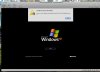
Unable to Access Hard Disk 1 - Undefined Error 0.

frogracer

Member
I continue to get the following error when I run PD4 - original load set and 3540.


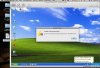
Unable to access hard Disk 1

An error occurred when accessing the hard disk. Error ID: Undefined error:
0.

See attached screen shots.

How can I go about fixing this error?

Thank you, Keith
 

Attachments

  • Picture 1.jpg
    Picture 1.jpg
    275.6 KB · Views: 113
  • Picture 15.jpg
    Picture 15.jpg
    107.9 KB · Views: 80
frogracer.

Could you please send us Problem Report (use Help->Report a Problem menu item for this) and post here it id.
 
I tried all the steps but still get the error message. I sent another file ID 16401.
(Accidently posted an incorrect link back to this forum in my message contained in 16401) Please make response to this forum.

Keith
 
Ok, i understand what happened exactly. So, let's try to fix it.

Run Terminal program.
In the Terminal program type:

cd /Users/keith/Documents/Parallels/Microsoft Windows XP.pvm/winxp.hdd

ls -la

And write the output of the ls command here.
 
MacBookProK:~ keith$ /Users/keith/Documents/Parallels/Microsoft\ Windows\ XP.pvm/winxp.hdd ls -la
-bash: /Users/keith/Documents/Parallels/Microsoft Windows XP.pvm/winxp.hdd: is a directory
MacBookProK:~ keith$


Is this what you were looking for?
 
MacBookProK:~ keith$ /Users/keith/Documents/Parallels/Microsoft\ Windows\ XP.pvm/winxp.hdd ls -la
-bash: /Users/keith/Documents/Parallels/Microsoft Windows XP.pvm/winxp.hdd: is a directory
MacBookProK:~ keith$

Is this what you are looking for? Or did I do something wrong?
 
frogracer,

Those are two separate commands to be run one by one

first (better copy-paste it into Terminal as is):
Code:
cd "/Users/keith/Documents/Parallels/Microsoft Windows XP.pvm/winxp.hdd"

then:
Code:
ls -la

This will print some text, just copy-paste it here
 
I think is what you are looking for-
MacBookProK:Users keith$ cd /users/keith/documents/parallels/Microsoft\ Windows\ XP.pvm ls -la
MacBookProK:Microsoft Windows XP.pvm keith$ ls -la
total 4320
drwxr-xr-x@ 13 keith staff 442 Nov 25 20:23 .
drwxr-xr-x@ 4 keith staff 136 Nov 20 19:58 ..
-rwxr--r--@ 1 keith staff 6148 Nov 20 14:44 .DS_Store
-rwxr--r-- 1 keith staff 14 Nov 20 13:49 .Microsoft Windows XP.pvs.lock
drwxr-xr-x 21 keith staff 714 Nov 21 08:42 Snapshots
-rwxr--r-- 1 keith staff 3960 Nov 21 08:42 Snapshots.xml
drwxr-xr-x 7 keith staff 238 Nov 21 08:43 Windows Applications
drwxr-xr-x 3 keith staff 102 Nov 25 20:17 Windows Disks
-rwxr--r--@ 1 keith staff 10135 Nov 25 20:23 config.pvs
-rwxr--r-- 1 keith staff 10135 Nov 25 20:23 config.pvs.backup
-rw-rw-rw- 1 keith staff 693584 Nov 25 20:23 parallels.log
-rwxr--r-- 1 keith staff 1474560 Nov 11 10:49 unattended.fdd
drwxr-xr-x@ 15 keith staff 510 Nov 25 20:16 winxp.hdd
MacBookProK:Microsoft Windows XP.pvm keith$
 
frogracer, you should copy paste the commands. You executed "cd /users/keith/documents/parallels/Microsoft\ Windows\ XP.pvm" but need to execute "cd /Users/keith/Documents/Parallels/Microsoft\ Windows\ XP.pvm/winxp.hdd"
 
My fault sorry

MacBookProK:Microsoft Windows XP.pvm keith$ cd "/Users/keith/Documents/Parallels/Microsoft Windows XP.pvm/winxp.hdd"
MacBookProK:winxp.hdd keith$ ls -la
total 21120816
drwxr-xr-x@ 15 keith staff 510 Nov 25 20:16 .
drwxr-xr-x@ 13 keith staff 442 Nov 25 20:23 ..
-rwxr--r-- 1 keith staff 4546 Nov 25 20:02 DiskDescriptor original.xml
-rw-r--r--@ 1 keith staff 4546 Nov 25 20:16 DiskDescriptor.xml
-rwxr--r-- 1 keith staff 4546 Nov 25 20:16 DiskDescriptor.xml.Temp
-rwxr--r-- 1 keith staff 0 Nov 11 17:42 winxp.hdd
-rwxr--r-- 1 keith staff 47610368 Nov 11 18:51 winxp.hdd.0.{012762f9-5bab-4fe3-ab5a-dec58feb3719}.hds
-rwxr--r-- 1 keith staff 523611648 Nov 25 20:23 winxp.hdd.0.{5fbaabe3-6958-40ff-92a7-860e329aab41}.hds
-rwxr--r-- 1 keith staff 193730048 Nov 11 18:36 winxp.hdd.0.{71717a99-088c-43fb-b642-5653bc636d67}.hds
-rwxr--r-- 1 keith staff 736953344 Nov 11 10:38 winxp.hdd.0.{72ee3d40-e3d6-4e90-853a-4a773c5206e7}.hds
-rwxr--r-- 1 keith staff 23902208 Nov 11 18:25 winxp.hdd.0.{73bd18a7-5772-45bd-b116-595ade8a8576}.hds
-rwxr--r-- 1 keith staff 3350786048 Nov 11 10:41 winxp.hdd.0.{910d5bf0-5690-427b-a5f0-cc9b18a0d2eb}.hds
-rwxr--r-- 1 keith staff 4308402176 Nov 11 10:46 winxp.hdd.0.{a8771850-a178-4b60-9ad4-0618c36524e8}.hds
-rwxr--r-- 1 keith staff 765460480 Nov 11 10:47 winxp.hdd.0.{d29c5a5a-2890-40dd-bbff-46bfb46b63bb}.hds
-rwxr--r-- 1 keith staff 863364608 Nov 21 08:42 winxp.hdd.0.{fb4ac5e9-9929-4742-9a38-fa525ae73f86}.hds
MacBookProK:winxp.hdd keith$
 
Backup your VM.

Download the program attached to that message to your home folder (/Users/keith). Double click on it in Finder to unarchive it.

Execute in the Terminal the following command. After execution it should write something like "Ok.". Run your virtual machine in PD4, this should help you.

Code:
cd /Users/keith/Documents/Parallels/Microsoft\ Windows\ XP.pvm/winxp.hdd && chmod a+x /Users/keith/hds_setNeedFix && /Users/keith/hds_setNeedFix winxp.hdd.0.{d29c5a5a-2890-40dd-bbff-46bfb46b63bb}.hds
 

Attachments

Looks like the script did the trick. I just booted up Win XP and the HD error did not show.

What did the script execute to fix the issue?

Thank you very much,
Keith
 
Keith.

Many thanks to you for using PD 4.0. This utility just repaired internal structures at virtual image that were broken by some reasons.
 
That utility just set flag to the disk which signals to PD4 to check internal structures and fix them.
 
Back
Top