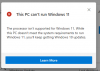
This PC can't run Windows 11

JohnD44

Member
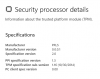
Using Microsoft's PC Health Check application in my Win10 VM, it reports "This PC can't run Windows 11". Does everyone get the same message now, and a future version of Parallels will allow Win11 to run, or does it have a problem with my virtualized hardware? I actually have the Win11 DP build, and it installed fine in Parallels 16 (latest build) - natively, with no modifications/hacking/trickery.
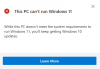
upload_2021-6-24_12-49-47.png
 
I got the email too, and running Health Check failed. So I did this:

(Note - the is ONLY for Intel-based Macs!!!)

Turn on TPM 2.0 per this KB article:
https://kb.parallels.com/en/122702

Then for Secure boot, read this KB article:
https://kb.parallels.com/en/124242

I re-did the MS Health Check (which I believe did have a problem, I got an email it was fixed quickly today) - it then passed. I checked Settings/Update & Security/Windows Insider Program, and it has me set up for the Beta Channel again! All fixed
 
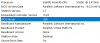
I think the problem comes from Direct X 12.0 driver. dxdiag says the driver model of Direct X is WDDM 1.2. Since Win11 needs WDDM 2.0, we need to wait update of Parallels for Win11.
 
I'm getting "The processor isn't supported for Windows 11" from the Health Check.
What processor settings are folks using that have passed the health check?
 
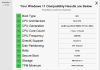
I ran the tool on my Win11 VM and it says my CPU isn't supported? LOL - The Win11 ISO installed in a new VM just fine. CPU requirements are supposed to be at least 1GHz, at least 2 cores, 64-bit. I'm running an old dual Xeon X5690 (Westmere), which meets those requirements, and I gave the VM 4 cores (of the 12). *shrug*

upload_2021-6-26_8-45-27.png
 
I got the email too, and running Health Check failed. So I did this:

(Note - the is ONLY for Intel-based Macs!!!)

Turn on TPM 2.0 per this KB article:
https://kb.parallels.com/en/122702

Then for Secure boot, read this KB article:
https://kb.parallels.com/en/124242

I re-did the MS Health Check (which I believe did have a problem, I got an email it was fixed quickly today) - it then passed. I checked Settings/Update & Security/Windows Insider Program, and it has me set up for the Beta Channel again! All fixed

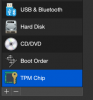
I'm on the 2020 iMac with T2 chip. When I go to Hardware +, there is no 'TPM chip' option available.
 
I'm on the 2020 iMac with T2 chip. When I go to Hardware +, there is no 'TPM chip' option available.
What version of Parallels are you running? You need v15 or v16, Pro or Business editions to have the ability to add the vTPM chip. Click on settings for a Windows VM (that's shut down), click the + and add the vTPM.
 
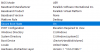
PS - You also need to have Windows installed in UEFI mode, not legacy BIOS mode. Launch System Information and check.

upload_2021-6-26_11-5-5.png
 
What version of Parallels are you running? You need v15 or v16, Pro or Business editions to have the ability to add the vTPM chip. Click on settings for a Windows VM (that's shut down), click the + and add the vTPM.
I think I know what the problem is:
Troubleshooting
UEFI/EFI BIOS only.

  1. If Legacy is set, create a new Windows virtual machine.
  2. When you get to the Name and Location window when creating a machine, enable Customize settings before installation.

  3. In the automatically opened configuration window go to Hardware, click + > select TPM chip > Add.

  4. Close the configuration window and proceed with Windows installation.
I created this VM in the fall of 2015, so it's definitely 'Legacy'. I'm going to have to create a new VM.
 
Back
Top