The function of clipboard history tool to ignore data from these applications is not working

yskm

Bit poster
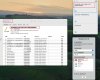
The function of clipboard history tool to ignore data from these applications is not working.I've added software to the whitelist, not wanting the clipboard history tool to record clipboard records from these software, but I found it doesn't work, my Mac system and Parallels Toolbox software version are the latest.


剪贴板历史记录工具忽略这些应用的数据功能失效。我添加了软件的白名单,不想让剪贴板历史记录工具记录这些软件的剪贴板记录,但我发现不起作用,我的 mac 系统和 parallels toolbox 软件版本都是最新的。
Snipaste_2024-02-17_00-25-06.jpg
Snipaste_2024-02-17_00-25-32.png
 

Attachments

  • Snipaste_2024-02-17_00-25-58.png
    Snipaste_2024-02-17_00-25-58.png
    216.8 KB · Views: 3
The function of clipboard history tool to ignore data from these applications is not working.I've added software to the whitelist, not wanting the clipboard history tool to record clipboard records from these software, but I found it doesn't work, my Mac system and Parallels Toolbox software version are the latest.


The Clipboard History tool's functionality to ignore data from these apps is disabled. I added a whitelist of software and did not want the clipboard history tool to record the clipboard records of these software, but I found that it did not work. My mac system and parallels toolbox software versions are both up to date.
View attachment 22046
View attachment 22047


Hello yskm,

To aid us in troubleshooting this issue further, please perform the following actions:

1. Reproduce the issue.

2. Please collect a technical report while the issue is being reproduced (click the Parallels Toolbox icon > Help > Send technical data > check "Attach screenshots..." > press Send Report) and send the report's 9-digit ID in reply to this post.
 
Hello yskm,

To aid us in troubleshooting this issue further, please perform the following actions:

1. Reproduce the issue.

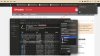
I've added the "Keychain Access" application to the whitelist, not wanting the clipboard history tool to record clipboard records from these software, but I found it doesn't work. I can see the "73C9A589-3119-160A-F1A7-F0B81499685A" that I copied appears in the text of the clipboard history.

Reinstalling the Parallels Toolbox software didn't help; neither did removing and re-adding the "Keychain Access" application from the whitelist.

my Mac system and Parallels Toolbox software version are the latest.
WechatIMG16.jpg
2. Please collect a technical report while the issue is being reproduced (click the Parallels Toolbox icon > Help > Send technical data > check "Attach screenshots..." > press Send Report) and send the report's 9-digit ID in reply to this post.

9-digit ID:451308634
 
Back
Top