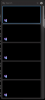
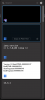
I'm having an issue with Visual Studio 2022 and Parallels Toolbox Version 6.7.0 (5122) running under macOS 14.3.1. Text doesn't display in the clipboard history. If I click "Copy as Plain Text" and paste in another app, the text does get pasted.
I'm having an issue with Visual Studio 2022 and Parallels Toolbox Version 6.7.0 (5122) running under macOS 14.3.1. Text doesn't display in the clipboard history. If I click "Copy as Plain Text" and paste in another app, the text does get pasted. View attachment 22489View attachment 22490
Enable detailed log messages: Click the Parallels Toolbox icon > Click on the little gearbox > Preferences > enable the "Use detailed log messages" checkbox" > click the "X" button on the left side to close the preferences box
Collect a technical report: Click the Parallels Toolbox icon > Click on the little gearbox> Help > Send technical data > check "Attach screenshots..." > press Send Report) and send the report's 9-digit ID in reply to this post.
I should have said that text copied from Visual Studio 2022 doesn't display in the clipboard history. Text copied from other sources displays correctly.
I should have said that text copied from Visual Studio 2022 doesn't display in the clipboard history. Text copied from other sources displays correctly.