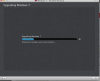
stuck at "upgrading Windows 7"

SpyrosF

Bit poster
Hi

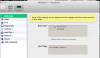
I used the parallels Transporter tool to create a .pvm of my work computer which has Windows 7 on it, and when I try to create a virtual machine on my mac (macbook pro retina 15", i7, 16GB RAM, 768GB storage), it hangs at this point and never goes past it. Has this happened to anyone? What did I do wrong?
 

Attachments

  • Screen Shot 2014-06-11 at 9.19.48 AM.png
    Screen Shot 2014-06-11 at 9.19.48 AM.png
    303.3 KB · Views: 26
Hi SpyrosF,

Please follow the steps as suggested below :

- Click on the eye icon on the Upgrading Windows 7 screen and click "yes".
- Stop the Virtual Machine : On the Top menu bar click on Virtual Machine -> Select "Stop".
- Go to Virtual Machine Configure(http://kb.parallels.com/117287) -> Hardware -> Boot Order -> In the Boot flags option, please enter "vm.compat_level=2" (without quotes) and close the VM Configure.
- Now Start the Virtual Machine.
 
setup is here

Screen Shot 2014-06-11 at 12.54.31 PM.png

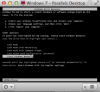
now it keeps booting through a blue screen of death to this screen.

Screen Shot 2014-06-11 at 12.55.30 PM.png

Did I do something wrong with the flag?
 
Hello SpyrosF,

1. Stop the Virtual Machine by going to Virtual Machine -> Stop

2. Please follow the step as suggested at http://kb.parallels.com/112772 and restart your Virtual Machine.

Let us know if this helps you to resolve the issue.


This did not help. I selected all IDE drives and all SATA drives. Same reboot through the BSOD. I used parallels transporter to get another computer as a VM, so there are no retail discs to do an install repair
 
SpyrosF..

Did you ever get your question answered. I keep getting stuck in a loop to repair Windows and nothing happens when I try what was suggested above.
 
Back
Top