SQL Server on Windows 11 - M1 MACS

Karthikeyan1

Bit poster
Hi Guys,

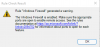
I have M1 Mac with Windows 11 installed on Parallels desktop. I have tried to install SQL Server 2019, 2017 & 2014. But, the Database engine services is failing to install. I have attached the screenshots.

Kindly let me know how to solve this issue.

Thanks,
Karthik.
 

Attachments

  • SQL Server firewall warning.png
    SQL Server firewall warning.png
    23.1 KB · Views: 269
  • SQL Server install failure 2.png
    SQL Server install failure 2.png
    28 KB · Views: 286
  • SQL Server install failure.png
    SQL Server install failure.png
    22.7 KB · Views: 267
I have the same issue. It looks like there are a few other threads on this but their fixes haven't worked either...
 
I run the Act! CRM system in a Parallels system with my Intel MacBook Pro and using the new M1 you can't copy a VM over from one to the other and have to recreate it from scratch. In that process it would NOT install SQL 2019 which Act! - uses for the DB. I was able to finally manually install SQL 2014 and link it to Act! - even the latest version v24 and got it to work. Shouldn't be this tough and should install SQL 2019 normally but it doesn't.
 
Hi Bud, I'm trying to get Act up and running. I was wondering if you had loaded it on one of the Windows 10 ARM builds, and then upgraded to Windows 11 ARM, or did you do a clean install of Windows 11 ARM and then load SQL 2014 first, then load Act V24?
 
All - you can install Azure SQL Edge on Docker Desktop or a Linux VM running Docker and use that with your Parallels windows machine to run SQL.
Most functionality of Azure SQL Edge is consistent with SQL Server 2019 - though there are some very noticeable issues. The first is that Windows Authentication is not available, but many applications use SQL Log-In anyway. The second is that DB Mail functionality is not available.
 
Hey Bud,

I'm sorry for my late reaction. For my study I need to run MS SQL server 2019. I can't run it on Parallels because I think the M1 Chip doesn't work with Windows MS Sql 2019. Is there a way we can communicate with each other through an other platform btw?

Hope to hear from you soon!
 
No MS SQL 2019 doesn't work but MS SQL 2014 does. The issue was trying to use Act! CRM with Parallels and M1.
 
Back
Top