Hello, I am having issues installing an application that's used a local sql database. I continue to get an errors stating there was an issues configuring Microsoft SQL Server. I noticed that the database services failed to install when the application used SQL Server 2019 Express to install the local database. I have tried downloading updates to Sql Server 2019, I've installed multiple SQL Servers through docker desktop but still having this issues installing an application for work (Cabinet Vision from Hexagon). Any help would be GREATLY APPRECIATED!!

Install the app
How to install the app on iOS
Follow along with the video below to see how to install our site as a web app on your home screen.
Note: This feature may not be available in some browsers.
You are using an out of date browser. It may not display this or other websites correctly.
You should upgrade or use an alternative browser.
You should upgrade or use an alternative browser.
SQL Server on MacBook Pro w/ M3
- Thread starter NickF11
- Start date

Mikhail Ushakov
Problem solver
Hello,Hello, I am having issues installing an application that's used a local sql database. I continue to get an errors stating there was an issues configuring Microsoft SQL Server. I noticed that the database services failed to install when the application used SQL Server 2019 Express to install the local database. I have tried downloading updates to Sql Server 2019, I've installed multiple SQL Servers through docker desktop but still having this issues installing an application for work (Cabinet Vision from Hexagon). Any help would be GREATLY APPRECIATED!!
You can install LocalDB in a Windows VM right from the SQL Server 2019/2022 installer (select 'Download Media' > select LocalDB and the installation path) and follow on-screen instructions).
Alternatively, you can install it right from Visual Studio installer as part of the Data Storage and Processing workload, the ASP.NET and web development workload, or as an individual component.
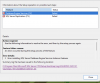
Here is a picture of the issue I am running into and the error log. It cannot install the database engine service and because f that, the application I am trying to install cannot configure the SQL Database.
Overall summary:
Final result: The patch installer has failed to update the following instance: CV. To determine the reason for failure, review the log files.
Exit code (Decimal): -2061893558
Start time: 2024-05-20 02:01:23
End time: 2024-05-20 02:03:13
Requested action: Patch
Instance CV overall summary:
Final result: The patch installer has failed to update the shared features. To determine the reason for failure, review the log files.
Exit code (Decimal): -2061893558
Start time: 2024-05-20 02:02:50
End time: 2024-05-20 02:03:09
Requested action: Patch
Machine Properties:
Machine name: VM
Machine processor count: 4
OS version: Microsoft Windows 11 Pro (10.0.26100)
OS service pack:
OS region: United States
OS language: English (United States)
OS architecture: x64
Process architecture: 64 Bit
OS clustered: No
Product features discovered:
Product Instance Instance ID Feature Language Edition Version Clustered Configured
SQL Server 2014 MSSQLSERVER MSSQL12.MSSQLSERVER Database Engine Services 1033 Express Edition 12.0.2000.8 No Yes
SQL Server 2014 MSSQLSERVER MSSQL12.MSSQLSERVER SQL Server Replication 1033 Express Edition 12.0.2000.8 No Yes
SQL Server 2014 SQLSERVER MSSQL12.SQLSERVER Database Engine Services 1033 Express Edition 12.0.2000.8 No Yes
SQL Server 2014 SQLSERVER MSSQL12.SQLSERVER SQL Server Replication 1033 Express Edition 12.0.2000.8 No Yes
SQL Server 2014 LocalDB 1033 Express Edition 12.0.2000.8 No Yes
SQL Server 2019 CV MSSQL15.CV Database Engine Services 1033 Express Edition 15.0.2000.5 No Yes
SQL Server 2019 CV MSSQL15.CV SQL Server Replication 1033 Express Edition 15.0.2000.5 No Yes
SQL Server 2019 Client Tools Connectivity 1033 15.0.2000.5 No Yes
SQL Server 2019 LocalDB 1033 Express Edition 15.0.4365.2 No Yes
Package properties:
Description: Microsoft SQL Server 2019
ProductName: SQL Server 2019
Type: RTM
Version: 15
SPLevel: 0
KBArticle: KB5035123
KBArticleHyperlink: https://support.microsoft.com/?kbid=5035123
PatchType: QFE
AssociatedHotfixBuild: 4233
Platform: x64
PatchLevel: 15.0.4365.2
ProductVersion: 15.0.2000.5
GDRReservedRange: 15.0.2005.0:15.0.2010.0
Installation location: C:\1400ced55ad63206c25fd331db\x64\setup\
Updated product edition:
Instance Edition
CV Express
User Input Settings:
ACTION: Patch
ALLINSTANCES: false
CLUSTERPASSIVE: false
CONFIGURATIONFILE:
ENU: true
HELP: false
IACCEPTPYTHONLICENSETERMS: false
IACCEPTROPENLICENSETERMS: false
IACCEPTSQLSERVERLICENSETERMS: true
IACKNOWLEDGEENTCALLIMITS: false
INDICATEPROGRESS: false
INSTANCEID: <empty>
INSTANCENAME: <empty>
MRCACHEDIRECTORY:
QUIET: false
QUIETSIMPLE: false
SUPPRESSPAIDEDITIONNOTICE: false
SUPPRESSPRIVACYSTATEMENTNOTICE: false
UIMODE: Normal
X86: false
Rules with failures or warnings:
Rules report file: C:\Program Files\Microsoft SQL Server\150\Setup Bootstrap\Log\20240520_020121\SystemConfigurationCheck_Report.htm
Overall summary:
Final result: The patch installer has failed to update the following instance: CV. To determine the reason for failure, review the log files.
Exit code (Decimal): -2061893558
Start time: 2024-05-20 02:01:23
End time: 2024-05-20 02:03:13
Requested action: Patch
Instance CV overall summary:
Final result: The patch installer has failed to update the shared features. To determine the reason for failure, review the log files.
Exit code (Decimal): -2061893558
Start time: 2024-05-20 02:02:50
End time: 2024-05-20 02:03:09
Requested action: Patch
Machine Properties:
Machine name: VM
Machine processor count: 4
OS version: Microsoft Windows 11 Pro (10.0.26100)
OS service pack:
OS region: United States
OS language: English (United States)
OS architecture: x64
Process architecture: 64 Bit
OS clustered: No
Product features discovered:
Product Instance Instance ID Feature Language Edition Version Clustered Configured
SQL Server 2014 MSSQLSERVER MSSQL12.MSSQLSERVER Database Engine Services 1033 Express Edition 12.0.2000.8 No Yes
SQL Server 2014 MSSQLSERVER MSSQL12.MSSQLSERVER SQL Server Replication 1033 Express Edition 12.0.2000.8 No Yes
SQL Server 2014 SQLSERVER MSSQL12.SQLSERVER Database Engine Services 1033 Express Edition 12.0.2000.8 No Yes
SQL Server 2014 SQLSERVER MSSQL12.SQLSERVER SQL Server Replication 1033 Express Edition 12.0.2000.8 No Yes
SQL Server 2014 LocalDB 1033 Express Edition 12.0.2000.8 No Yes
SQL Server 2019 CV MSSQL15.CV Database Engine Services 1033 Express Edition 15.0.2000.5 No Yes
SQL Server 2019 CV MSSQL15.CV SQL Server Replication 1033 Express Edition 15.0.2000.5 No Yes
SQL Server 2019 Client Tools Connectivity 1033 15.0.2000.5 No Yes
SQL Server 2019 LocalDB 1033 Express Edition 15.0.4365.2 No Yes
Package properties:
Description: Microsoft SQL Server 2019
ProductName: SQL Server 2019
Type: RTM
Version: 15
SPLevel: 0
KBArticle: KB5035123
KBArticleHyperlink: https://support.microsoft.com/?kbid=5035123
PatchType: QFE
AssociatedHotfixBuild: 4233
Platform: x64
PatchLevel: 15.0.4365.2
ProductVersion: 15.0.2000.5
GDRReservedRange: 15.0.2005.0:15.0.2010.0
Installation location: C:\1400ced55ad63206c25fd331db\x64\setup\
Updated product edition:
Instance Edition
CV Express
User Input Settings:
ACTION: Patch
ALLINSTANCES: false
CLUSTERPASSIVE: false
CONFIGURATIONFILE:
ENU: true
HELP: false
IACCEPTPYTHONLICENSETERMS: false
IACCEPTROPENLICENSETERMS: false
IACCEPTSQLSERVERLICENSETERMS: true
IACKNOWLEDGEENTCALLIMITS: false
INDICATEPROGRESS: false
INSTANCEID: <empty>
INSTANCENAME: <empty>
MRCACHEDIRECTORY:
QUIET: false
QUIETSIMPLE: false
SUPPRESSPAIDEDITIONNOTICE: false
SUPPRESSPRIVACYSTATEMENTNOTICE: false
UIMODE: Normal
X86: false
Rules with failures or warnings:
Rules report file: C:\Program Files\Microsoft SQL Server\150\Setup Bootstrap\Log\20240520_020121\SystemConfigurationCheck_Report.htm
Attachments
Mikhail Ushakov
Problem solver
Hello!
Have you tried to run it this way? https://kb.parallels.com/129699
Have you tried to run it this way? https://kb.parallels.com/129699