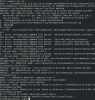
I think I do have a solution for Oracle Linux 8, 9 and 10. Here is what you need to do:
1. Backup your existing VM in case something goes wrong a do not blame me afterwards if you did not do so

2. Update Oracle Linux to the latest version. As user root this can be done with
yum update -y
Solution for Oracle Linux 8
================
Make Oracle Linux use the latest version of gcc and as. As root user do the following:
cd /usr/bin
Backup the old versions of gcc and as:
mv gcc gcc-old
mv as as-old
Now create symbolic links to the new versions:
ln -s /opt/rh/gcc-toolset-12/root/bin/gcc gcc
ln -s /opt/rh/gcc-toolset-12/root/bin/as as
check if gcc --version returns a version number 12 or higher
check if as --version returns a version number 2.38 or higher
Now run the installer as usual from the Parallels Host Menu. Installation should be fine.
Finally you may remove the symbolic links created before and rename gcc-old and as-old back to gcc and as
Solution for Oracle Linux 9
================
Verify the versions of gcc and as with:
gcc --version
as -- version
gcc should be 11.5 or higher
as should be 2.35 or higher
Proceed with normal installation from Parallels Host Menu. Everything should be fine
Solution for Oracle Linux 10
=================
This is definitely the toughest one!
Choose the Host Menu Option Parallels Tools installation as if you wanted to install the tools like usual, but do not start the installation in Oracle Linux 10
As user root copy the parallels tools too a directory /temp
Should be something like
cd /
mkdir temp
cd /run/media/<your username>/Parallels Tools
cp -pr * /temp
change the ownership of all files in the /temp directory to root with something like
chown -R root *
Change the permissions on all files too 777 (not the proper way of doing this in linux, but to shortcut things it is the fastest way)
chmod -R 777 *
Now find the file pre_mod.tar.gz it should be here: /temp/kmods/prl_mod.tar.gz
uncompressed this file as user root
tar -xzvf prl_mod.tar.gz
now find the Makifile for the client tools. It should be here: /temp/kmods/prl_tg/Toolgate/Guest/Linux/prl_tg/Makefile
Use a text editor to add the following line in the Makefile and add the following line:
EXTRA_CFLAGS += -Wno-error=attribute-warning
Save the Makefile and run the installer as root from the temp directory:
cd /temp
./install
Sit back and be patient, but installation should go fine, at least it did it for me
Parallels should eventually update their Guest Tools for new kernels, but until then these hacks are needed...
Hope that helps


 ) seems to indicate that the Parallels Tools installer uses the Red Hat compiler, while the kernel was compiled with GCC. The Red Hat compiler (CC) seems to choke on a couple of command-line options.