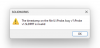
I have google drive installed on the mac side of the laptop, and when syncing a folder for offline access, whenever I try to open a solidworks file, it gives me the error saying the timestamp of the file is invalid. The only thing that fixes this is downloading the file to a different location on my hard drive, and then I can open it no problem.
Things I've tried that don't work:
1. opening the file from the windows side, making sure the address in the file explorer says Z: and not Mac//
2. Syncing the folder like I mentioned above.
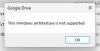
Anybody experienced this and fixed the issue? Anybody have a clue how to fix this issue? I guess one potential fix might be to download google drive to my windows side, but I'm worried about possibly syncing issues if it's not running when I think it is, but maybe that would work
Things I've tried that don't work:
1. opening the file from the windows side, making sure the address in the file explorer says Z: and not Mac//
2. Syncing the folder like I mentioned above.
Anybody experienced this and fixed the issue? Anybody have a clue how to fix this issue? I guess one potential fix might be to download google drive to my windows side, but I'm worried about possibly syncing issues if it's not running when I think it is, but maybe that would work