I have now two macs - one is Mac Pro 14" and one is older Mac Pro with i7 and AMD Radeon 5300m. On both machines I have installed same version of Parallels, same version of Solidworks with same settings.
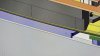
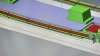
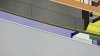
On the old Mac when I'm working in Solidworks and move cursor on edge it has orange colour and it's thick but in same situation on 14" Mac Pro with M1 it's thin and barely visible.
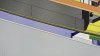
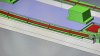
When I turn Software open GL thickness is same on my 14" Pro and 16" i7 Mac.
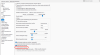

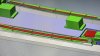
On older mac I have Win x64 and on Mac Pro 14" I have Win arm. I tried Windows 10 arm and Windows 11 arm but it's same problem.
Do you have any idea what is necessary to change in Windows arm or where can be problem?
On the old Mac when I'm working in Solidworks and move cursor on edge it has orange colour and it's thick but in same situation on 14" Mac Pro with M1 it's thin and barely visible.
When I turn Software open GL thickness is same on my 14" Pro and 16" i7 Mac.
On older mac I have Win x64 and on Mac Pro 14" I have Win arm. I tried Windows 10 arm and Windows 11 arm but it's same problem.
Do you have any idea what is necessary to change in Windows arm or where can be problem?