Hi all,
I've just installed Solidworks connected 2023 from the 3Dexperience home with the Solidworks for Makers license.
I have the issue that Solidworks is not using hardware acceleration as described here https://kb.parallels.com/en/122790. Problem is that on the KB page only Solidworks untill version 2022 is listed. I need a fix for the 2023 version.
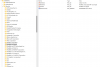
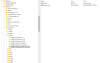
Looking at each of the registery fix files from previous versions that you can download, they all add some words to the windows registery, all in the same folder. I already tried changing the folder names in the registery fix file from 2022 to 2023, but that does not seem to work unfortunately. Maybe that is because I use Solidworks connected?
Does somebody have a fix for this issue?
I am using Parallels Desktop 18 for Mac Version 18.1.1 (53328) on a intel based Macbook Pro 16 from 2020. Running SOLIDWORKS Connected Maker 2023 SP0.0, 3DEXPERIENCE R2023x HotFix 0.7 in Windows 11
Help is much appreciated!
Best regards,
Mick
I've just installed Solidworks connected 2023 from the 3Dexperience home with the Solidworks for Makers license.
I have the issue that Solidworks is not using hardware acceleration as described here https://kb.parallels.com/en/122790. Problem is that on the KB page only Solidworks untill version 2022 is listed. I need a fix for the 2023 version.
Looking at each of the registery fix files from previous versions that you can download, they all add some words to the windows registery, all in the same folder. I already tried changing the folder names in the registery fix file from 2022 to 2023, but that does not seem to work unfortunately. Maybe that is because I use Solidworks connected?
Does somebody have a fix for this issue?
I am using Parallels Desktop 18 for Mac Version 18.1.1 (53328) on a intel based Macbook Pro 16 from 2020. Running SOLIDWORKS Connected Maker 2023 SP0.0, 3DEXPERIENCE R2023x HotFix 0.7 in Windows 11
Help is much appreciated!
Best regards,
Mick