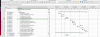
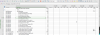
I use Parallels 17 both Standard and Pro Editions on two different Mac M1 Processor MacBook Pros under Windows 11 Insider Edition with all the latest Updates. My two Macs are also fully updated to macOS Monterrey 12.2.
My issue is that ever since Parallels started to support the M1 chip the performance of rapid scrolling with the Mac Trackpad has been terrible. There is no continuous scrolling anymore as when running Parallels 16 on an Intel-based MBP. The scrolling is jerky and stops frequently. When using Microsoft Project on a several thousand line schedule you can barely move as you try to flip through the lines.
I have tried all the optimizations I can think of including --
My issue is that ever since Parallels started to support the M1 chip the performance of rapid scrolling with the Mac Trackpad has been terrible. There is no continuous scrolling anymore as when running Parallels 16 on an Intel-based MBP. The scrolling is jerky and stops frequently. When using Microsoft Project on a several thousand line schedule you can barely move as you try to flip through the lines.
I have tried all the optimizations I can think of including --
- Additional Flag Setting under Configuration > Hardware > Boot Order, Click "Advanced Settings" and add Boot Flag - "vm.mouse.scroll.pix2ang=256"
- Varying the amount of memory and processors allocated to the VM (I start with the recommended amount of memory and Cores and then move up and down - No improvement.
- On my M1 Pro Machine with 32GB and 16 Cores I have given 16GB and 8 Cores to the VM - No Improvement.
- There is no longer a "Smooth Scrolling" option or I would try that.