Yeah this is the only thing that reliably fixes it. The issue seems to manifest itself after the VM goes into sleep, after which you need to cycle the adapter. Kind of absurd that this issue has been around for so long.Deactivation Parallels network adapter in windows and reactivation solved the problem for now.

Install the app
How to install the app on iOS
Follow along with the video below to see how to install our site as a web app on your home screen.
Note: This feature may not be available in some browsers.
You are using an out of date browser. It may not display this or other websites correctly.
You should upgrade or use an alternative browser.
You should upgrade or use an alternative browser.
Slow Upload Speed on Win11
- Thread starter il_6
- Start date
This also solved it for me.Deactivation Parallels network adapter in windows and reactivation solved the problem for now.
Please please please please fix this Parallels. I have lost so much work time due to this!


Hello,
As a workaround, kindly follow steps in this article: https://kb.parallels.com/en/129589
If issue persist, with the help of this article , https://kb.parallels.com/9058 , collect and provide us with the 9-Digits report number.
Thanks
As a workaround, kindly follow steps in this article: https://kb.parallels.com/en/129589
If issue persist, with the help of this article , https://kb.parallels.com/9058 , collect and provide us with the 9-Digits report number.
Thanks
The first screenshot indicates we should remove the device driver. I am certain this is not the correct screenshot.Hello,
As a workaround, kindly follow steps in this article: https://kb.parallels.com/en/129589
If issue persist, with the help of this article , https://kb.parallels.com/9058 , collect and provide us with the 9-Digits report number.
Thanks
This keeps happening to me. I have sent technical details. This is my report number: 422742760.Hello,
As a workaround, kindly follow steps in this article: https://kb.parallels.com/en/129589
If issue persist, with the help of this article , https://kb.parallels.com/9058 , collect and provide us with the 9-Digits report number.
Thanks
Looking forward to hear from you on a fix.

Avinash Bundhoo
Staff member
Hello,
We can recommend trying to adjust the following setting for a known possibly related issue with upload speeds and checking if the issue persists:
1. Start your virtual machine.
2. Right-click on "Start" icon ->.select "Device Manager".
3. Expand "Network Adapters".
4. Right-click Parallels VirtIO Ethernet Adapter -> click "Properties" -> go to "Advanced" tab.
5. Locate the property, "Offload.Tx.LSO" -> set its value to "Disabled".
For additional information, please check the following article: https://kb.parallels.com/en/129589
Please let us know the results.
Looking forward to hearing from you.
We can recommend trying to adjust the following setting for a known possibly related issue with upload speeds and checking if the issue persists:
1. Start your virtual machine.
2. Right-click on "Start" icon ->.select "Device Manager".
3. Expand "Network Adapters".
4. Right-click Parallels VirtIO Ethernet Adapter -> click "Properties" -> go to "Advanced" tab.
5. Locate the property, "Offload.Tx.LSO" -> set its value to "Disabled".
For additional information, please check the following article: https://kb.parallels.com/en/129589
Please let us know the results.
Looking forward to hearing from you.
Thanks for this suggestion. I changed this setting and will try to reproduce. I do software demos that involve uploading documents to our system. There is nothing worse than trying to show prospects your system, and when you upload a document the progress bar doesn't move. The entire demo is ruined. Sometimes it works, sometimes it doesn't, and I can't take the risk that this will be the permanent fix. So I will be resetting the network adapter before every demo until someone can confirm this resolves the issue. It's been more than a year that this has been happening and I'm convinced I've lost several deals due to this embarrassing issue that customers think is our software issue.Hello,
We can recommend trying to adjust the following setting for a known possibly related issue with upload speeds and checking if the issue persists:
1. Start your virtual machine.
2. Right-click on "Start" icon ->.select "Device Manager".
3. Expand "Network Adapters".
4. Right-click Parallels VirtIO Ethernet Adapter -> click "Properties" -> go to "Advanced" tab.
5. Locate the property, "Offload.Tx.LSO" -> set its value to "Disabled".
For additional information, please check the following article: https://kb.parallels.com/en/129589
Please let us know the results.
Looking forward to hearing from you.
I will update if I can confirm this resolves the issue.
Yeah this is the only thing that reliably fixes it. The issue seems to manifest itself after the VM goes into sleep, after which you need to cycle the adapter. Kind of absurd that this issue has been around for so long.
I still have the same problem with my upload speed - the issue was not resolved ba Parallels, not even in Parallels Sesktop 18.
Reinstalling parallels didnt help.
Very Strang - it wasnt like that from the beginning - it startet about 2 monthn ago in may 2023.
Vienna , 29.06.2023
Best regards
Attachments
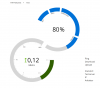
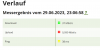
The fix is here: https://kb.parallels.com/en/129589I still have the same problem with my upload speed - the issue was not resolved ba Parallels, not even in Parallels Sesktop 18.
Reinstalling parallels didnt help.
Very Strang - it wasnt like that from the beginning - it startet about 2 monthn ago in may 2023.
Vienna , 29.06.2023
Best regards
Ignore the screen shot. It is misleading. But the steps tell you specifically what to do.
Pasting here for others who may not have read all the comments:
Resolution
The way around the issue has been added to the Parallels Desktop 18.3.0 build. Right-click the Parallels Desktop icon in Dock > Check for updates... to update Parallels Desktop to the latest version.
If you're not willing to update Parallels Desktop to Parallels Desktop 18.3.0 and newer version, feel free to apply the workaround below:
1. Start Windows 11 virtual machine > Open Device Manager.
2. Expand Network adapters, right-click Parallels VirtIO Ethernet Adapter, click Properties > Advanced.
3. Set the value of the Offload.Tx.LSO to Disabled. Click OK.
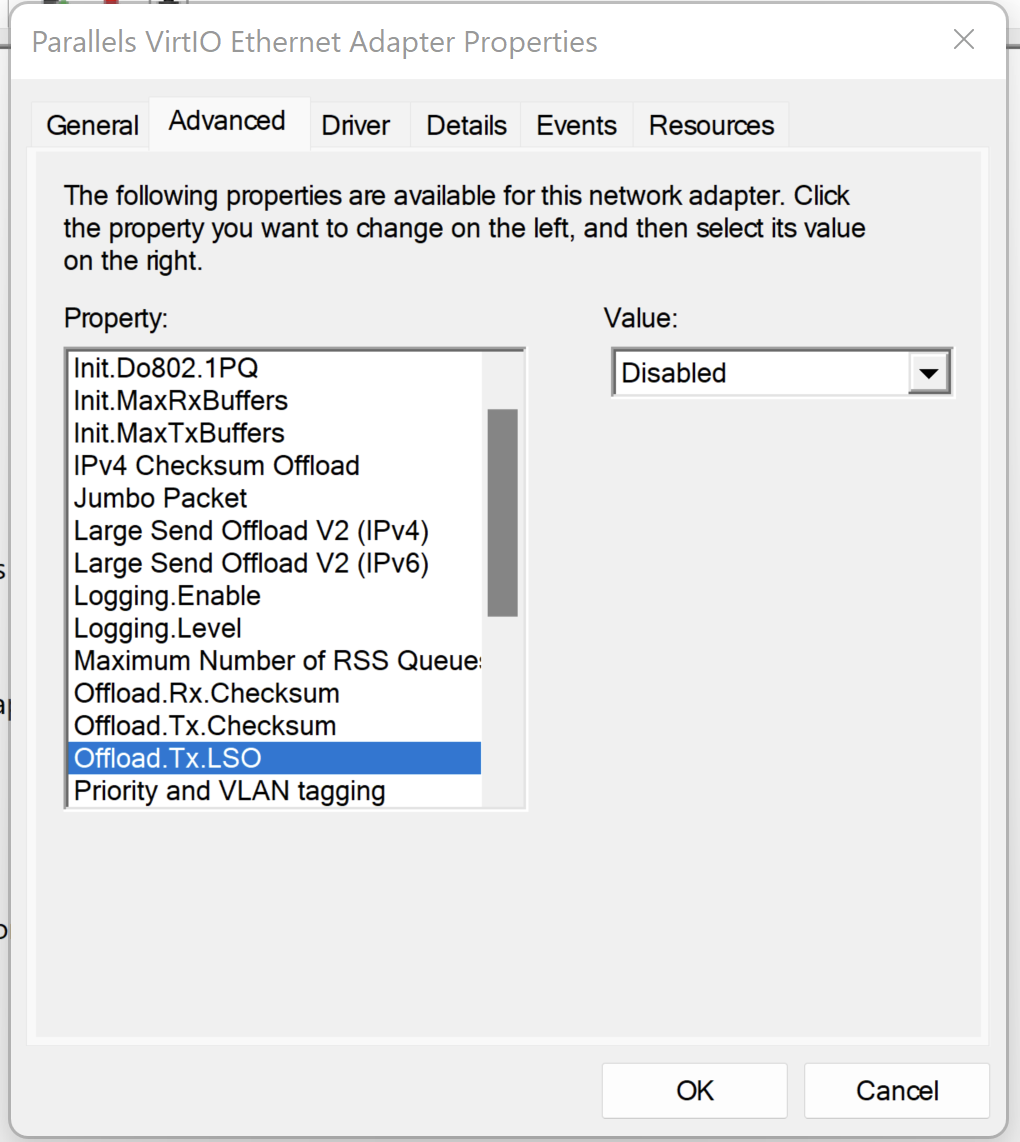
Note: it may be required to do this on every Parallels Desktop upgrade until the fix lands on one of the Parallels Desktop releases.
Have you tried changing the network adapter settings as shown in this thread? That resolved it for me.I still have the same problem with my upload speed - the issue was not resolved ba Parallels, not even in Parallels Sesktop 18.
Reinstalling parallels didnt help.
Very Strang - it wasnt like that from the beginning - it startet about 2 monthn ago in may 2023.
Vienna , 29.06.2023
Best regards
I had already made the settings you suggested before, but there is still no improvement in upload speeds. I think this problem is still unsolved and is present to many users of the current version of Parallels. Since this is a somewhat coarser problem and makes it difficult to use parallels, try
I am asking for a quick fix to the problem that has existed for a long time and that should have been fixed by now.
Vienna , 05.07.2023
Best regards,
Heinrich
I am asking for a quick fix to the problem that has existed for a long time and that should have been fixed by now.
Vienna , 05.07.2023
Best regards,
Heinrich
Attachments
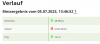
The very slow upload speed (and often doesnt upload at all) occurs only if you are trying to upload in Windows 11.
in MacOS upload speed is ok.
Because this problem must occur by many users of the latest version of parallels I think to resolve it should receive more attention by parallels.
Vienna , 05.07.2023
Best regards,
Heinrich
in MacOS upload speed is ok.
Because this problem must occur by many users of the latest version of parallels I think to resolve it should receive more attention by parallels.
Vienna , 05.07.2023
Best regards,
Heinrich
Yes, everything was allready set like shown in the thread. Also because I installed the latest update of parallels, upload is still very slow, especilly by using a VPN connection to a server or by sending e-mails with larger attachments. I hope that parallels responsibles will take this matter seriously and solve the problem soon!Have you tried changing the network adapter settings as shown in this thread? That resolved it for me.
One more problem with the latest version of parallels: when not using the mac resp. Windows 11 for a longer period (12 hours, over night), internet connection is lost and you have to deactivate and acticvate the Parallels VirtIO Ethernet Adapter again to maintain Internet Connection.
I have just updated to the latest version 18.3.2. (53621) of parallels desktop hoping that the problem with the slow upload speed would have been resolved; but unfortunately the problem is still unsolved.
There must be some problem within the communication betweem Mac ios and windows 11 via parallels adapter!
(Even the upload of the Sreenshot (1,8MB) took more than a minute!)
Anybody knows how to communicate this issue to parallels support or development?!
Best Regards
There must be some problem within the communication betweem Mac ios and windows 11 via parallels adapter!
(Even the upload of the Sreenshot (1,8MB) took more than a minute!)
Anybody knows how to communicate this issue to parallels support or development?!
Best Regards
Avinash Bundhoo
Staff member
Hello Mark,This issue is still not resolved. I'm on ver. 19 now. 2.7mbps down / 0.10 up, this is not acceptable. When i go to my Parallels VirtIO Adapter, the Offload.Tx.LSO was already disabled in my settings. Anyone have an update on a fix for this???
Thank you for your feedback.
Please collect a technical report (right-click Parallels icon in Dock > Help > Send technical data > check "Attach screenshots..." > press Send Report) and provide us with the report's 9-digit ID in reply to this post.
Thanks