slow ethernet network speed in Windows after upgrade Parallels 17 to 18

BerchtoldP

Bit poster
I just upgrade my Parallels 17 to 18 and had very slow ethernet network after upgrading.
i made no changes in the network settings, and i checked if the upgrade was making changes to the previous settings,
but found none.
i used bridged network (ethernet) settings with static ip configured in my windows installation,
and that worked fine for me with Parallels 17.
Is there anyone who had the same problems and find a solution for that?
 
I have the same problem. I was so happy that with the update to 18 the USB audio problem was fixed after months (!) and now this error. Windows bandwidth is 2 mbit/s, macOS 95 mbit/s. I can no longer use this unreliable product for my work.
 
No solution either, but I am experiencing the same problem on all my Win-VMs.
I tried:
- fresh VMs and it makes no difference if I use a Windows. Other OS's are NOT affected in any way by that problem.
- changing and testing with all network adapters and network types (shared, host only, bridged)
- since it was already suggested to reinstall Parallels Tools, I tried that, too!
 
I upgraded from 17 to 18 today and first noticed very slow network speed in my Unbutu VM. Now, both Unbutu and my Win 11 VM have lost all network connectivity. I am using "Shared Network". MacBook Pro running Monterey 12.5.
Slow was bad; no network connection is a disaster.
 
I upgraded from 17 to 18 today and first noticed very slow network speed in my Unbutu VM. Now, both Unbutu and my Win 11 VM have lost all network connectivity. I am using "Shared Network". MacBook Pro running Monterey 12.5.
Slow was bad; no network connection is a disaster.
Edit: "Ubuntu" of course, not Unbutu.
 
I upgraded from 17 to 18 today and first noticed very slow network speed in my Unbutu VM. Now, both Unbutu and my Win 11 VM have lost all network connectivity. I am using "Shared Network". MacBook Pro running Monterey 12.5.
Slow was bad; no network connection is a disaster.
Same here after upgrade. Host: MacOS 10.15.7 (intel iMac), Guest: Ubuntu 20.04. Parallels 18 Desktop Pro Edition
Speed/Ping tests are OK, but the initial connection seem to take much longer than before. For eample: starting Firefox in the VM: it takes around 7 seconds to load the home website. Once the website is loaded it seems to be OK
 
After some tinkering, my Win 11 VM has network connectivity. Ubuntu network is still dead. The upgrade to Parallels 18 was at the same time as an upgrade to the latest Ubuntu release. My problem no longer applies to this thread (Windows).
 
I may have found a SIMPLE solution - dumb me did not check that before.
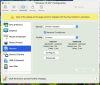
Open your VM settings, goto "hardware" and select the network device. Then just check the "Network conditioner" checkbox, leave the profile on "user defined" and if you click the "configure"-button, the upload and download bandwidth should be set to "unlimited".
That fixed the bug for me in all my Windows VMs, I can finally work with them again.

Should look like in my 2 images - just maybe in your set language :)
 

Attachments

  • Bildschirmfoto 2022-08-15 um 09.07.40.png
    Bildschirmfoto 2022-08-15 um 09.07.40.png
    139.8 KB · Views: 126
  • Bildschirmfoto 2022-08-15 um 09.07.42.png
    Bildschirmfoto 2022-08-15 um 09.07.42.png
    180.1 KB · Views: 120
I just upgrade my Parallels 17 to 18 and had very slow ethernet network after upgrading.
i made no changes in the network settings, and i checked if the upgrade was making changes to the previous settings,
but found none.
i used bridged network (ethernet) settings with static ip configured in my windows installation,
and that worked fine for me with Parallels 17.
Is there anyone who had the same problems and find a solution for that?

I had to turn on Network Conditioner and choose Custom profile. Then I set Inbound and Outbound bandwidth to unlimited. That corrected my VM internet speed from 1Mbps to the same throughput as the native Mac side.
 

Attachments

  • Screen Shot 2022-08-17 at 1.29.07 PM.png
    Screen Shot 2022-08-17 at 1.29.07 PM.png
    126 KB · Views: 62
Just for anyone joining that thread now:
As far as I noticed yesterday, that bug is still present in the newest version.
 
THANKS A LOT for the "solution", it worked for me also.
I can also say the bug is still present in the v 18.0.3.
I hope they will fix it ASAP.
Lorenzo

I may have found a SIMPLE solution - dumb me did not check that before.
Open your VM settings, goto "hardware" and select the network device. Then just check the "Network conditioner" checkbox, leave the profile on "user defined" and if you click the "configure"-button, the upload and download bandwidth should be set to "unlimited".
That fixed the bug for me in all my Windows VMs, I can finally work with them again.

Should look like in my 2 images - just maybe in your set language :)
 
Just for giggles, I changed it back to not having Network Conditioner, and the slowness didn't recur. So just the act of toggling that feature once seems to unclog it, likely due to an initialization line that changed somewhere.
 
What is the current state of 10 GBE network speed support? Is it possible to have a Windows VM with 10 GBE speed in Parallels 18 now?
 
I was having this identical issue and it took a 'toggle' of the Network Conditioning for it to correct itself.
Oddly enough, I'm having a similar issue using Bridged Mode networking - once set to Bridged, the VM is unable to lease an IP. Switching the Bridge interface from wired to wireless and back again allowed the VM to operate in Bridged mode.
Something seems to be 'off' with v18.1.1 that it's requiring manual 'toggles' of features for them to become functional...
 
Back
Top