Silicon Labs CP210x Universal USB to Uart driver not working with Windows 11 on MacBook Air M1

GordonE1

Bit poster
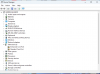
I get to the point where the device manager sees the device in the "other devices" list, but when I go to update the driver for either of the ports, when highlighting the directory they are in, Windows cannot find the drivers ... even though I know the correct silabser.inf file is there.
 

Attachments

  • Screenshot 2023-09-18 at 10.36.31 AM.png
    Screenshot 2023-09-18 at 10.36.31 AM.png
    59.4 KB · Views: 21
I am having the same problem and tried your solution. when I right-click on the silabser.inf file, I do not get an "install" option, only an "open" option. Suggestions?
 
I have the same issue. For some devices where virtual serial port is expected, the name of the device in driver is not recognized.
In such case my apps check for VID and PID to recognize device correctly
 
Back
Top