
Install the app
How to install the app on iOS
Follow along with the video below to see how to install our site as a web app on your home screen.
Note: This feature may not be available in some browsers.
You are using an out of date browser. It may not display this or other websites correctly.
You should upgrade or use an alternative browser.
You should upgrade or use an alternative browser.
Shift key not working for first character when Remote Desktop connected
- Thread starter ConsultDavidW
- Start date

After Upgrading to 11 I have problems with "ctrl+a" on Remote Machine and "cmd+a" which was perfectly working on v10 now does not. I have Windows XP guest machine same effect on windows 7 guest machine. I have tried "Optimized for games" in keyboard options but no luck! Any ideas?

Maria@Parallels
Problem solver
Please try the steps below:After Upgrading to 11 I have problems with "ctrl+a" on Remote Machine and "cmd+a" which was perfectly working on v10 now does not. I have Windows XP guest machine same effect on windows 7 guest machine. I have tried "Optimized for games" in keyboard options but no luck! Any ideas?
1. Click on the Parallels Desktop tab (on the Mac top menu bar)
2. Choose Preferences -> shortcuts
3. Click on "OS X System shortcuts" -> and choose "always"
When I was using Parallels 10 I also had problems with the shift key working in Remote Desktop. Creating a keyboard shortcut from "Shift" to "Shift" for the virtual machine seemed to fix it.
However, I just upgraded to Parallels 11 and the keyboard shortcut from "Shift" to "Shift" no longer helps. However, the following did fix the problem in Parallels 11 for me:
In the virtual machine configuration go to "Hardware" > "Mouse & Keyboard". Under "Keyboard" select "Optimize for games".
However, I just upgraded to Parallels 11 and the keyboard shortcut from "Shift" to "Shift" no longer helps. However, the following did fix the problem in Parallels 11 for me:
In the virtual machine configuration go to "Hardware" > "Mouse & Keyboard". Under "Keyboard" select "Optimize for games".
I upgraded to 11 and experienced the problem with Shift while in Remote Desktop (Windows Guest). Setting "Optimize for Games" corrected the problem. Parallels help states:
Note: You're not recommended to optimize keyboard for games when not playing games.
Is there a fix scheduled for this issue?
Note: You're not recommended to optimize keyboard for games when not playing games.
Is there a fix scheduled for this issue?
I don't usually reply to the forums but this has been a source of great frustration, so if this helps anyone...
Try this. In your VM bring up the Remote Desktop Connection window. Before connection click on the "Local Resources" tab. In the Keyboard pane click on the dropdown box and select "On this computer". Now connect to your remote desktop and check it out. My VM is running Win7 so can't vouch for other versions of Windows.
Try this. In your VM bring up the Remote Desktop Connection window. Before connection click on the "Local Resources" tab. In the Keyboard pane click on the dropdown box and select "On this computer". Now connect to your remote desktop and check it out. My VM is running Win7 so can't vouch for other versions of Windows.
Windows 7 w/ Parallels 11
I ended up going back to Version 9. Performance was unacceptable. Slow, delayed response in the menu system. Screen black or not updating in Windows. I am not discounting the possibility of user error. It just didn't seem stable. Will look at Version 11 again if/when I upgrade OS X.
I ended up going back to Version 9. Performance was unacceptable. Slow, delayed response in the menu system. Screen black or not updating in Windows. I am not discounting the possibility of user error. It just didn't seem stable. Will look at Version 11 again if/when I upgrade OS X.
Thank you so much for this!I don't usually reply to the forums but this has been a source of great frustration, so if this helps anyone...
Try this. In your VM bring up the Remote Desktop Connection window. Before connection click on the "Local Resources" tab. In the Keyboard pane click on the dropdown box and select "On this computer". Now connect to your remote desktop and check it out. My VM is running Win7 so can't vouch for other versions of Windows.
After struggling the whole day with this issue, _this_ finally worked for me on WinXP.
I don't normally post on forums either but this discussion saved me so much frustration. I upgraded from Desktop 9 to Desktop 11 and could no longer use shift key on Win7 remote desktop. The shift to shift did not work, but "optimize for games" as posted above works. Thank You!!
Sounds good! Let us know if you have any additional questions.I don't normally post on forums either but this discussion saved me so much frustration. I upgraded from Desktop 9 to Desktop 11 and could no longer use shift key on Win7 remote desktop. The shift to shift did not work, but "optimize for games" as posted above works. Thank You!!
I don't usually reply to the forums but this has been a source of great frustration, so if this helps anyone...
Try this. In your VM bring up the Remote Desktop Connection window. Before connection click on the "Local Resources" tab. In the Keyboard pane click on the dropdown box and select "On this computer". Now connect to your remote desktop and check it out. My VM is running Win7 so can't vouch for other versions of Windows.
Thank you - this works on parallels v12 to a Windows 10 VM RDP to Windows 8.1
martmeister
Member
Good call Steve. Just worked for me and we are back in business. Thank you.Was having the same problem.
Configure->Hardware->Mouse & Keyboard->Shortcuts->Virtual Machine->your windows's vm->Profile->Windows
Add From:Shift To:Shift
Works for me.

Great! Thank you for sharing the information. We will send it to the development team to have a look up to this work around. Thanks!
I also have this problem and tried the fix. It works but now I have a new issue: every RDP session to a Windows VM now asks me if I want to turn on Toggle Keys.
This happens when my Mac is docked into a Horizontal Henge Dock with a logitech K800 keyboard (and unifying receiver plugged into the dock).
I'm running Windows 10, latest build and Parallels Desktop Pro version 12.1.3 (41532)
Settings for the VM are:
- Mouse: don't optimize
- Keyb: optimize for games
- Shift mapped to Shift
- Send OSX System Shortcuts: always
Has anyone else had this issue?
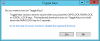
This happens when my Mac is docked into a Horizontal Henge Dock with a logitech K800 keyboard (and unifying receiver plugged into the dock).
I'm running Windows 10, latest build and Parallels Desktop Pro version 12.1.3 (41532)
Settings for the VM are:
- Mouse: don't optimize
- Keyb: optimize for games
- Shift mapped to Shift
- Send OSX System Shortcuts: always
Has anyone else had this issue?
It appears this happens when you work on multiple monitors, the RDP session only uses 1 monitor and you change the focus from the RDP session to another program running on the 2nd screen (e.g. Outlook). I can reproduce this perfectly. Do I have to file a bug report now somewhere?

Hello WimC, please start RDP (Do no click on connect) -> Click on Show option -> Select Local Resources -> under Keyboard, select " On this computer ". Keep us posted on your progress.It appears this happens when you work on multiple monitors, the RDP session only uses 1 monitor and you change the focus from the RDP session to another program running on the 2nd screen (e.g. Outlook). I can reproduce this perfectly. Do I have to file a bug report now somewhere?