AlessandroM3
Bit poster
Hi there,
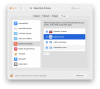
just installed (removed and reinstalled) the latest version of Parallels Toolbox 2.6.1 but the Screenshot tool doesn't work. The screenshots taken are actually blank.
I select the Screenshot tool for Capturing an area, I select the area, I click on the Area, the file gets saved on the HD, when I open the file it's actually blank even though the file size is not 0. I tried to open it with different apps, but none is able to show anything.
how can I fix the issue? the tool is useless this way...
Thanks,
Alex
just installed (removed and reinstalled) the latest version of Parallels Toolbox 2.6.1 but the Screenshot tool doesn't work. The screenshots taken are actually blank.
I select the Screenshot tool for Capturing an area, I select the area, I click on the Area, the file gets saved on the HD, when I open the file it's actually blank even though the file size is not 0. I tried to open it with different apps, but none is able to show anything.
how can I fix the issue? the tool is useless this way...
Thanks,
Alex