Hello everyone :
I'm using Parallels Desktop 10 for Mac latest version ( 10.2.2 (29105) ) into a MacBook Air with Yosemite 10.10.4.
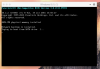
If I copy an existing Parallels VM running Windows 10 from my Mac`s SSD to a MicroSDHC card , Parallels is unable to start the VM from the SD Card, it hangs when trying to load Windows , showing only that it's trying to boot from SATA Drive 1..... ( screenshot attached ).
It happens also with another VM running Windows 8.1.
Is there something that I have to change into the VM configuration to allow the VM to run from the micro SD card ?
Any ideas would be greatly appreciated !
Thanks and best regards,
I'm using Parallels Desktop 10 for Mac latest version ( 10.2.2 (29105) ) into a MacBook Air with Yosemite 10.10.4.
If I copy an existing Parallels VM running Windows 10 from my Mac`s SSD to a MicroSDHC card , Parallels is unable to start the VM from the SD Card, it hangs when trying to load Windows , showing only that it's trying to boot from SATA Drive 1..... ( screenshot attached ).
It happens also with another VM running Windows 8.1.
Is there something that I have to change into the VM configuration to allow the VM to run from the micro SD card ?
Any ideas would be greatly appreciated !
Thanks and best regards,