AleksandraS
Bit poster
Is it possible to run a 64-bit-required application using a parallel desktop on an Apple M1 chip?

Follow along with the video below to see how to install our site as a web app on your home screen.
Note: This feature may not be available in some browsers.
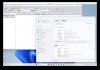
As a matter of fact it works. What is not working is the installer (it's an awkward installer). I've copied all the Global mapper related files from an installation in a X86 parallel image to the ARM windows 11 new image in M3Max and it's working perfectly. See Attached image.Global Mapper doesn't work.
The installer cannot install it in WIndows 11 ARM. However, if you copy it from a parallels image, installed in an Intel Machine, it will work just fine. I'm using it without any problem in Windows 11 ARM, running with parallels in a M3Max macbook pro.Global Mapper doesn't work.
which files did you copy? Only the Globalmapper folder in Programs folder or others files in other folders? Thanks!!As a matter of fact it works. What is not working is the installer (it's an awkward installer). I've copied all the Global mapper related files from an installation in a X86 parallel image to the ARM windows 11 new image in M3Max and it's working perfectly. See Attached image.
Cheers
Please can you specify which files you copied from the windows installation and from which directories, and in which win directory in Parallels you placed them.which files did you copy? Only the Globalmapper folder in Programs folder or others files in other folders? Thanks!!
Good morning to all. It would be important that the forum administrators do not wait so long to approve posts and comments. If the idea of the forum is to help users of Parallels should be much faster exchange of information to obtain solutions. Likewise people who manage to resolve the concerns should be more explicit in the answers to help others effectively.As a matter of fact it works. What is not working is the installer (it's an awkward installer). I've copied all the Global mapper related files from an installation in a X86 parallel image to the ARM windows 11 new image in M3Max and it's working perfectly. See Attached image.
Cheers
As a matter of fact it works. What is not working is the installer (it's an awkward installer). I've copied all the Global mapper related files from an installation in a X86 parallel image to the ARM windows 11 new image in M3Max and it's working perfectly. See Attached image.
Cheers
Hello Juanc48. Yes, I've copied the whole folder from the Programs folder. Works perfectly. I have not copied anything else. See attached image of Global Mapper working in the latest Windows 11 for ARM, version 24H2.Please can you specify which files you copied from the windows installation and from which directories, and in which win directory in Parallels you placed them.
That's great to hear. Would you be so kind to tell us how you did it? Just copied the files from the "program files" folder?As a matter of fact it works. What is not working is the installer (it's an awkward installer). I've copied all the Global mapper related files from an installation in a X86 parallel image to the ARM windows 11 new image in M3Max and it's working perfectly. See Attached image.
Cheers