Hi,
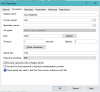
is it possible to logon to the client using UPN and Duo Radius? Login in with SamAccountName is working fine. UPN login without radius is also working.
Controller Log (SamAccountName):
[I 0E/00000000/T03A0/P0C50] 10-10-23 15:56:40 - Radius PRAS-BROKER01: User jan from machine DESKTOP-FEQ6M5L access allowed.
[I 06/0000000E/T03A0/P0C50] 10-10-23 15:56:41 - Logon successful user 'jan' domain 'ad' client IP '7x.xxx.xxx.xx4' Secure Gateway IP '10.0.1.90' [140 0 46 47]
Duo Log (SamAccountName):
2023-10-10T15:56:10.742999+0200 [duoauthproxy.lib.log#info] Sending request from 10.0.1.91 to radius_server_auto
2023-10-10T15:56:10.742999+0200 [duoauthproxy.lib.log#info] Received new request id 1 from ('10.0.1.91', 51618)
2023-10-10T15:56:10.742999+0200 [duoauthproxy.lib.log#info] (('10.0.1.91', 51618), jan, 1): login attempt for username 'jan'
2023-10-10T15:56:10.742999+0200 [duoauthproxy.lib.log#info] http POST to https://api-xxxxxxxx.duosecurity.com:443/rest/v1/preauth
2023-10-10T15:56:10.742999+0200 [duoauthproxy.lib.http._DuoHTTPClientFactory#info] Starting factory <_DuoHTTPClientFactory: b'https://api-xxxxxxxx.duosecurity.com:443/rest/v1/preauth'>
2023-10-10T15:56:10.899250+0200 [duoauthproxy.lib.log#info] (('10.0.1.91', 51618), jan, 1): Got preauth result for: 'auth'
2023-10-10T15:56:10.899250+0200 [duoauthproxy.lib.log#info] User IP not provided. Authorized Networks policies will not work for this authentication.
2023-10-10T15:56:10.899250+0200 [duoauthproxy.lib.log#info] http POST to https://api-xxxxxxxx.duosecurity.com:443/rest/v1/auth
2023-10-10T15:56:10.899250+0200 [duoauthproxy.lib.http._DuoHTTPClientFactory#info] Starting factory <_DuoHTTPClientFactory: b'https://api-xxxxxxxx.duosecurity.com:443/rest/v1/auth'>
2023-10-10T15:56:10.899250+0200 [duoauthproxy.lib.http._DuoHTTPClientFactory#info] Stopping factory <_DuoHTTPClientFactory: b'https://api-xxxxxxxx.duosecurity.com:443/rest/v1/preauth'>
2023-10-10T15:56:40.931612+0200 [duoauthproxy.lib.log#info] (('10.0.1.91', 51618), jan, 1): Duo authentication returned 'allow': 'Success. Logging you in...'
2023-10-10T15:56:40.931612+0200 [duoauthproxy.lib.log#info] (('10.0.1.91', 51618), jan, 1): Returning response code 2: AccessAccept
2023-10-10T15:56:40.931612+0200 [duoauthproxy.lib.log#info] (('10.0.1.91', 51618), jan, 1): Sending response
Controller Log (SamAccountName):
[I 06/0000000E/T10A8/P0C50] 10-10-23 15:57:06 - User ([email protected]) connected from client (192.168.83.106:65204), machine (DESKTOP-FEQ6M5L)(FC-08-4A-6B-E6-12) mode Gateway SSL, using OS: Windows 10 Professional 10.0.19045 (x64), Client version: 19.2 (build 23974).
[E 0E/00000003/T10A8/P0C50] 10-10-23 15:57:06 - Radius PRAS-BROKER01: User post from machine DESKTOP-FEQ6M5L access was rejected. Check that proper attribute value pairs were configured.
Duo Log (UPN):
2023-10-10T15:57:06.447403+0200 [duoauthproxy.lib.log#info] Sending request from 10.0.1.91 to radius_server_auto
2023-10-10T15:57:06.447403+0200 [duoauthproxy.lib.log#info] Received new request id 1 from ('10.0.1.91', 64929)
2023-10-10T15:57:06.447403+0200 [duoauthproxy.lib.log#info] (('10.0.1.91', 64929), post, 1): login attempt for username 'post'
2023-10-10T15:57:06.447403+0200 [duoauthproxy.lib.log#info] http POST to https://api-xxxxxxxx.duosecurity.com:443/rest/v1/preauth
2023-10-10T15:57:06.447403+0200 [duoauthproxy.lib.http._DuoHTTPClientFactory#info] Starting factory <_DuoHTTPClientFactory: b'https://api-xxxxxxxx.duosecurity.com:443/rest/v1/preauth'>
2023-10-10T15:57:06.572402+0200 [duoauthproxy.lib.log#info] (('10.0.1.91', 64929), post, 1): Got preauth result for: 'deny'
2023-10-10T15:57:06.572402+0200 [duoauthproxy.lib.log#info] (('10.0.1.91', 64929), post, 1): Returning response code 3: AccessReject
2023-10-10T15:57:06.572402+0200 [duoauthproxy.lib.log#info] (('10.0.1.91', 64929), post, 1): Sending response
2023-10-10T15:57:06.572402+0200 [duoauthproxy.lib.http._DuoHTTPClientFactory#info] Stopping factory <_DuoHTTPClientFactory: b'https://api-xxxxxxxx.duosecurity.com:443/rest/v1/preauth'>
It looks like that the upn is not sent to the radius and it is cut off after the @. Is there a way to configure the connection to send full upn to radius?
Many thanks and best regards,
Jan
is it possible to logon to the client using UPN and Duo Radius? Login in with SamAccountName is working fine. UPN login without radius is also working.
Controller Log (SamAccountName):
[I 0E/00000000/T03A0/P0C50] 10-10-23 15:56:40 - Radius PRAS-BROKER01: User jan from machine DESKTOP-FEQ6M5L access allowed.
[I 06/0000000E/T03A0/P0C50] 10-10-23 15:56:41 - Logon successful user 'jan' domain 'ad' client IP '7x.xxx.xxx.xx4' Secure Gateway IP '10.0.1.90' [140 0 46 47]
Duo Log (SamAccountName):
2023-10-10T15:56:10.742999+0200 [duoauthproxy.lib.log#info] Sending request from 10.0.1.91 to radius_server_auto
2023-10-10T15:56:10.742999+0200 [duoauthproxy.lib.log#info] Received new request id 1 from ('10.0.1.91', 51618)
2023-10-10T15:56:10.742999+0200 [duoauthproxy.lib.log#info] (('10.0.1.91', 51618), jan, 1): login attempt for username 'jan'
2023-10-10T15:56:10.742999+0200 [duoauthproxy.lib.log#info] http POST to https://api-xxxxxxxx.duosecurity.com:443/rest/v1/preauth
2023-10-10T15:56:10.742999+0200 [duoauthproxy.lib.http._DuoHTTPClientFactory#info] Starting factory <_DuoHTTPClientFactory: b'https://api-xxxxxxxx.duosecurity.com:443/rest/v1/preauth'>
2023-10-10T15:56:10.899250+0200 [duoauthproxy.lib.log#info] (('10.0.1.91', 51618), jan, 1): Got preauth result for: 'auth'
2023-10-10T15:56:10.899250+0200 [duoauthproxy.lib.log#info] User IP not provided. Authorized Networks policies will not work for this authentication.
2023-10-10T15:56:10.899250+0200 [duoauthproxy.lib.log#info] http POST to https://api-xxxxxxxx.duosecurity.com:443/rest/v1/auth
2023-10-10T15:56:10.899250+0200 [duoauthproxy.lib.http._DuoHTTPClientFactory#info] Starting factory <_DuoHTTPClientFactory: b'https://api-xxxxxxxx.duosecurity.com:443/rest/v1/auth'>
2023-10-10T15:56:10.899250+0200 [duoauthproxy.lib.http._DuoHTTPClientFactory#info] Stopping factory <_DuoHTTPClientFactory: b'https://api-xxxxxxxx.duosecurity.com:443/rest/v1/preauth'>
2023-10-10T15:56:40.931612+0200 [duoauthproxy.lib.log#info] (('10.0.1.91', 51618), jan, 1): Duo authentication returned 'allow': 'Success. Logging you in...'
2023-10-10T15:56:40.931612+0200 [duoauthproxy.lib.log#info] (('10.0.1.91', 51618), jan, 1): Returning response code 2: AccessAccept
2023-10-10T15:56:40.931612+0200 [duoauthproxy.lib.log#info] (('10.0.1.91', 51618), jan, 1): Sending response
Controller Log (SamAccountName):
[I 06/0000000E/T10A8/P0C50] 10-10-23 15:57:06 - User ([email protected]) connected from client (192.168.83.106:65204), machine (DESKTOP-FEQ6M5L)(FC-08-4A-6B-E6-12) mode Gateway SSL, using OS: Windows 10 Professional 10.0.19045 (x64), Client version: 19.2 (build 23974).
[E 0E/00000003/T10A8/P0C50] 10-10-23 15:57:06 - Radius PRAS-BROKER01: User post from machine DESKTOP-FEQ6M5L access was rejected. Check that proper attribute value pairs were configured.
Duo Log (UPN):
2023-10-10T15:57:06.447403+0200 [duoauthproxy.lib.log#info] Sending request from 10.0.1.91 to radius_server_auto
2023-10-10T15:57:06.447403+0200 [duoauthproxy.lib.log#info] Received new request id 1 from ('10.0.1.91', 64929)
2023-10-10T15:57:06.447403+0200 [duoauthproxy.lib.log#info] (('10.0.1.91', 64929), post, 1): login attempt for username 'post'
2023-10-10T15:57:06.447403+0200 [duoauthproxy.lib.log#info] http POST to https://api-xxxxxxxx.duosecurity.com:443/rest/v1/preauth
2023-10-10T15:57:06.447403+0200 [duoauthproxy.lib.http._DuoHTTPClientFactory#info] Starting factory <_DuoHTTPClientFactory: b'https://api-xxxxxxxx.duosecurity.com:443/rest/v1/preauth'>
2023-10-10T15:57:06.572402+0200 [duoauthproxy.lib.log#info] (('10.0.1.91', 64929), post, 1): Got preauth result for: 'deny'
2023-10-10T15:57:06.572402+0200 [duoauthproxy.lib.log#info] (('10.0.1.91', 64929), post, 1): Returning response code 3: AccessReject
2023-10-10T15:57:06.572402+0200 [duoauthproxy.lib.log#info] (('10.0.1.91', 64929), post, 1): Sending response
2023-10-10T15:57:06.572402+0200 [duoauthproxy.lib.http._DuoHTTPClientFactory#info] Stopping factory <_DuoHTTPClientFactory: b'https://api-xxxxxxxx.duosecurity.com:443/rest/v1/preauth'>
It looks like that the upn is not sent to the radius and it is cut off after the @. Is there a way to configure the connection to send full upn to radius?
Many thanks and best regards,
Jan