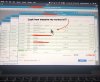
I've upgraded to Windows 10 and Quickbooks Pro Desktop display is too small, Retina display Macbook Pro, Parallels Desktop 14.
I've been online and followed advice from multiple sources; Windows and Parallels and Google, to no avail.
Windows 10 display options make the program too large or too small, there is no scaling in between.
Parallels choices in Configure, "Best for Retina Display", or "Scaled", do not work, the Quickbooks program is too small to work with or too large.
Has anyone found a solution?
Please help.
Thanks!
DS
I've been online and followed advice from multiple sources; Windows and Parallels and Google, to no avail.
Windows 10 display options make the program too large or too small, there is no scaling in between.
Parallels choices in Configure, "Best for Retina Display", or "Scaled", do not work, the Quickbooks program is too small to work with or too large.
Has anyone found a solution?
Please help.
Thanks!
DS