
Install the app
How to install the app on iOS
Follow along with the video below to see how to install our site as a web app on your home screen.
Note: This feature may not be available in some browsers.
You are using an out of date browser. It may not display this or other websites correctly.
You should upgrade or use an alternative browser.
You should upgrade or use an alternative browser.
PeterPeltonen
Bit poster
Same here. Latest Parallels 6 installed and prl_disp_service was eating 100% of cpu.
"sudo launchctl stop com.parallels.desktop.launchdaemon" did not help, I had to force quit the prl_disp_service through Activity monitor. After that Parallels wouldn't start even I had started the launchdaemon, so a reboot was needed. Annoying.
"sudo launchctl stop com.parallels.desktop.launchdaemon" did not help, I had to force quit the prl_disp_service through Activity monitor. After that Parallels wouldn't start even I had started the launchdaemon, so a reboot was needed. Annoying.
Rich Walsh
Bit poster
I updated to Parallels 6.0.12090.660720 on 6 June and haven't opened it since. Tonight my fans are running flat out and I see that I have this problem too: prl_disp_service was using a whole CPU. Same behaviour as PeterPeltonen described. I haven't noticed this before today. It's tedious.
MLamoureux
Bit poster
Same Problem -Dispatch Service @ 100%, Parallels Not Used in a Week
Followed Instructions to send the problem report.
id: 9448355
Not the first time this has happened.
Followed Instructions to send the problem report.
id: 9448355
Not the first time this has happened.
PeterPeltonen
Bit poster
At least for me this started happening after updating to Parallels 6.0.12092 and OSX 10.6.8 which I did approx at the same time. At the moment my prl_disp_service is again consuming 95% of CPU. Parallels is so burdened that the "Report a problem..." function fails to work (just keeps rolling the gray circle), even though my virtual machines still seems to be somehow operational.
On OSX I had just before the problem appeared, I briefly had opened and closed a VPN via Tunnelblick in OSX and launched Mendeley in my WindowsXP Parallels host. Probably not related, but just wanted to report.
On OSX I had just before the problem appeared, I briefly had opened and closed a VPN via Tunnelblick in OSX and launched Mendeley in my WindowsXP Parallels host. Probably not related, but just wanted to report.
TerryFundak
Bit poster
Same Behavior here.
MacBook Pro with 10.6.8 and all upgrades thru July 15 2011
prl_disp_service running at 99% for long block of time. Parallel app has not been used for months - literally.
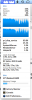
The only genuine "active" app is Apple's Mail. Safari is open and doing nothing. DragThing is open and waiting patiently do something to do. CrashPlan is running via Java as a background process .... see second high process in attachment.
MacBook Pro with 10.6.8 and all upgrades thru July 15 2011
prl_disp_service running at 99% for long block of time. Parallel app has not been used for months - literally.
The only genuine "active" app is Apple's Mail. Safari is open and doing nothing. DragThing is open and waiting patiently do something to do. CrashPlan is running via Java as a background process .... see second high process in attachment.
Attachments
Same thing here... about to lose a customer.
The last two weeks I've been wondering why my battery life went from ~5 hours to about 1.5 hours on a full charge as my Macbook Pro is only a year old and has the new, not-easily-removed battery. The CPU was also running very hot, constantly. I hadn't had a chance to really look into it until today when I started delving and found the prl_dsp_service running in my activity monitor for no reason. I haven't even used Parallels 6 in about 2 months. What gives? I had to force quit it from the Activity Monitor. I've actually had nothing but bad luck with Parallels being incredibly slow and taking 20+ minutes to open as well and then making my whole computer run slowly when it was open. It's part of the reason I never use it anymore. All-in-all I would never recommend it to friends and now with this "mystery" prl_disp_service problem that opens on its own even when the program hasn't been used in months for which the company doesn't even know how to fix it or why it's doing it, I'm feeling like I simply want to uninstall the whole program and call it a day. This is an unacceptable problem for a program out of Beta.
The last two weeks I've been wondering why my battery life went from ~5 hours to about 1.5 hours on a full charge as my Macbook Pro is only a year old and has the new, not-easily-removed battery. The CPU was also running very hot, constantly. I hadn't had a chance to really look into it until today when I started delving and found the prl_dsp_service running in my activity monitor for no reason. I haven't even used Parallels 6 in about 2 months. What gives? I had to force quit it from the Activity Monitor. I've actually had nothing but bad luck with Parallels being incredibly slow and taking 20+ minutes to open as well and then making my whole computer run slowly when it was open. It's part of the reason I never use it anymore. All-in-all I would never recommend it to friends and now with this "mystery" prl_disp_service problem that opens on its own even when the program hasn't been used in months for which the company doesn't even know how to fix it or why it's doing it, I'm feeling like I simply want to uninstall the whole program and call it a day. This is an unacceptable problem for a program out of Beta.
I updated to Parallels 6.0.12090.660720 on 6 June and haven't opened it since. Tonight my fans are running flat out and I see that I have this problem too: prl_disp_service was using a whole CPU. Same behaviour as PeterPeltonen described. I haven't noticed this before today. It's tedious.
1) this isn't just a recent update problem. i had decided to live with 11992 for a while, and i was experiencing this problem. (and fwiw, my reason for not updating is the subject of another long thread having to do with users having bad experiences with updates: http://forum.parallels.com/showthread.php?t=32137&highlight=Install+Parallels+Tools and http://forum.parallels.com/showthread.php?t=111833&highlight=Install+Parallels+Tools)
The last two weeks I've been wondering why my battery life went from ~5 hours to about 1.5 hours on a full charge as my Macbook Pro is only a year old and has the new, not-easily-removed battery. The CPU was also running very hot, constantly. I hadn't had a chance to really look into it until today when I started delving and found the prl_dsp_service running in my activity monitor for no reason. I haven't even used Parallels 6 in about 2 months. What gives? I had to force quit it from the Activity Monitor. I've actually had nothing but bad luck with Parallels being incredibly slow and taking 20+ minutes to open as well and then making my whole computer run slowly when it was open. It's part of the reason I never use it anymore. All-in-all I would never recommend it to friends and now with this "mystery" prl_disp_service problem that opens on its own even when the program hasn't been used in months for which the company doesn't even know how to fix it or why it's doing it, I'm feeling like I simply want to uninstall the whole program and call it a day. This is an unacceptable problem for a program out of Beta.
2) Activity Monitor shows that prl_disp_service is started early as a chile of launchd process 1.
this apple developer article on launchd explains how an application can register a daemon for launch by the system by adding it's own plist to /Library/LaunchDaemons. if you look in here, you will find (among other things) com.parallels.desktop.launchdaemon.plist, which has a launcher for the parallels dispatch service.
one thing it recommends that i do not see in com.parallels.desktop.launchdaemon.plist is the OnDemand key. this means the daemon will only run when required. apple's launchd sets up a listener that is supposed to take care of this. without this key, it would seem that the daemon (in this case, prl_disp_service) will just run. perhaps the parallels dev team has a good reason not to have this key ...
however, if anyone who is experiencing this problem regularly enough is adventurous, try getting into the Property List Editor and opening com.parallels.desktop.launchdaemon.plist, and setting the OnDemand key according to the recommendation on the apple web site, and see if it fixes the problem.
i'm an adventurous soul, but i haven't been experiencing the problem regularly. it occurred twice, and then didn't crop up again. however, i am trying the aforementioned OnDemand key solution myself (i had to 'sudo emacs ' my .plist file because PropertyList editor wouldn't allow me to write it in place. another solution might be to copy the file to your ~/Documents , edit it there, and then sudo copy it back. try at your own risk, i guess.)
I found this thread the same way others have -- I noticed my MacBook Pro battery was depleting very quickly and the computer was abnormally hot all the time. Opened Activity Monitor and found "prl_disp_service" was using 99-100% of a cpu. This is with Parallels 5, which hasn't been opened for a month or so. What gives?
I just experienced the same problem. I had not ran Parallels (version 6.0.11992.625164) for months, and found this prl_disp_service process to be taking around 95%-99%CPU.
I tried all of the following, which did not work:
launchd% stop com.parallels.desktop.launchdaemon
launchd% stop 0x10011e050.anonymous.prl_disp_service
-bash> ps -ef | grep disp_
0 158 1 0 187:02.83 ?? 325:17.97 /Library/Parallels/Parallels Service.app/Contents/MacOS/prl_disp_service -e --logfile /var/log/prl_disp_service_server.log --pidfile /var/run/prl_disp_service.pid
-bash> sudo kill 158
-bash> sudo kill 158
Only the following worked:
-bash> sudo kill -9 158
Unfortunately I had not read far enough along to try the most recent recommendation (Jul 9, 2011, 06:00 PM) by the Parallels poster (sandro). If the process shows up again, I will return to this.
I tried all of the following, which did not work:
launchd% stop com.parallels.desktop.launchdaemon
launchd% stop 0x10011e050.anonymous.prl_disp_service
-bash> ps -ef | grep disp_
0 158 1 0 187:02.83 ?? 325:17.97 /Library/Parallels/Parallels Service.app/Contents/MacOS/prl_disp_service -e --logfile /var/log/prl_disp_service_server.log --pidfile /var/run/prl_disp_service.pid
-bash> sudo kill 158
-bash> sudo kill 158
Only the following worked:
-bash> sudo kill -9 158
Unfortunately I had not read far enough along to try the most recent recommendation (Jul 9, 2011, 06:00 PM) by the Parallels poster (sandro). If the process shows up again, I will return to this.
For those of you on the PD6, have you downloaded our latest update that addresses the recent dock issues? http://kb.parallels.com/111541
gotetrunks
Bit poster
I've permormed an auto update just yesterday, but the problem of 100% cpu is still here... I have to kill the process with app monitor.
I hope you resolve this problem asap... the first post of this thread is dated 2009 -_-
I hope you resolve this problem asap... the first post of this thread is dated 2009 -_-
PeterPeltonen
Bit poster
For those of you on the PD6, have you downloaded our latest update that addresses the recent dock issues? http://kb.parallels.com/111541
Yes, I am running build 6.0.12902 (Revision 670880; June 26, 2011).
I have also applied the workaround suggested in the KB ("Removing the Parallels Application Folder from the Dock").
The problem still persists (just happened again, prl_disp_service eating 99% of CPU again *sigh*).
I now submitted a problem report with ID number 9510254.
Regards,
Peter
One more person with the same problem
About a week ago, my MacBook Pro started being really hot, and loosing power in a couple of hours instead of its usual 6 to 8... just had time to poke around this evening, and found the prl_disp_service consuming 100% CPU time. Searched online, found this this thread. Killed the daemon (how appropriate!), and within 10 minutes, my CPU is running 25 degrees cooler, the fan's off, and power's back up.
Rarely use Parallels, but need it for one program for my thesis data evaluation...(last used about 5 months ago). Running v.5.0.9376.599993 I wonder if this started with my update to 10.6.8?
About a week ago, my MacBook Pro started being really hot, and loosing power in a couple of hours instead of its usual 6 to 8... just had time to poke around this evening, and found the prl_disp_service consuming 100% CPU time. Searched online, found this this thread. Killed the daemon (how appropriate!), and within 10 minutes, my CPU is running 25 degrees cooler, the fan's off, and power's back up.
Rarely use Parallels, but need it for one program for my thesis data evaluation...(last used about 5 months ago). Running v.5.0.9376.599993 I wonder if this started with my update to 10.6.8?
Exactly the same problem here...
it would be nice to hear from Parallels if the problem is actually being looked at and what release cycle a fix is expected in... i hate to use the f-word (as in the vmware ) but before i switched to parallels i had a similar bug, reported it and a patch was released within 6 weeks... this thread goes back waaaay longer than is expected...
uname -a
Darwin WonderBookPro.local 10.8.0 Darwin Kernel Version 10.8.0: Tue Jun 7 16:32:41 PDT 2011; root:xnu-1504.15.3~1/RELEASE_X86_64 x86_64
Operation progress 100%
The problem report was successfully sent with id: 9541919
it would be nice to hear from Parallels if the problem is actually being looked at and what release cycle a fix is expected in... i hate to use the f-word (as in the vmware
) but before i switched to parallels i had a similar bug, reported it and a patch was released within 6 weeks... this thread goes back waaaay longer than is expected...uname -a
Darwin WonderBookPro.local 10.8.0 Darwin Kernel Version 10.8.0: Tue Jun 7 16:32:41 PDT 2011; root:xnu-1504.15.3~1/RELEASE_X86_64 x86_64
Operation progress 100%
The problem report was successfully sent with id: 9541919
Reinstalling helped
I had a chat support with Parallels and they advised to remove everything:
http://kb.parallels.com/en/9087
Then reinstall. This resolved the problem for me after upgrading to Lion.
I had a chat support with Parallels and they advised to remove everything:
http://kb.parallels.com/en/9087
Then reinstall. This resolved the problem for me after upgrading to Lion.